






 X
X  Facebook
  LinkedIn
  Google News
  Telegram
  Instagram
  RSS Feed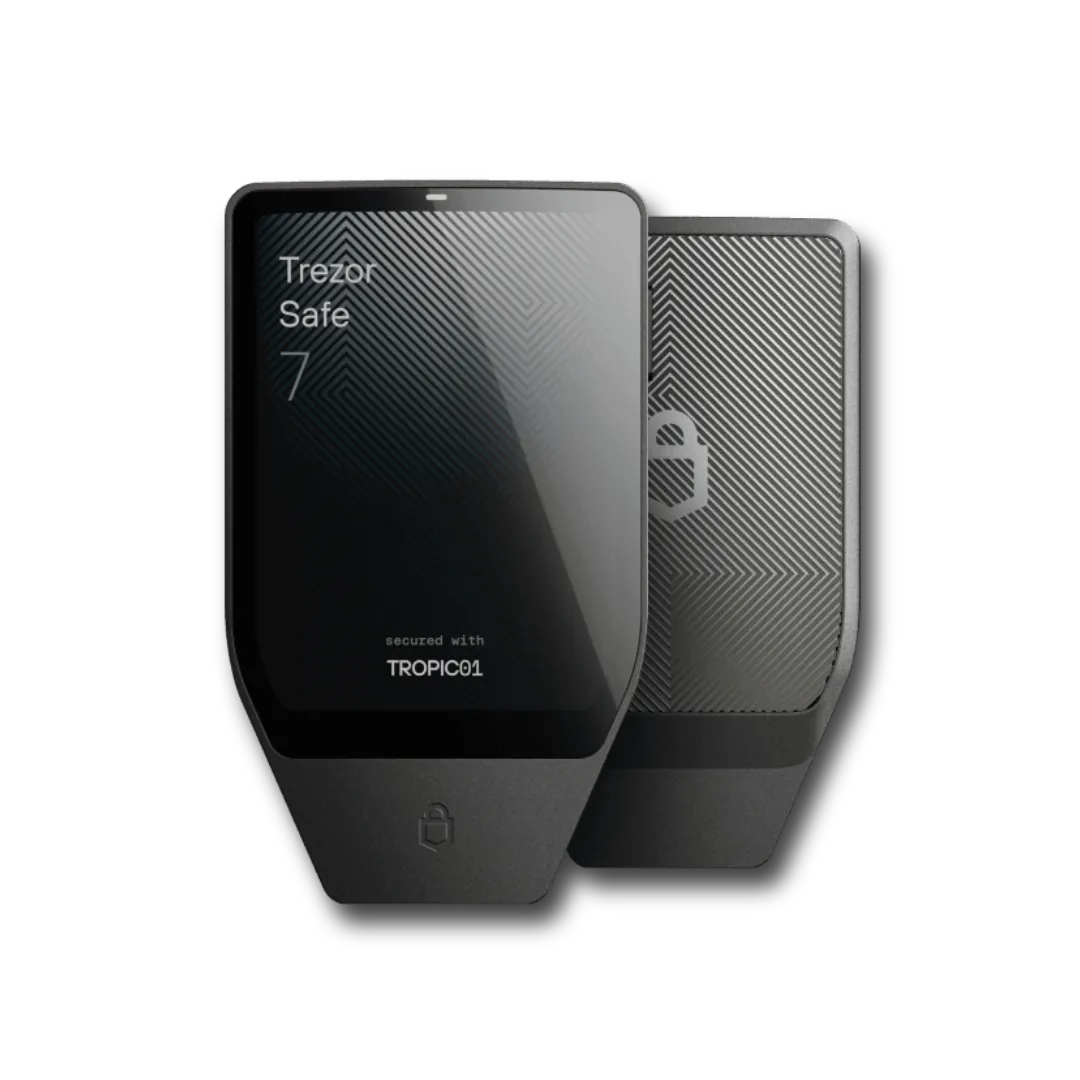


Introduction
Trezor Safe 7 Review 2027
The Trezor Safe 7 introduces an unusually transparent approach to hardware protection through the TROPIC01 Secure Element, alongside post-quantum cryptography for firmware verification and device authentication. Its security architecture is more sophisticated than earlier Trezor models, although the discovery of a physical vulnerability in TROPIC01 during 2026 provides an important real-world test of those protections.
With a launch price of $249, the Safe 7 occupies the premium end of the hardware wallet market. Its value depends on whether the additional security layers, wireless functionality, larger display, and advanced recovery options justify the cost over simpler devices that already keep private keys isolated from internet-connected computers.
The Safe 7 earns its 9.2/10 rating primarily through its layered security architecture, transparent development model, recovery flexibility, and strong mobile compatibility. Its price, non-replaceable battery, and additional connectivity hardware prevent it from being the most economical or minimalist option for every holder.
Design
Design, Display, and Build Quality
The Trezor Safe 7 introduces a considerably more substantial physical design than earlier models, replacing the lightweight plastic construction associated with traditional hardware wallets with an anodized aluminum unibody. At 75.4 × 44.5 × 8.3 mm and 45 grams, it remains compact enough for secure storage or occasional travel without feeling excessively bulky.
Its 2.5-inch touchscreen has a resolution of 520 × 380 pixels, reaches up to 700 nits of brightness, and incorporates haptic feedback. Gorilla Glass 3 protects the front, while reinforced glass covers the rear surface. An IP54 rating provides protection against dust ingress and water splashes, although the device is neither waterproof nor intended for prolonged exposure to moisture.
The display is particularly relevant to transaction security because it provides more space to inspect addresses, amounts, fees, and confirmation prompts. Hardware wallets depend on users verifying critical information on the trusted device rather than accepting whatever appears on a potentially compromised computer or smartphone.
A larger, clearer interface makes that verification process more manageable, especially when users regularly interact with multiple cryptocurrencies or sign transactions throughout the day. Nevertheless, physical readability cannot compensate for unclear smart contract permissions or transactions whose consequences are not adequately explained by the signing interface.
Unlike earlier cable-powered Trezor models, the Safe 7 includes a rechargeable battery and physical power controls. The resulting design resembles a compact standalone electronic device rather than a USB accessory, although it still requires compatible wallet software to prepare transactions and display account information.
Security
Security Architecture and Physical Tamper Protection
The Safe 7’s most significant technical upgrade is its use of two Secure Elements alongside a hardened microcontroller. Its security design separates sensitive operations across independent components, reducing reliance on a single chip to resist every physical attack.
The three principal components are:
- TROPIC01: An independently auditable Secure Element developed by Tropic Square, with public design information that allows researchers to examine important security mechanisms.
- OPTIGA Trust M: An NDA-free, EAL6+ certified Secure Element from Infineon that contributes to PIN verification and physical attack resistance.
- STM32U5: A hardened ARM Cortex-M33 microcontroller responsible for coordinating the device’s operation and security architecture.
The Secure Elements protect separate secrets and participate in PIN-related authentication. Compromising one component is not intended to provide everything an attacker needs to unlock the wallet, while the controller coordinates operations without being able to bypass the remaining hardware protections by itself.
This architecture is relevant when a device is stolen or an attacker obtains physical access to its internal components. Sophisticated extraction techniques can involve voltage manipulation, fault injection, direct chip analysis, or attempts to bypass authentication restrictions.
Both Secure Elements incorporate defenses against selected forms of physical interference, including voltage, temperature, and laser-related attacks. Those mechanisms increase the resources required for hardware exploitation but should not be interpreted as absolute protection against every possible laboratory technique.
The TROPIC01 Vulnerability Disclosed in June 2026
The most consequential public security finding affecting the Safe 7 emerged in June 2026, when Ledger Donjon published research demonstrating a laser fault-injection attack against TROPIC01.
Researchers successfully bypassed Ed25519 signature verification on the chip and achieved arbitrary firmware execution under laboratory conditions. Further investigation by Tropic Square identified an additional attack affecting secrets associated with TROPIC01’s PIN-protection functions.
The finding established a genuine weakness in the chip, but it did not demonstrate a compromise of the complete Trezor Safe 7 wallet. The attack required physical access, chip removal, specialized laboratory equipment, and invasive preparation. Most importantly, compromising TROPIC01 alone did not provide the remaining secrets and authentication conditions necessary to recover wallet funds.
Trezor’s official security response confirmed that the wallet backup and private keys were not stored inside the compromised chip. The manufacturer stated that its other security layers continued to protect the device and that no user action was necessary.
The hardware-level weakness cannot be completely eliminated through a normal remote firmware update, making future silicon revisions relevant to the long-term development of the device.
TROPIC01’s auditability made this research possible, while the Safe 7’s independent protections limited the consequences of the demonstrated compromise. The result supports the value of layered security without establishing that the hardware is immune to undiscovered vulnerabilities.
Quantum Computing
Quantum-Ready Security: What Does It Protect?
Trezor describes the Safe 7 as a quantum-ready hardware wallet because it incorporates post-quantum cryptography into several internal security operations.
The device uses SLH-DSA-128 to support firmware authenticity verification and ML-DSA-44 for device attestation. Its firmware verification process combines classical and post-quantum signatures, strengthening the system responsible for determining whether the software being installed or executed is authentic.
These mechanisms are designed to protect the device against a future scenario in which sufficiently powerful quantum computers undermine cryptographic algorithms used in conventional firmware-signing systems.
The protection does not extend automatically to every cryptocurrency secured by the wallet. Bitcoin, Ethereum, and other blockchains rely on their own signature systems and would require protocol-level changes to address the corresponding quantum risks.
Consequently, holding Bitcoin on a Safe 7 does not make the underlying Bitcoin transaction signatures quantum-resistant. The device can strengthen its internal trust mechanisms and accommodate future software changes, but it cannot independently replace the cryptography used by external blockchains.
Trezor’s implementation provides a credible foundation for longer-term firmware security and upgradeability. Its practical importance will increase as post-quantum standards mature and blockchain networks determine how to implement compatible transaction-signing mechanisms.
For buyers, quantum readiness is a useful architectural advantage rather than a reason to assume the device offers complete protection against future quantum computing threats.
Connectivity
Bluetooth, USB-C, and Battery Performance
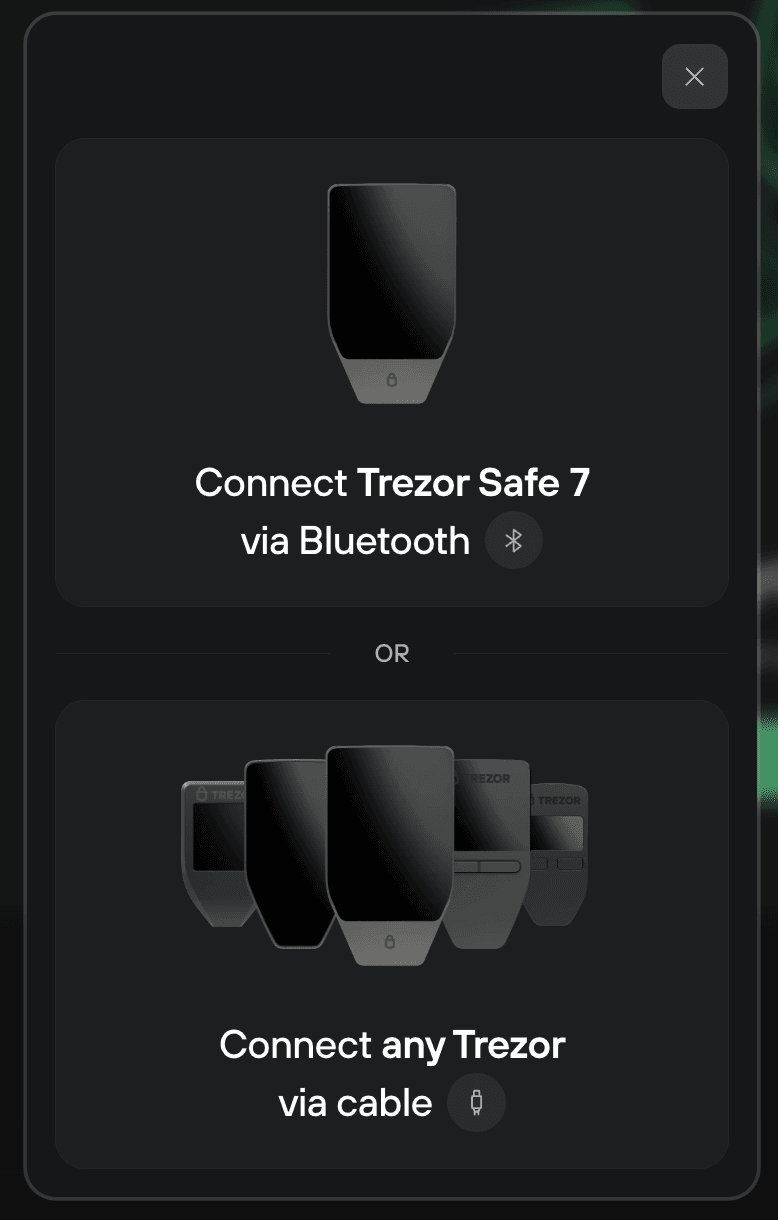
The Trezor Safe 7 is the first model in the company’s hardware wallet lineup to introduce Bluetooth connectivity, allowing transactions to be managed through compatible computers and mobile devices without a physical data cable.
Communication uses the open-source Trezor Host Protocol, which provides encrypted and authenticated exchanges between the wallet and its host device. Bluetooth pairing requires confirmation of matching information, while transaction authorization remains dependent on interaction with the Safe 7 itself.
The Bluetooth component operates outside the core private-key protection architecture. It transports communication between the host and wallet rather than providing direct access to private keys.
Although wireless connectivity introduces additional software and communication components, it does not turn the Safe 7 into a hot wallet. Private-key operations remain isolated within the hardware wallet, provided the device and its firmware operate as designed.
Users who prefer a simpler connection model can disable Bluetooth and operate through USB-C. The Safe 7 is not an air-gapped wallet, however, because both Bluetooth and USB provide direct communication channels to other devices.
Wireless functionality is particularly valuable for iPhone owners. The Safe 7 supports transaction signing through Trezor Suite on iOS, whereas older USB-dependent Trezor models have more limited functionality on Apple’s mobile platform.
Power comes from a 330 mAh lithium iron phosphate battery, selected for its thermal stability and long charging-cycle lifespan. Trezor estimates approximately a day of normal use per full charge, with Qi2-compatible wireless charging available alongside USB-C.
The battery is not user-replaceable, which creates a potential maintenance limitation over many years of ownership. Fortunately, the Safe 7 can continue operating through USB-C even when the battery is completely discharged or no longer retains a charge.
For long-term cold storage, the additional wireless hardware is primarily a convenience feature rather than an essential security component. Owners who access their wallets only occasionally may find a simpler cable-powered model sufficient.
Setup & Backup
Wallet Setup, Backup, and Recovery
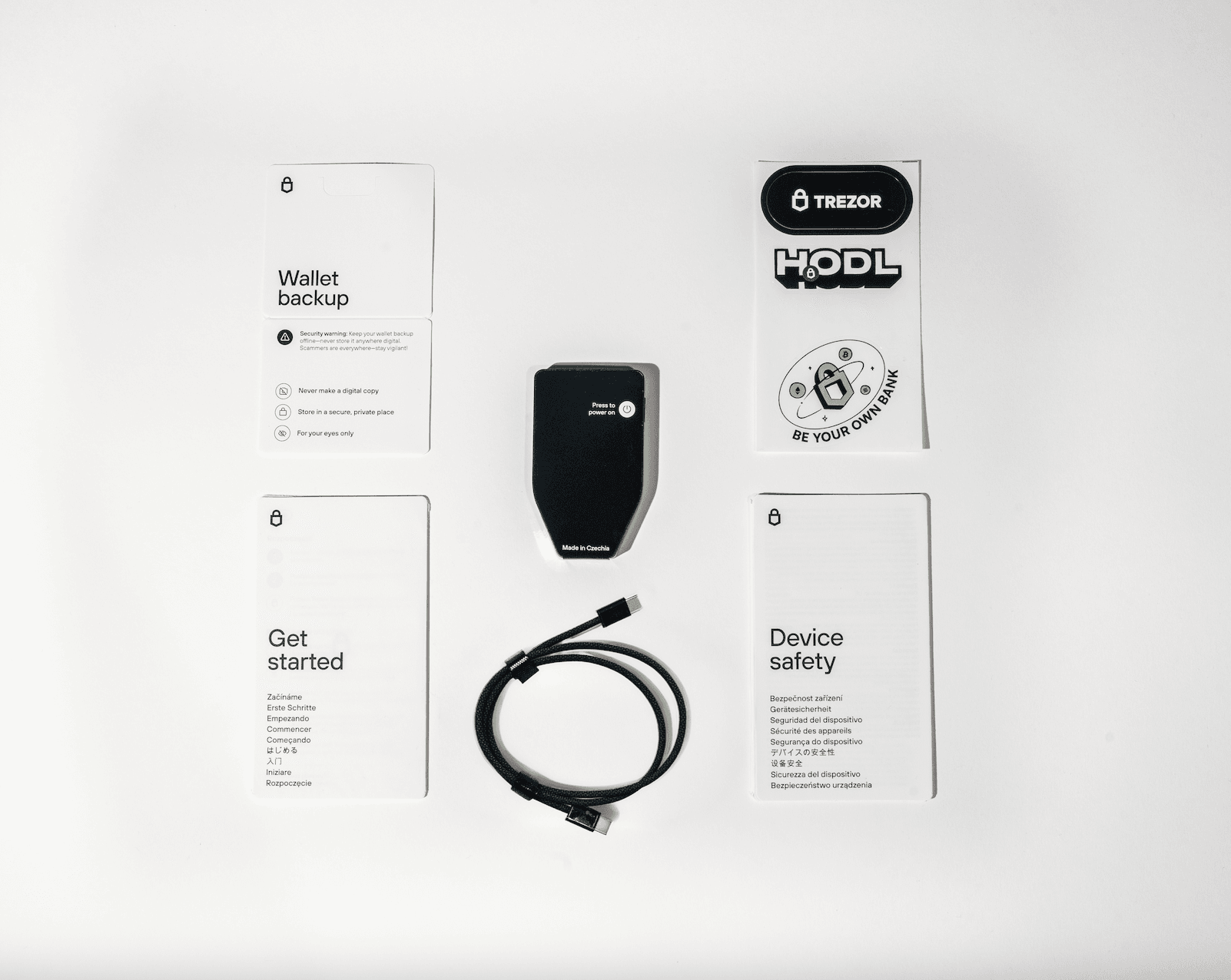
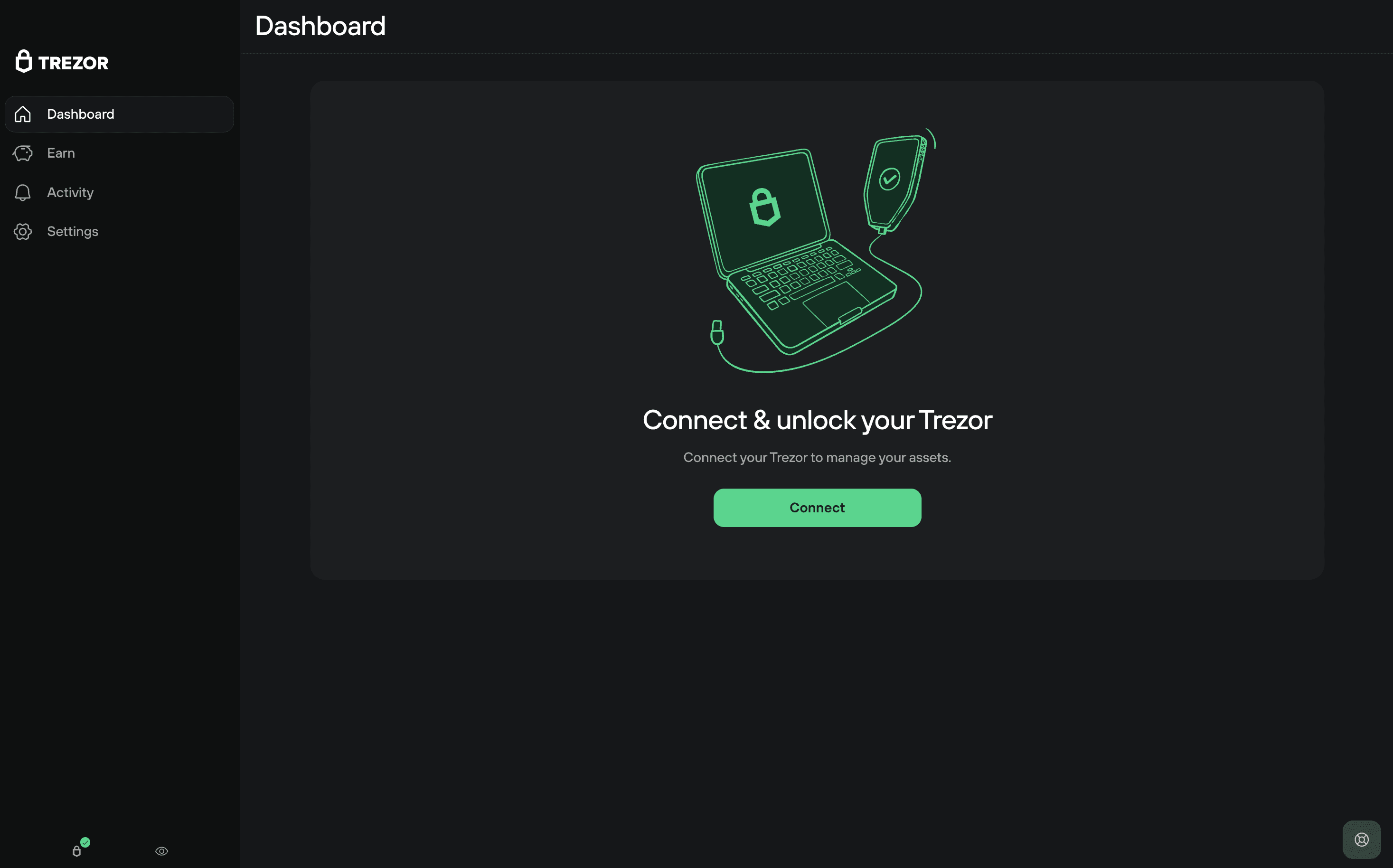
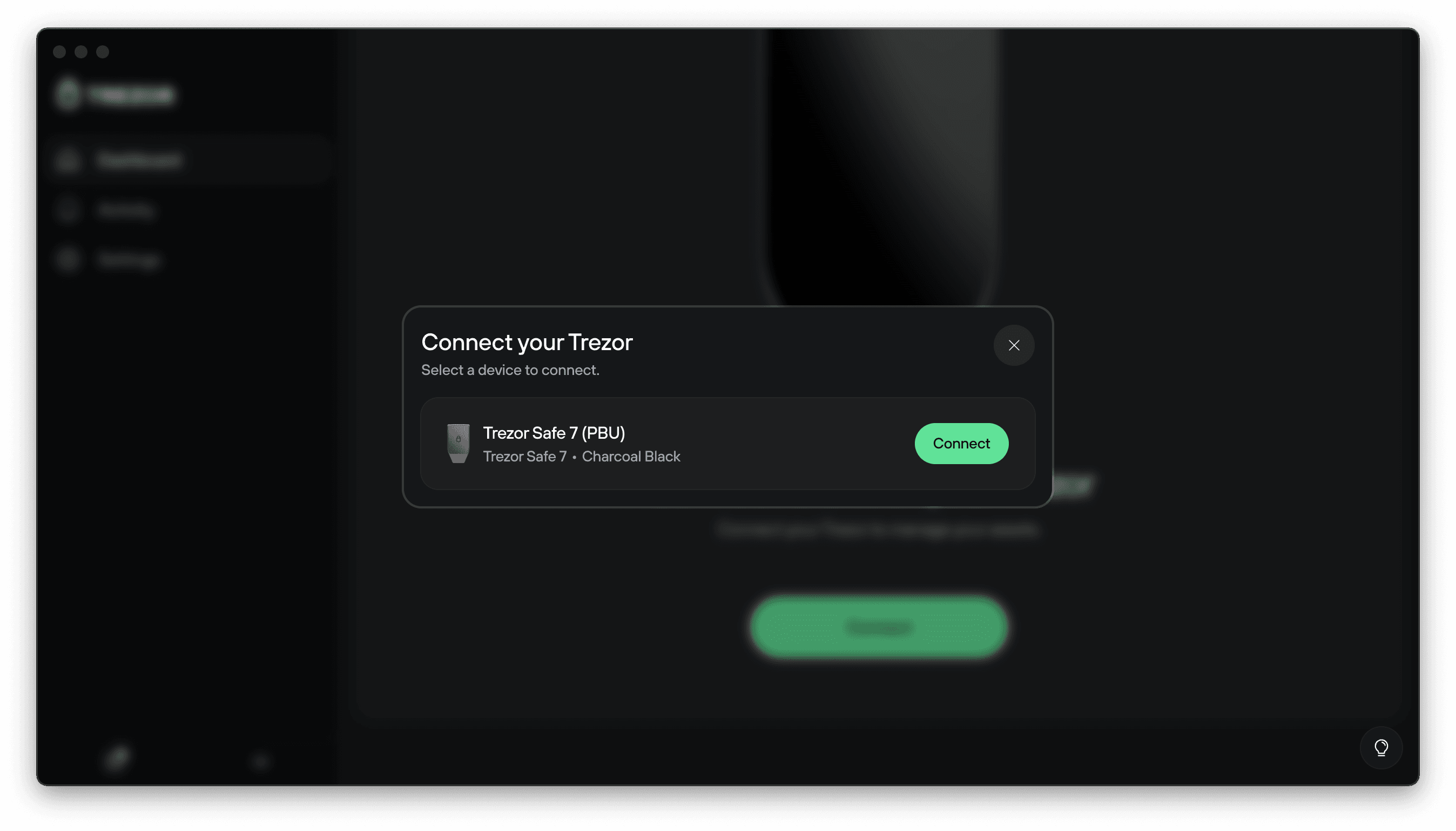
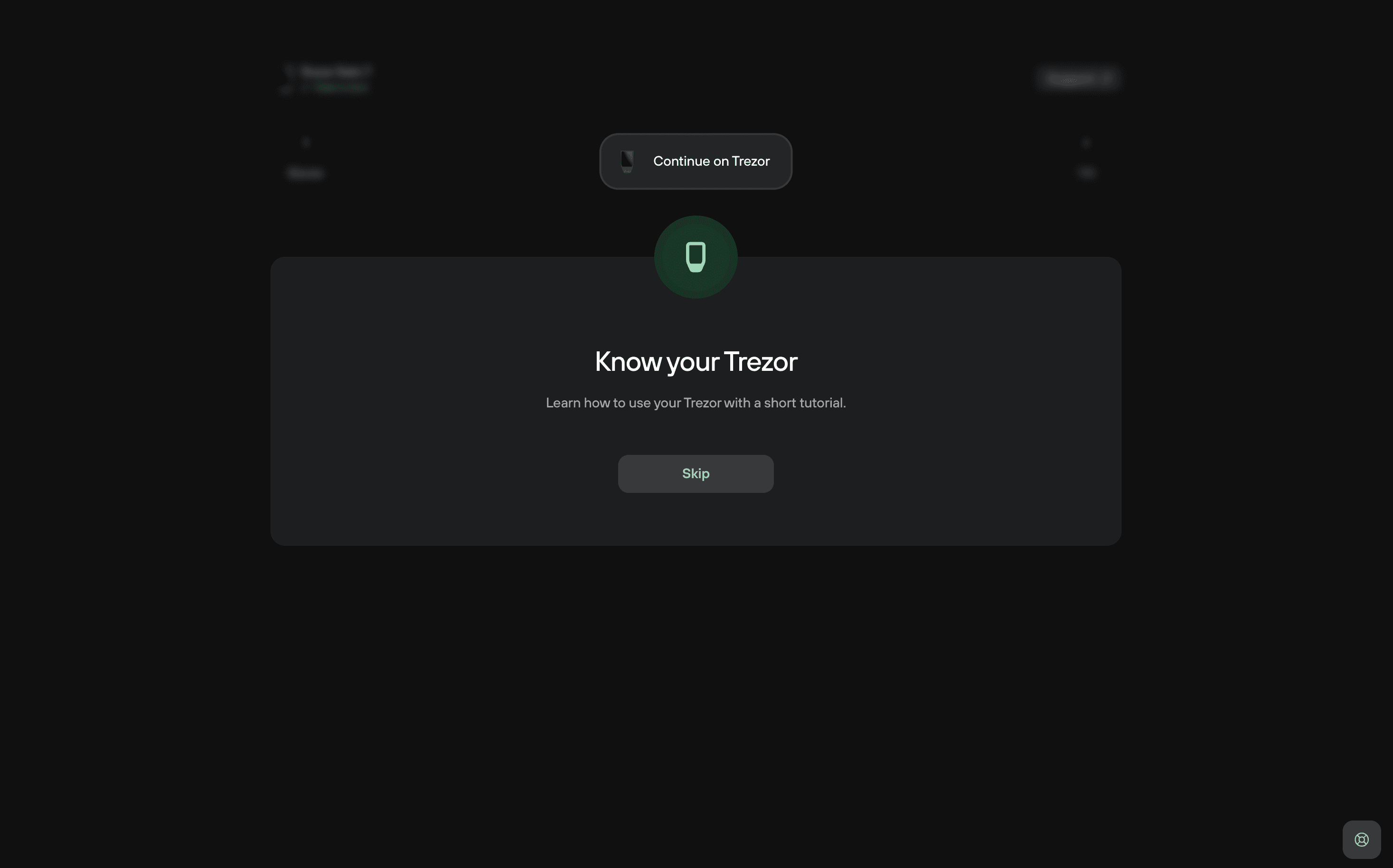
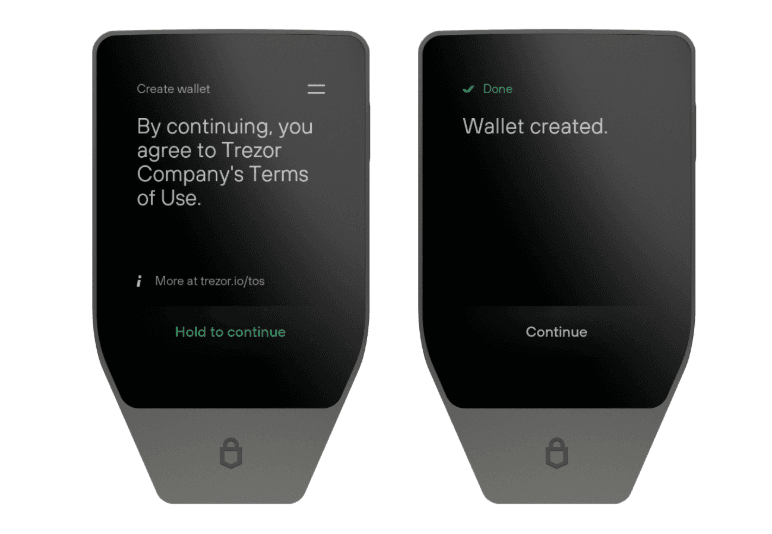
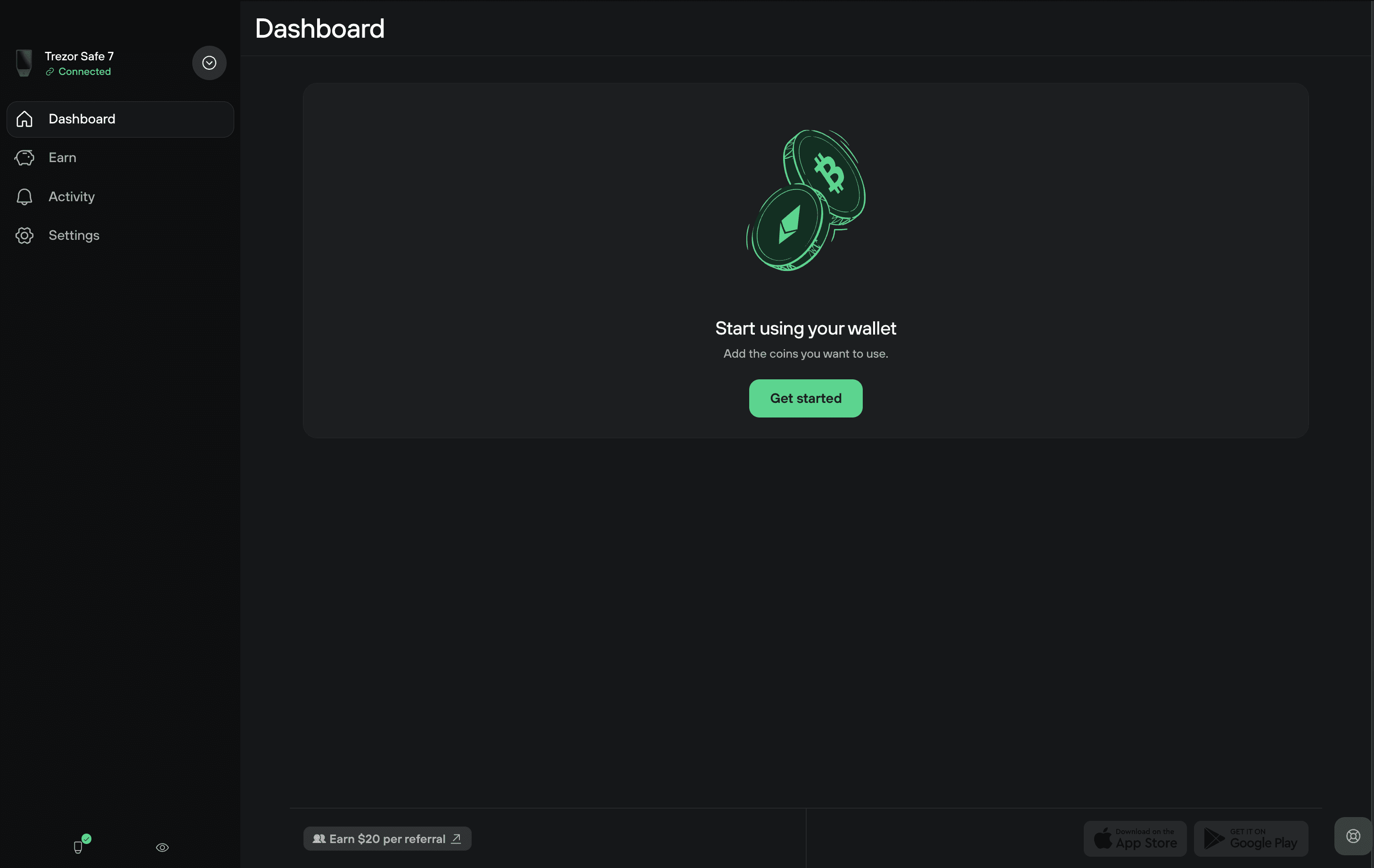
Initial configuration takes place through Trezor’s official setup process, using Trezor Suite on a compatible desktop or mobile device.
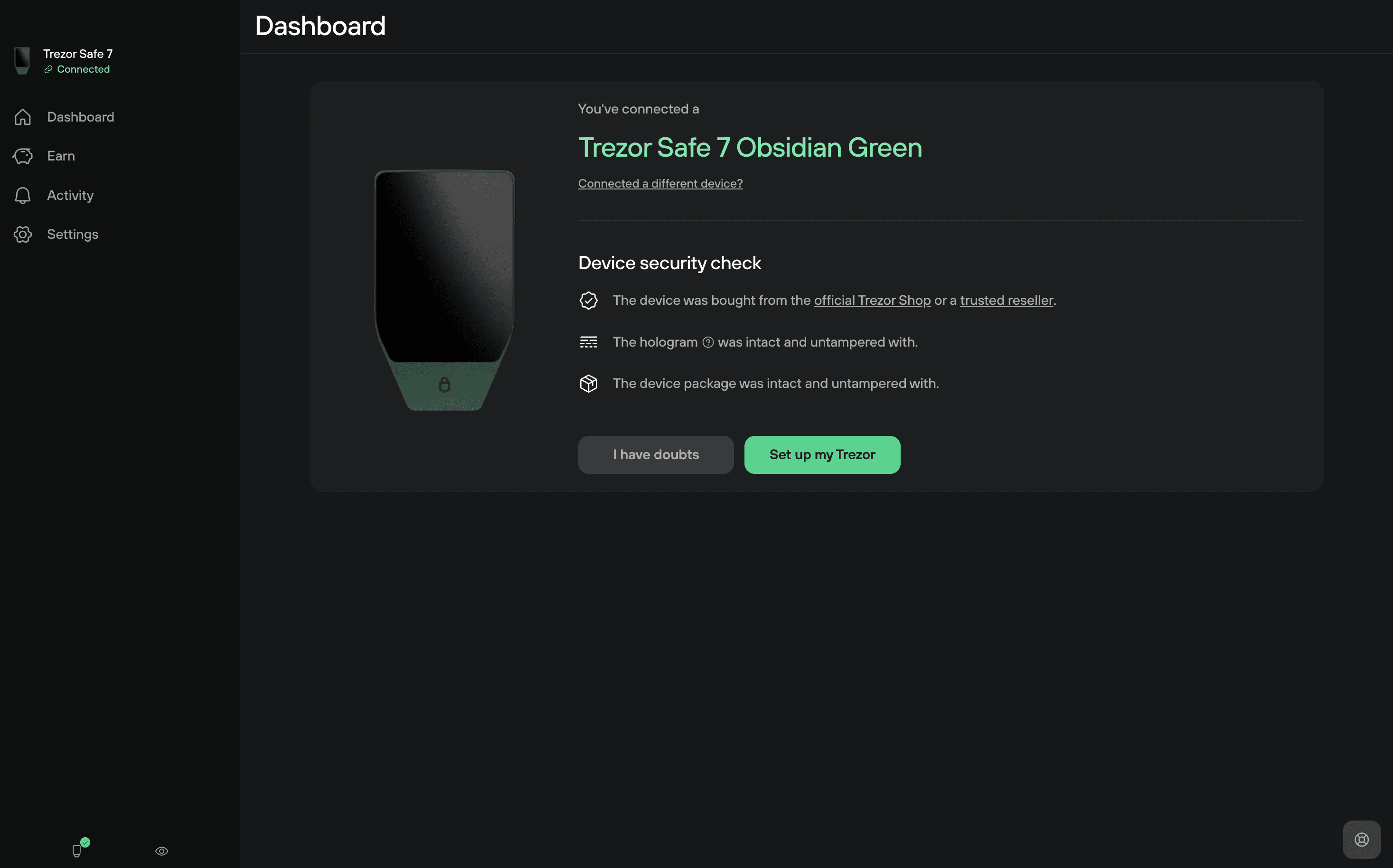
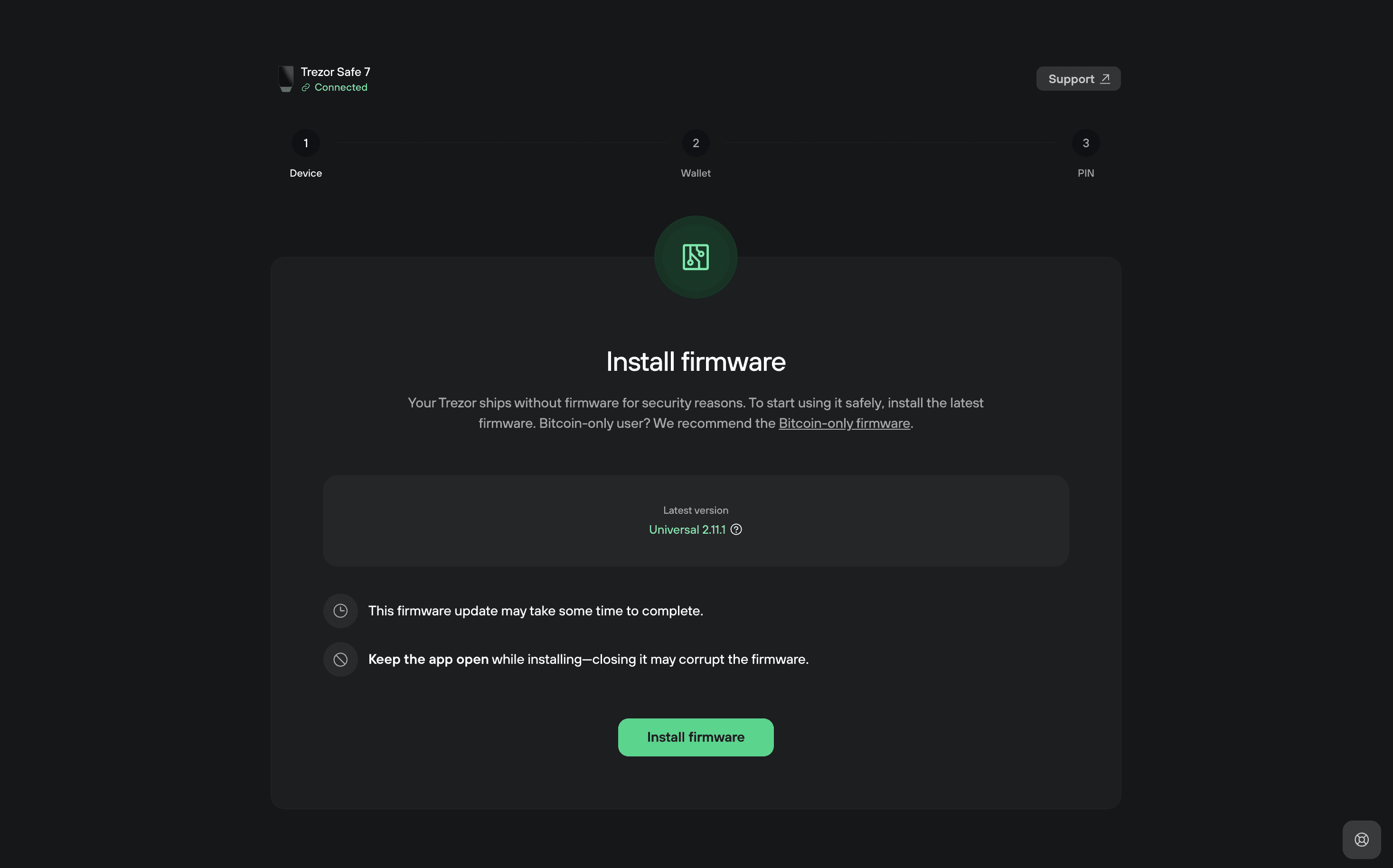
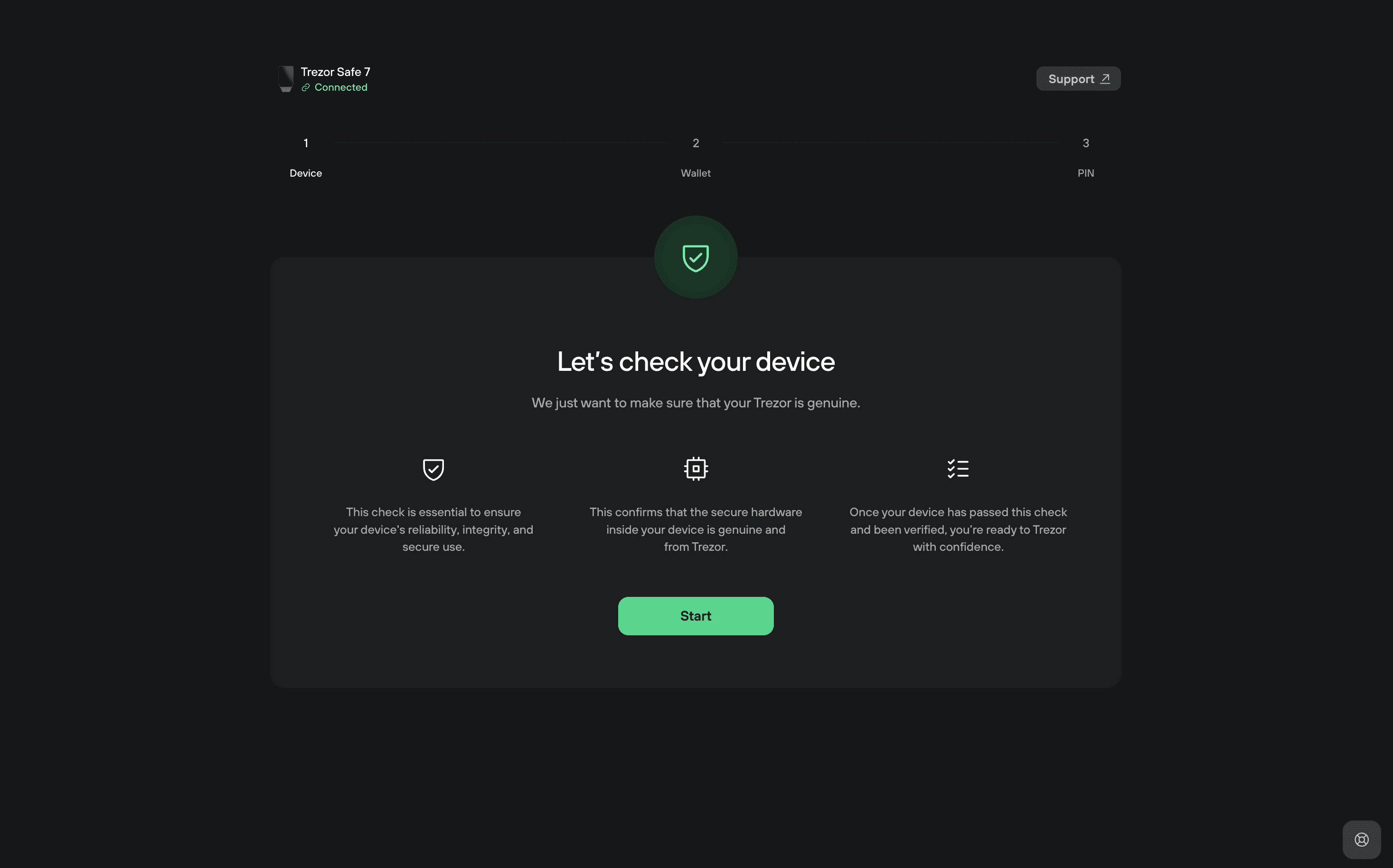
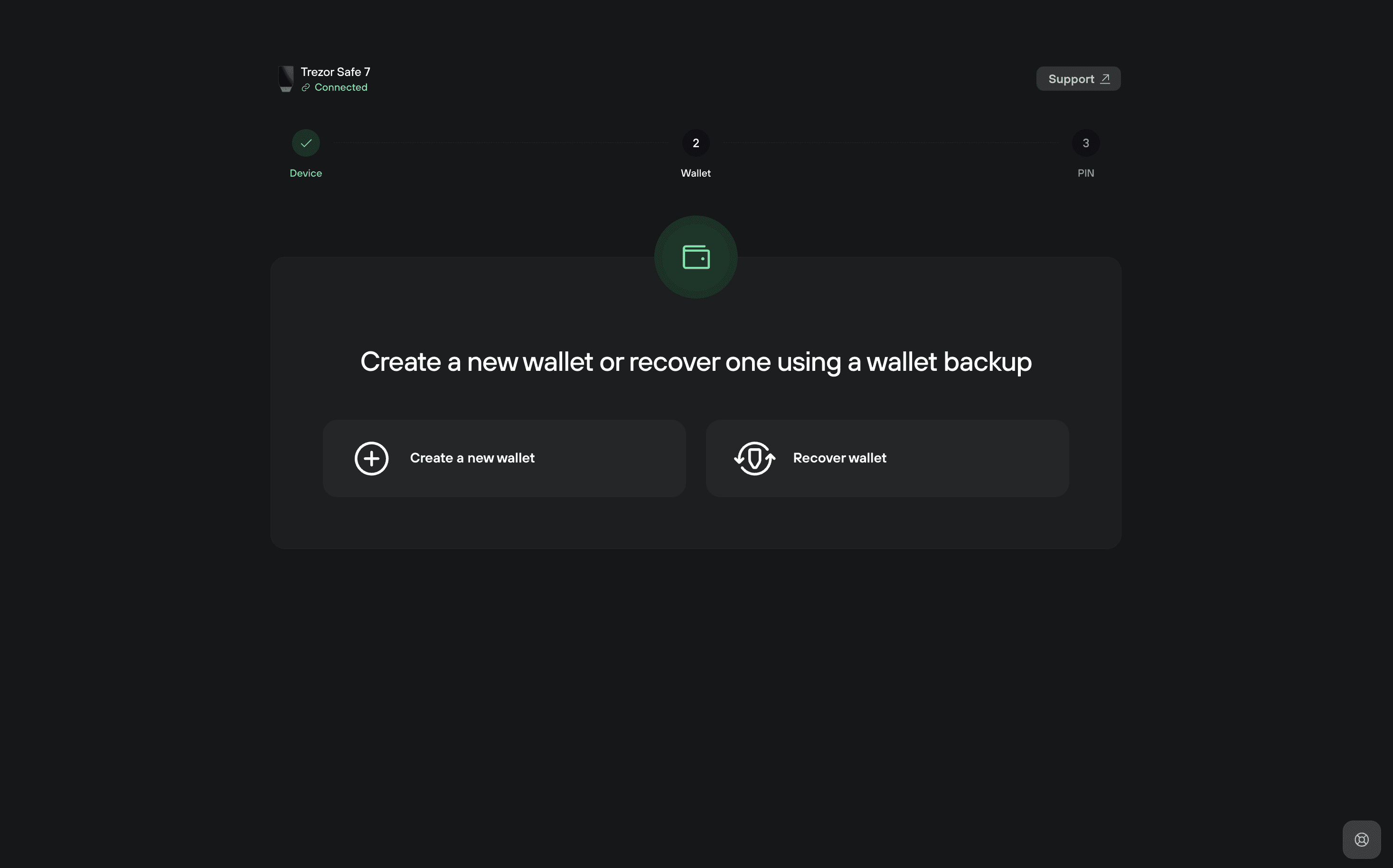
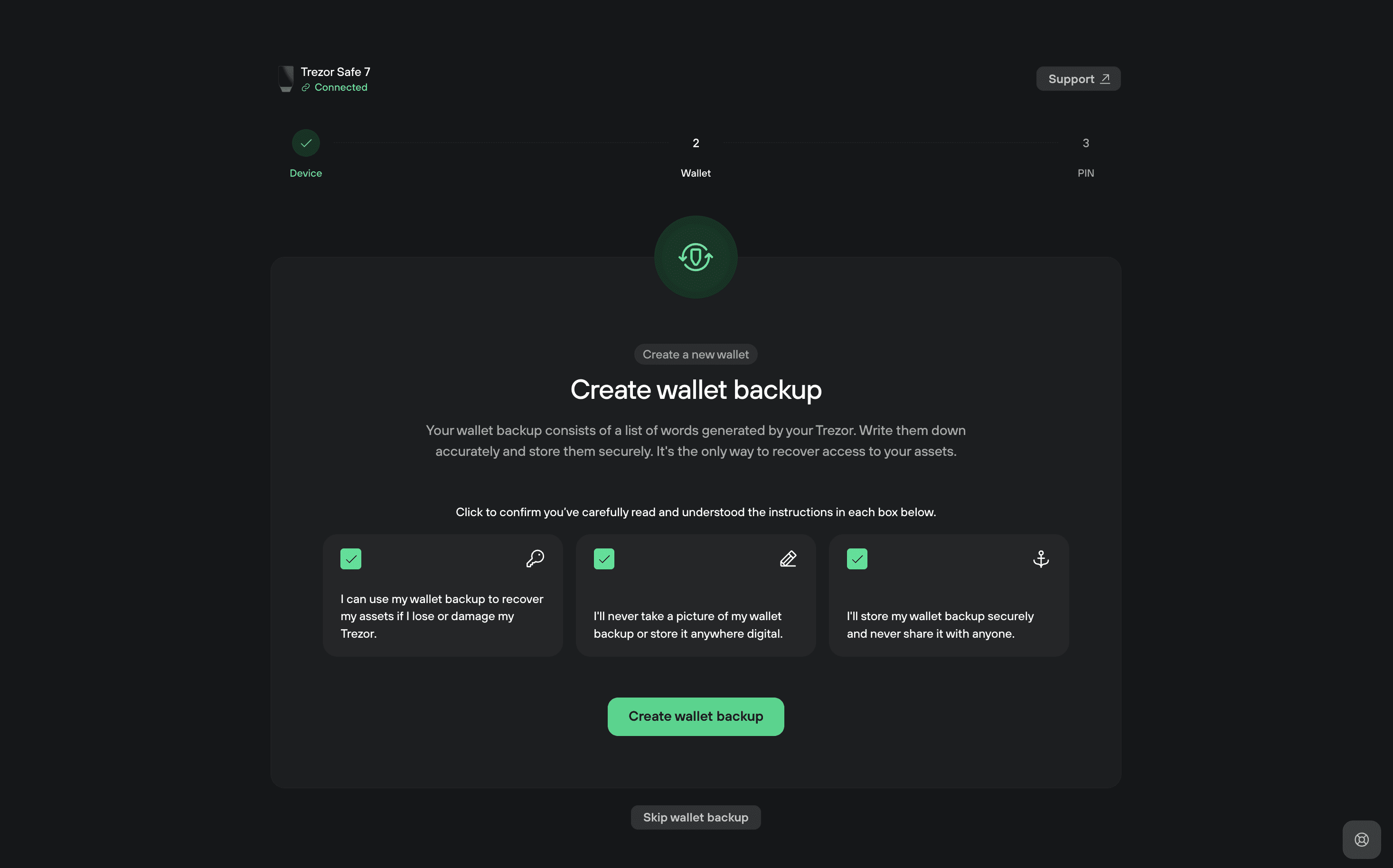
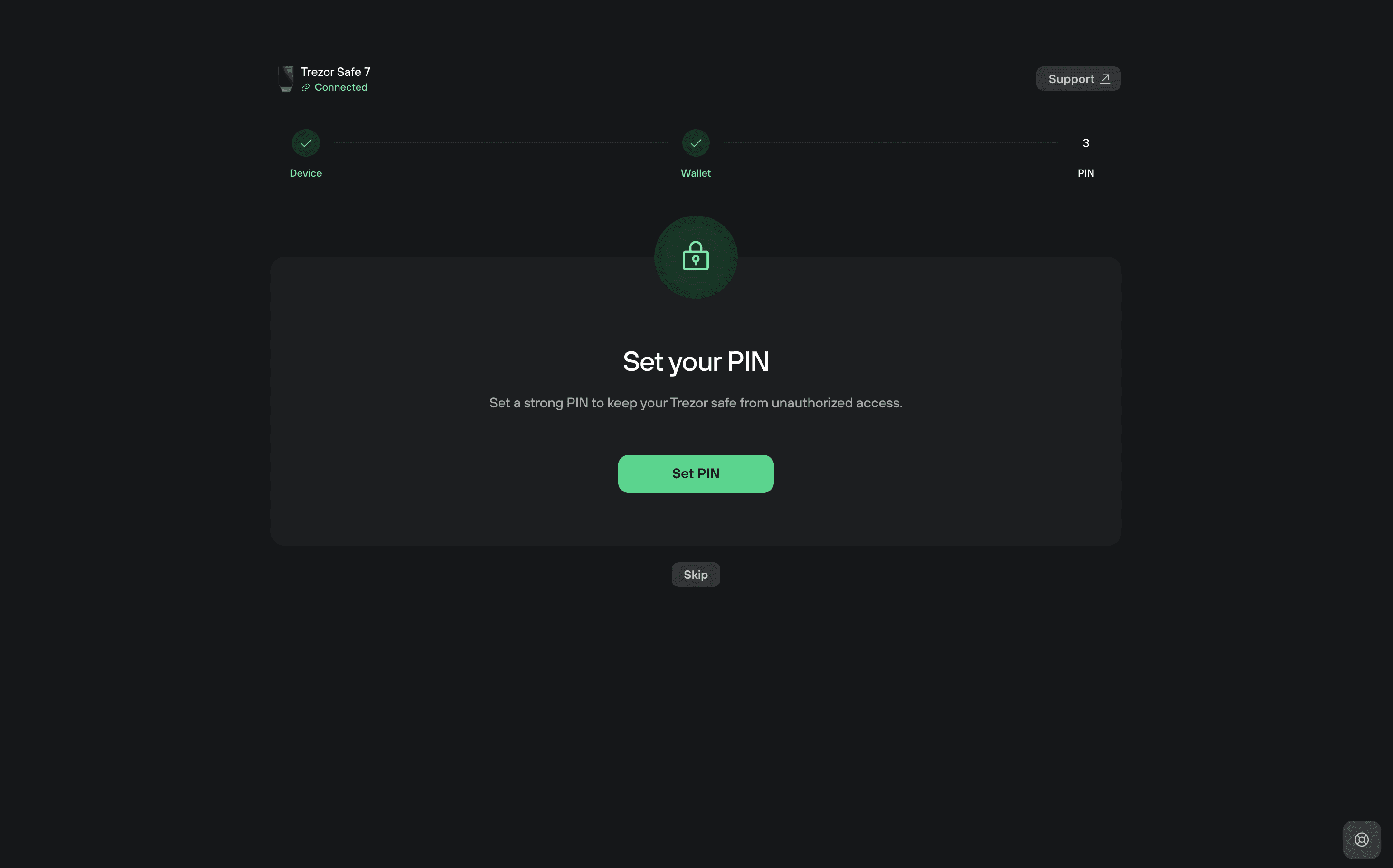
The Safe 7 ships without preinstalled application firmware. During initialization, the user installs firmware, completes the device authenticity check, creates or restores a wallet, records the recovery backup, and configures a PIN.
Device authentication provides an additional supply-chain safeguard by allowing Trezor Suite to check that the connected hardware is genuine. Packaging integrity and the authenticity check are complementary protections rather than interchangeable guarantees, so unusual packaging or unexpected setup behavior should be investigated before funding a new wallet.
The PIN is entered directly through the device’s touchscreen and can contain up to 50 digits. Ten unsuccessful PIN attempts trigger a device wipe, after which access must be restored using the correct recovery material.
Single-Share and Multi-share Backups
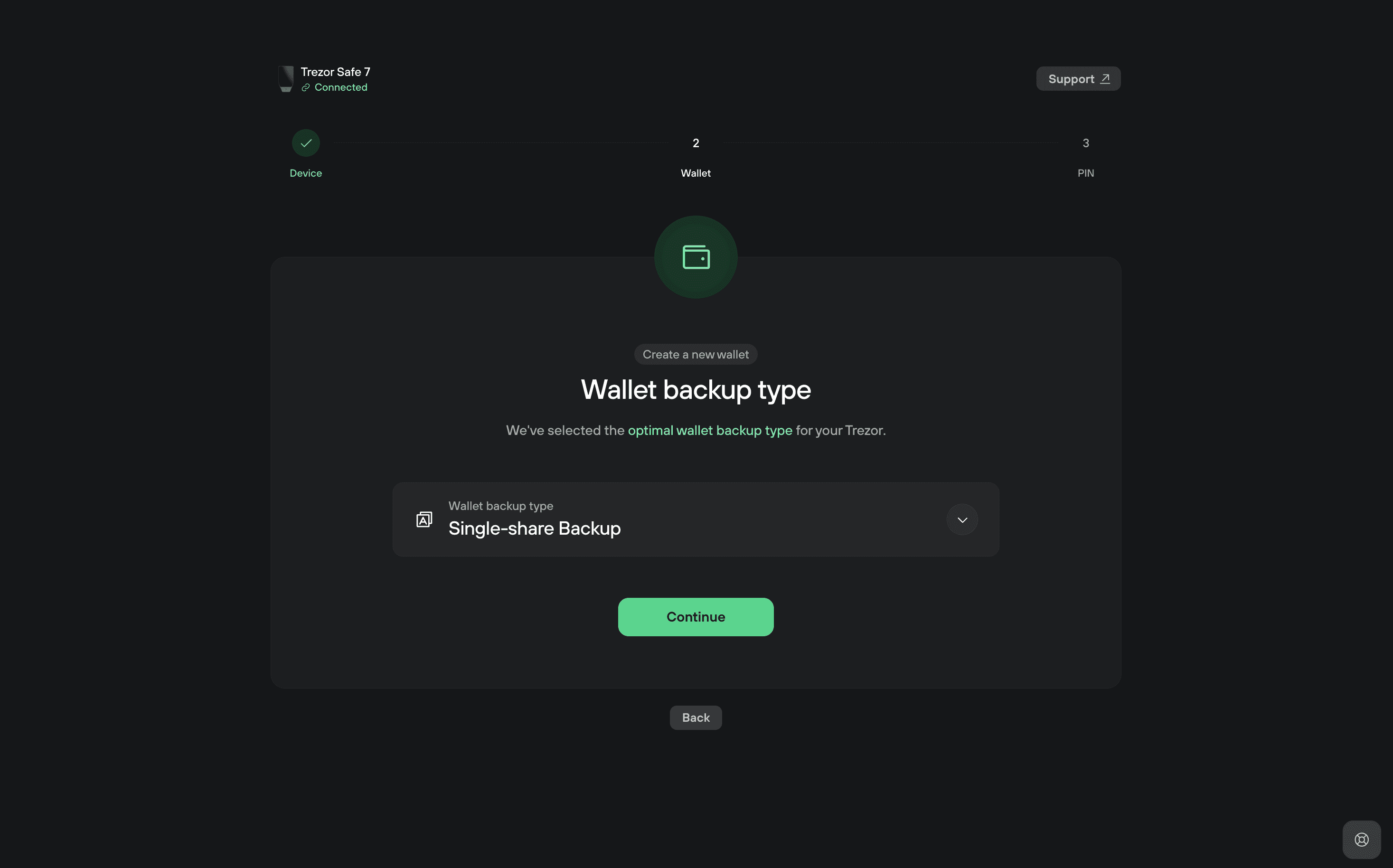
The Safe 7 supports 12- and 24-word BIP39 backups alongside 20-word SLIP39 backups, with the latter offered as the default Single-share format.
A Single-share Backup places the recovery material in one word sequence. Someone who obtains that sequence can potentially restore the wallet elsewhere, which makes physical storage and protection against accidental disclosure essential.
Multi-share Backup introduces a different recovery arrangement by dividing the backup into several shares and establishing a threshold for reconstruction. A configuration using three shares with a two-share threshold, for example, allows the wallet to be restored using any two valid shares.
This permits recovery material to be distributed between separate secure locations, reducing dependence on one physical document. A single stolen share is insufficient to recover a correctly configured two-of-three wallet, while the remaining shares can preserve access if one is lost or destroyed.
The mechanism should not be confused with a multisignature wallet. Multi-share controls how one wallet’s recovery secret is reconstructed, whereas multisignature controls how multiple independent signing keys authorize transactions.
The Safe 7 also supports passphrase-protected wallets, allowing an additional secret to be combined with the recovery backup to derive separate wallet accounts. A passphrase can improve protection when the recovery words are compromised without it, but it also creates another unrecoverable-loss scenario if the owner forgets the exact value.
The relationship between mnemonic phrases and passphrases becomes especially important when migrating to another device. Restoring the correct recovery words without the original passphrase can generate a different wallet rather than restore the expected funds.
Advanced backup arrangements offer greater flexibility but require equally careful recordkeeping. Shares must be distributed according to their threshold requirements, and passphrases need a recovery plan that does not expose them alongside the seed.
Trezor provides a backup-checking function that allows owners to verify recovery material directly on the hardware wallet. A controlled wallet recovery drill can also uncover errors before the device is lost, damaged, or reset, when correcting those mistakes may no longer be possible.
Supported Coins & Compatibility
Supported Coins, Trezor Suite, and DeFi Compatibility
The standard Trezor Safe 7 supports thousands of cryptocurrencies and tokens, including Bitcoin, Ethereum, Solana, and assets on compatible networks such as Arbitrum and other supported blockchain ecosystems.
The distinction between hardware support and software support is important when assessing less common networks. Some assets can be managed directly through Trezor Suite, while others require a compatible third-party application to display balances, construct transactions, or interact with specific blockchain features.
Trezor Suite provides the main account interface for sending, receiving, and managing crypto. It also includes access to services for buying, selling, swapping, and staking supported assets, with third-party service providers involved where applicable.
The Safe 7 can also connect to compatible software wallets and decentralized applications. Integrations involving MetaMask, Rabby, Backpack, and WalletConnect allow users to participate in supported DeFi workflows while keeping private-key operations on the hardware device.
This arrangement improves protection against direct key extraction from a compromised browser or computer, although it does not guarantee that every signed transaction is beneficial or legitimate.
Malicious contracts can still exploit permissions deliberately approved by the wallet owner. Token allowances, permit signatures, and contract calls may authorize asset movements without requiring an attacker to extract the private key.
The attack patterns used by crypto wallet drainers illustrate why protecting the signing key and evaluating transaction permissions are separate security responsibilities. A hardware wallet may faithfully execute a malicious approval if its owner confirms the requested operation.
Safe 7 users interacting with unfamiliar DeFi applications should therefore examine contract addresses, transaction details, and authorization scope before signing. For transactions involving complex contract behavior, independent transaction simulation may provide additional context, though it cannot guarantee a safe outcome.
Bitcoin-Only Firmware
Trezor also offers a dedicated Bitcoin-only Safe 7 edition and Bitcoin-only firmware for compatible standard devices.
The Bitcoin-only environment excludes support for other cryptocurrencies, reducing the firmware’s functional scope and the additional code associated with managing multiple blockchain networks.
This can be attractive to users who prioritize a focused Bitcoin custody setup and have no intention of interacting with Ethereum, Solana, or other blockchain ecosystems.
Owners of the standard Safe 7 can choose Universal or Bitcoin-only firmware, whereas the dedicated Bitcoin-only edition is designed specifically for Bitcoin use. The hardware security architecture remains comparable, but the supported applications and firmware functionality differ.
Privacy Tools
Privacy and Everyday Wallet Security
Trezor Suite includes privacy-oriented options such as Tor connectivity and Bitcoin coin control. Tor can help conceal network-level information from certain observers, while coin control allows users to select specific unspent transaction outputs when constructing Bitcoin transactions.
Neither feature makes public blockchain transactions anonymous. Address reuse, transaction consolidation, interaction with identified services, and blockchain analysis can still reveal financial relationships.
The Safe 7’s private-key isolation also does not prevent compromised backup storage, phishing, malicious transaction approvals, or mistakes involving incorrect recipient addresses. Its security is strongest when the trusted display is used to verify information independently of the connected computer.
Unexpected recovery prompts are particularly serious because the recovery backup can restore access without the original device or PIN. Entering recovery words into a fake website, cloud form, or fraudulent support interface bypasses the main protection offered by cold storage.
Most practical hardware wallet mistakes involve these operational weaknesses rather than direct attacks against specialized silicon. Secure purchasing, genuine software, careful backup handling, and deliberate transaction verification remain essential even with the Safe 7’s advanced components.
Best Suited
Who Should Buy the Trezor Safe 7?
The Safe 7 is particularly suitable for cryptocurrency holders who manage meaningful balances over several years and want a combination of strong physical protection, transparent security architecture, and flexible recovery arrangements.
Its compatibility with iOS makes it especially attractive to users who want to approve transactions directly from an iPhone without switching to a desktop computer. Regular DeFi participants may also appreciate the larger display and the convenience of moving between wallet applications while retaining hardware-based signing.
Long-term holders with carefully planned recovery arrangements can benefit from Multi-share Backup and the device’s independently protected authentication mechanisms. These capabilities are more valuable when the owner understands how each security layer operates and has established a reliable process for restoring access.
The Safe 7 is less compelling for buyers whose main objective is inexpensive Bitcoin cold storage. A smaller, cable-only device may provide adequate signing protection without introducing battery maintenance or paying for wireless features that will rarely be used.
Users seeking a fully air-gapped signing model should also consider that the Safe 7 communicates directly through Bluetooth or USB-C. Its encrypted connections preserve private-key isolation, but they do not meet the stricter definition of a device that never establishes a direct electronic connection with an online host.
Safe 7 vs Safe 5 vs Safe 3
Trezor Safe 7 vs. Trezor Safe 5 and Safe 3
The premium Safe 7 is not automatically the most suitable choice for every Trezor buyer because the Safe 3 and Safe 5 already provide secure-element protection, non-custodial signing, PIN security, and strong backup options.
The Safe 3 is oriented toward users who want a simpler device with physical buttons and USB connectivity. Its smaller screen and basic construction are sufficient for occasional Bitcoin transfers or long-term storage, while the lower price makes it accessible to users who do not need wireless functionality.
The Trezor Safe 5 provides a more comfortable touchscreen experience, haptic feedback, and secure-element protection without adding the Safe 7’s Bluetooth, rechargeable battery, or additional TROPIC01 component.
Safe 7 buyers are primarily paying for the more advanced physical architecture, premium construction, larger display, encrypted wireless connectivity, and post-quantum protection of critical internal operations.
For a holder who makes several transactions each week, uses an iPhone, and interacts with supported third-party wallets, those improvements can justify the premium. Someone who transfers Bitcoin into cold storage only a few times per year may receive much of the necessary protection from a less expensive Trezor.
The Safe 7’s $249 launch price establishes it as a flagship device rather than a budget custody solution, with actual purchase prices subject to regional taxes, promotions, and retailer pricing.
Final Verdict
Final Verdict: Is the Trezor Safe 7 Worth It?
The Trezor Safe 7 combines a sophisticated physical security architecture with meaningful improvements in usability, connectivity, and recovery flexibility.
Its dual Secure Element design provides a stronger defense-in-depth approach than relying on one security component, while the public research surrounding TROPIC01 gives security-conscious buyers unusually detailed insight into both the chip’s strengths and its limitations. Post-quantum verification of critical device operations is another worthwhile improvement, provided it is understood separately from the cryptographic security of the blockchains themselves.
The larger touchscreen and wireless support have practical advantages for owners who sign transactions regularly, particularly those using iPhones or several supported wallet applications. Multi-share recovery and passphrase support offer additional flexibility without forcing every user into a complicated backup arrangement.
Setup Guide
Pros & Cons
- Strong layered security: Two independent Secure Elements, a hardened controller, open-source firmware, and device authentication provide substantial protection against physical tampering and unauthorized access.
- Excellent transaction interface: The large touchscreen, high brightness, haptic feedback, and durable construction make transaction confirmation more comfortable than on smaller button-operated hardware wallets.
- Flexible connectivity: Encrypted Bluetooth, USB-C, wireless charging, and full iOS and Android integration allow the wallet to fit different desktop and mobile workflows.
- Advanced recovery architecture: Support for BIP39, SLIP39 Multi-share Backup, passphrase wallets, and backup verification offers considerable flexibility for long-term self-custody.
- Premium pricing: The $249 launch price is difficult to justify for users who only require occasional offline Bitcoin signing and basic recovery protection.
- Non-replaceable battery: Although USB-C operation remains available after battery degradation, the built-in battery adds a component that cannot be routinely replaced by the owner.
- More complex hardware: Bluetooth, additional chips, and wireless charging create a broader implementation surface than simpler cable-only devices, even with the protections designed around those components.
- Physical vulnerability disclosure: The June 2026 TROPIC01 fault-injection findings demonstrate that the Secure Element is not immune to laboratory attacks, although the published research did not establish a compromise of the complete wallet.
FAQ
Is the Trezor Safe 7 secure after the TROPIC01 vulnerability disclosure?
The Trezor Safe 7 remains a strong option for hardware-based cryptocurrency protection despite the physical vulnerability disclosed in June 2026. Researchers demonstrated a sophisticated laser fault-injection attack against its TROPIC01 Secure Element, but the findings did not establish a way to access wallet funds. The device's independent OPTIGA Trust M chip, hardened controller, and PIN protections provide additional security layers. No complete Safe 7 compromise has been publicly demonstrated through this vulnerability.
Is the Trezor Safe 7 completely quantum-resistant?
The Safe 7 introduces post-quantum cryptography for firmware authentication and device verification, helping protect critical internal processes against future quantum computing threats. However, this does not make Bitcoin, Ethereum, or other supported cryptocurrencies quantum-resistant. Their transaction signatures depend on the cryptographic standards implemented by their respective blockchains. The Safe 7 is designed to support future security upgrades, but complete quantum resistance requires corresponding developments across the cryptocurrency ecosystem.
Can the Trezor Safe 7 be used with an iPhone without a computer?
Yes. The Trezor Safe 7 supports wireless transaction signing through Trezor Suite on iOS, allowing iPhone users to manage supported cryptocurrencies without relying on a desktop computer. Its encrypted Bluetooth connection requires authenticated pairing, while sensitive transaction approvals take place on the hardware wallet itself. Android users can connect through Bluetooth or compatible USB-C connections. Bluetooth can also be disabled when the device is used in a wired configuration.
What happens if the Trezor Safe 7 is lost, stolen, or stops working?
Cryptocurrency remains recoverable when the owner has preserved the correct wallet backup and any associated passphrase. The Safe 7 supports 12-, 20-, and 24-word recovery formats, including Multi-share Backup configurations that require a specified number of shares. A replacement compatible wallet can restore access without the original device. If the battery deteriorates or stops working, the Safe 7 can still operate through USB-C power. Losing the necessary recovery material, however, can permanently prevent access to the funds.
Which cryptocurrencies and DeFi applications does the Trezor Safe 7 support?
The standard Trezor Safe 7 supports thousands of cryptocurrencies and tokens, including Bitcoin, Ethereum, Solana, and assets on several compatible blockchain networks. Trezor Suite handles many supported assets directly, while third-party wallet integrations expand access to DeFi applications, NFT platforms, and additional networks. Compatibility with applications such as MetaMask, Rabby, and Backpack allows users to interact with supported decentralized services while keeping private-key signing on the hardware device. Individual token and application compatibility should be checked before use.
Is the Trezor Safe 7 worth upgrading to from the Safe 5 or Safe 3?
Upgrading makes the most sense for users who will benefit from the Safe 7's dual Secure Element architecture, encrypted Bluetooth connectivity, larger touchscreen, and post-quantum firmware protections. Its premium construction, wireless charging, and improved mobile experience are meaningful additions for people who authorize transactions regularly. However, owners using a Safe 5 or Safe 3 primarily for occasional long-term Bitcoin storage may find their existing devices sufficient. The Safe 7 offers more capabilities, but upgrading is not necessary simply to maintain hardware-based self-custody.