







 X
X  Facebook
  LinkedIn
  Google News
  Telegram
  Instagram
  RSS Feed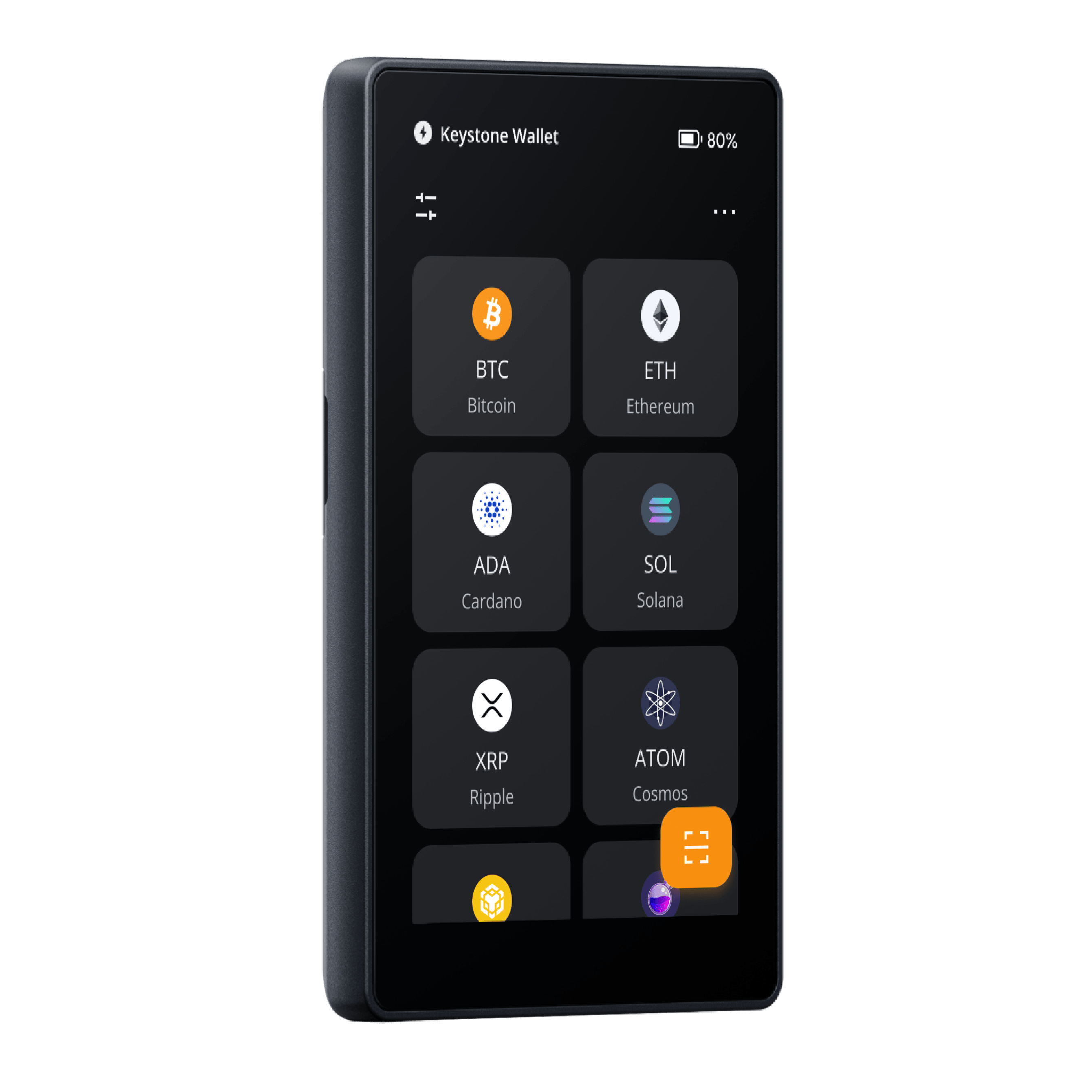


Introduction
Keystone 3 Pro Review 2027: Air-Gapped Security, Features, Supported Coins, and Value
The Keystone 3 Pro is one of the more versatile air-gapped hardware wallets available in 2027, combining offline transaction signing with a large touchscreen, three Secure Elements, physical tamper protection, and extensive third-party wallet compatibility. Priced at $149, it offers an alternative to conventional USB-connected hardware wallets without restricting users to Bitcoin or a handful of supported cryptocurrencies.
Its main advantage is the separation between transaction preparation and authorization. Compatible software wallets handle network connections, balances, and transaction construction, while Keystone uses QR codes to review and sign transactions without a direct data connection to the host during normal QR-based signing. This approach reduces exposure to certain connection-based attacks while preserving access to established wallet applications such as MetaMask, Sparrow, Solflare, and Rabby.
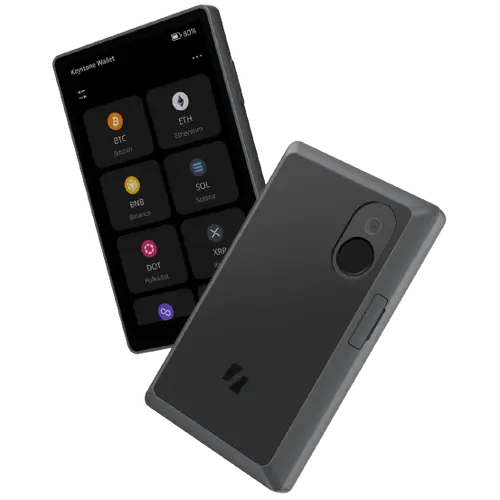
Keystone also supports three independent seed-phrase wallets on one device, optional fingerprint authentication, Shamir backup functionality, and dedicated firmware options for multi-chain users, Bitcoin holders, and privacy-focused cryptocurrency management. The four-inch touchscreen provides substantially more room for reviewing transaction information than the compact displays commonly found on hardware wallets.
The combination makes Keystone 3 Pro particularly attractive for experienced cryptocurrency holders who want greater control over how transactions are signed. Its reliance on external wallet applications introduces some additional setup and compatibility considerations, but the overall security architecture, broad ecosystem support, and competitive pricing justify its strong 9.0/10 CryptoAdventure rating.
Keystone 3 Pro Specifications
| Feature | Details |
|---|---|
| Product | Keystone 3 Pro hardware wallet |
| Release Year | 2023 |
| Price | $149 USD |
| Security | Three Secure Elements, tamper-response mechanism, device verification |
| Signing Method | Air-gapped QR-code transaction signing |
| Display | 4-inch color touchscreen, 480 × 800 resolution |
| Authentication | Device password, fingerprint |
| Recovery | Seed phrases, passphrases, supported Shamir backup configurations |
| Multiple Wallets | Up to three independent seed-phrase wallets |
| Firmware | Multi-Coin, Bitcoin-Only, Cypherpunk |
| Supported Assets | 5,500+ cryptocurrencies and tokens across 200+ blockchains, depending on firmware and integrations |
| Wallet Integrations | 45+ supported software wallets |
| Firmware Updates | MicroSD card or WebUSB |
| Battery | 1,000 mAh rechargeable battery |
| Weight | 103 g |
| CryptoAdventure Rating | 9.0/10 |
How Does Keystone 3 Pro Work?
Keystone 3 Pro functions as an offline transaction signer rather than a standalone cryptocurrency portfolio application. Its primary responsibility is to generate and protect private keys, verify supported transaction information, and authorize transfers through cryptographic signatures. Blockchain connectivity, balance synchronization, and transaction broadcasting are handled by compatible software wallets.
During a typical transaction, the connected software application prepares the unsigned transaction and displays its data as a QR code. Keystone scans that information using its built-in camera, decodes the supported transaction details, and presents them on its four-inch touchscreen. Once the user verifies and approves the request, the device generates a signature internally and displays the signed information as another QR code. The companion wallet scans the response and broadcasts the transaction to the appropriate blockchain.
This process keeps private keys within the hardware wallet while eliminating the need for a direct USB or Bluetooth data connection during normal QR signing. However, the device still has a USB-C interface for charging and supported firmware maintenance, including WebUSB updates. Its air-gapped designation specifically describes the signing workflow rather than the complete absence of physical interfaces.
Keystone’s larger display makes this arrangement considerably more practical than it would be on a traditional small-screen signer. Addresses, amounts, and supported smart contract details can be examined directly on the hardware device before authorization, reducing dependence on information shown by the connected computer or smartphone.
The wallet’s three Secure Elements and manufacturer-described physical tamper-response mechanism provide additional protection for sensitive information. Device verification and firmware-integrity controls complement those hardware measures, while fingerprint authentication makes regular unlocking more convenient without replacing the device’s recovery requirements.
One of Keystone’s more distinctive capabilities is its support for three independent recovery-phrase wallets on the same hardware. These can be used to separate different holdings or custody purposes without requiring three physical signing devices. The wallets remain distinct, however, and each recovery arrangement must be protected independently.
Keystone also offers three firmware tracks with different priorities. Multi-Coin firmware supports its broadest cryptocurrency ecosystem, Bitcoin-Only focuses on a narrower Bitcoin signing environment, and Cypherpunk supports specialized privacy-oriented workflows involving Bitcoin, Zcash, and Monero. These are alternative firmware configurations rather than three sets of functionality available simultaneously.
The result is a hardware wallet that combines offline signing with considerable flexibility, provided users are comfortable managing external wallet integrations and selecting the firmware appropriate for their assets.
Who Is Keystone 3 Pro Best Suited For?
Keystone 3 Pro is particularly well suited to cryptocurrency holders who want the security advantages of an air-gapped signing device without giving up access to major blockchain ecosystems and established software wallets. Its combination of broad compatibility, readable transaction verification, and separate recovery-phrase wallets makes it a strong option for investors managing several portfolios or using different custody arrangements.
Active Ethereum and EVM users can benefit from its integrations with applications such as MetaMask and Rabby, while Solana investors can use supported integrations including Solflare. Bitcoin-focused users have access to specialized firmware and compatible tools supporting more advanced transaction management, including PSBT and multisignature workflows.
Its physical tamper-response features and offline signing model also make it attractive for long-term holders concerned about device theft, unauthorized hardware access, or compromised host computers. However, these mechanisms do not eliminate the need to verify transaction requests or protect recovery information.
Keystone is less suitable for buyers expecting an entirely self-contained wallet application or the convenience of direct Bluetooth signing. Its external software integrations, QR scanning, and firmware choices require more involvement than simpler connected hardware wallets, particularly during initial configuration.
For users comfortable with those requirements, Keystone 3 Pro offers an excellent combination of hardware security, multi-chain functionality, and value at $149, making it one of the most competitive air-gapped cryptocurrency wallets in its price category.
Air-Gapped Technology
Air-Gapped QR Signing in Real Use
Keystone 3 Pro uses QR codes to exchange transaction data with compatible software wallets, keeping the signing process separate from the internet-connected device. When a transaction is initiated through MetaMask, OKX Wallet, Keystone Nexus, or a supported Bitcoin wallet, the application prepares an unsigned request and displays it as a QR code. Keystone scans the request through its built-in camera, interprets the supported transaction data, and presents the relevant details on its four-inch touchscreen. After the user confirms the transaction, the device signs it internally and generates a QR response that the companion application uses to complete broadcasting.
The security advantage comes from eliminating the need for a direct electronic data connection between the signer and the host during normal QR-based transactions. Private keys remain inside Keystone, while the computer or smartphone handles network communication and transaction preparation. Conventional connected hardware wallets also keep private keys isolated, but Keystone’s QR workflow removes certain USB and wireless communication paths from the signing process. This reduces exposure to attacks targeting those interfaces without making the device immune to malicious transaction requests or vulnerabilities in its own firmware.
Transaction verification is therefore central to the experience. For straightforward cryptocurrency transfers, Keystone’s large display provides enough space to inspect receiving addresses, amounts, and other supported details without relying entirely on the companion application. More complicated DeFi transactions require greater care because token approvals, contract interactions, and delegated permissions can authorize actions beyond a simple transfer. The effectiveness of clear signing depends on whether Keystone and the connected software can decode the relevant transaction into information the user can meaningfully verify. When a request is presented as opaque contract data or an unfamiliar signature, the QR-based transport offers no protection against approving something malicious.
The main compromise is convenience. QR signing requires scanning transaction data in both directions, and larger payloads may involve multiple animated QR frames. Repeated approvals can become time-consuming, while camera alignment, screen brightness, and compatibility between the selected firmware and software wallet can affect the process. These limitations are most noticeable during frequent DeFi activity, where connected hardware wallets generally offer a faster workflow. For investors who prioritize keeping transaction authorization physically separated from their everyday computer or smartphone, Keystone’s approach provides a worthwhile security benefit without sacrificing access to supported multi-chain applications.
Security & Backup
Keystone 3 Pro Security: Triple Secure Elements, Device Authentication, and Physical Protection
Keystone 3 Pro combines three Secure Elements with firmware verification, device authentication, and a physical tamper-response mechanism designed to protect sensitive information against unauthorized access. Unlike hardware wallets that depend on a single security chip for all protected operations, Keystone distributes responsibilities across multiple components, with two Secure Elements involved in protecting seed information and a third used for biometric security. This architecture makes physical extraction more demanding while supporting up to three independent seed-phrase wallets on the same device.
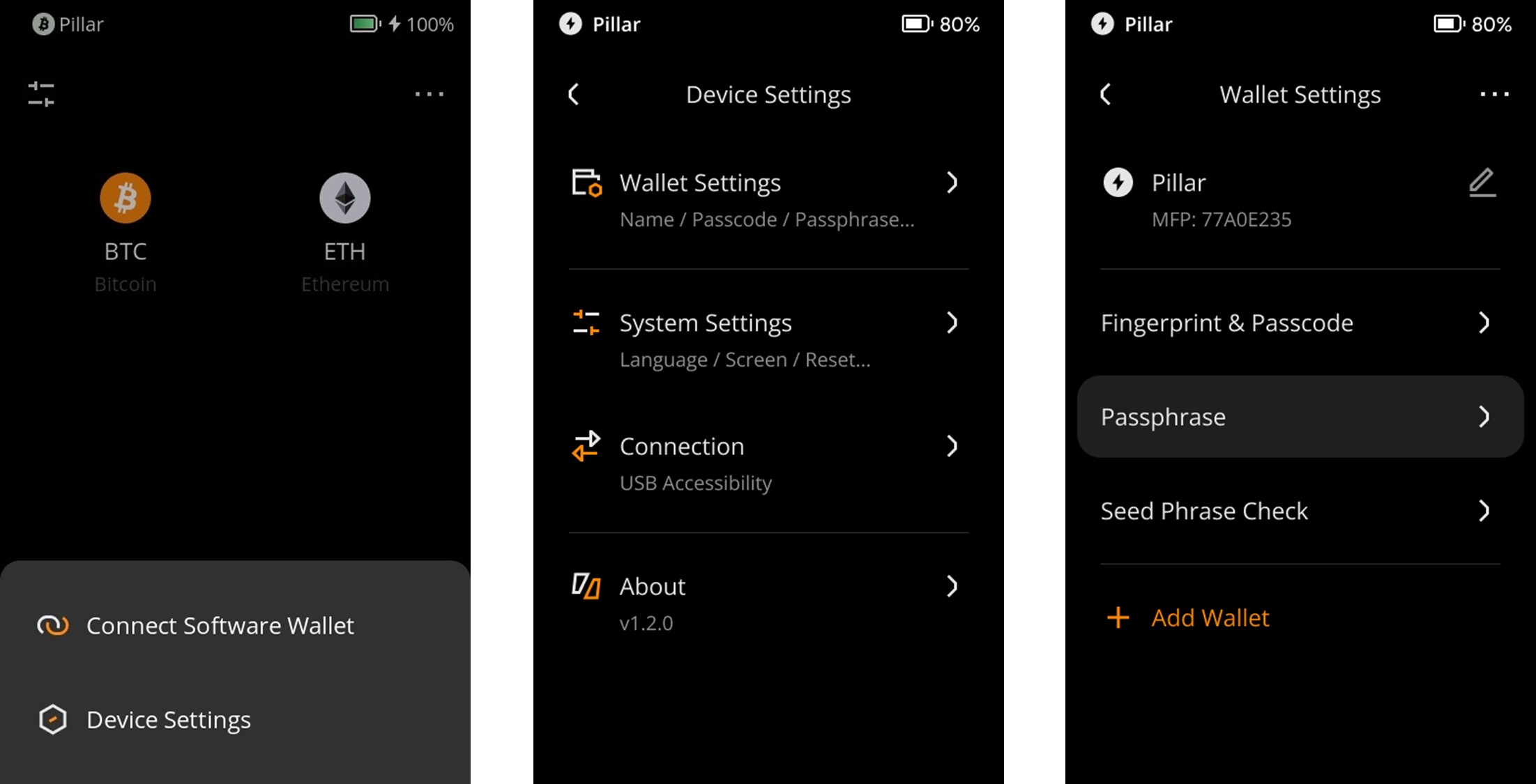
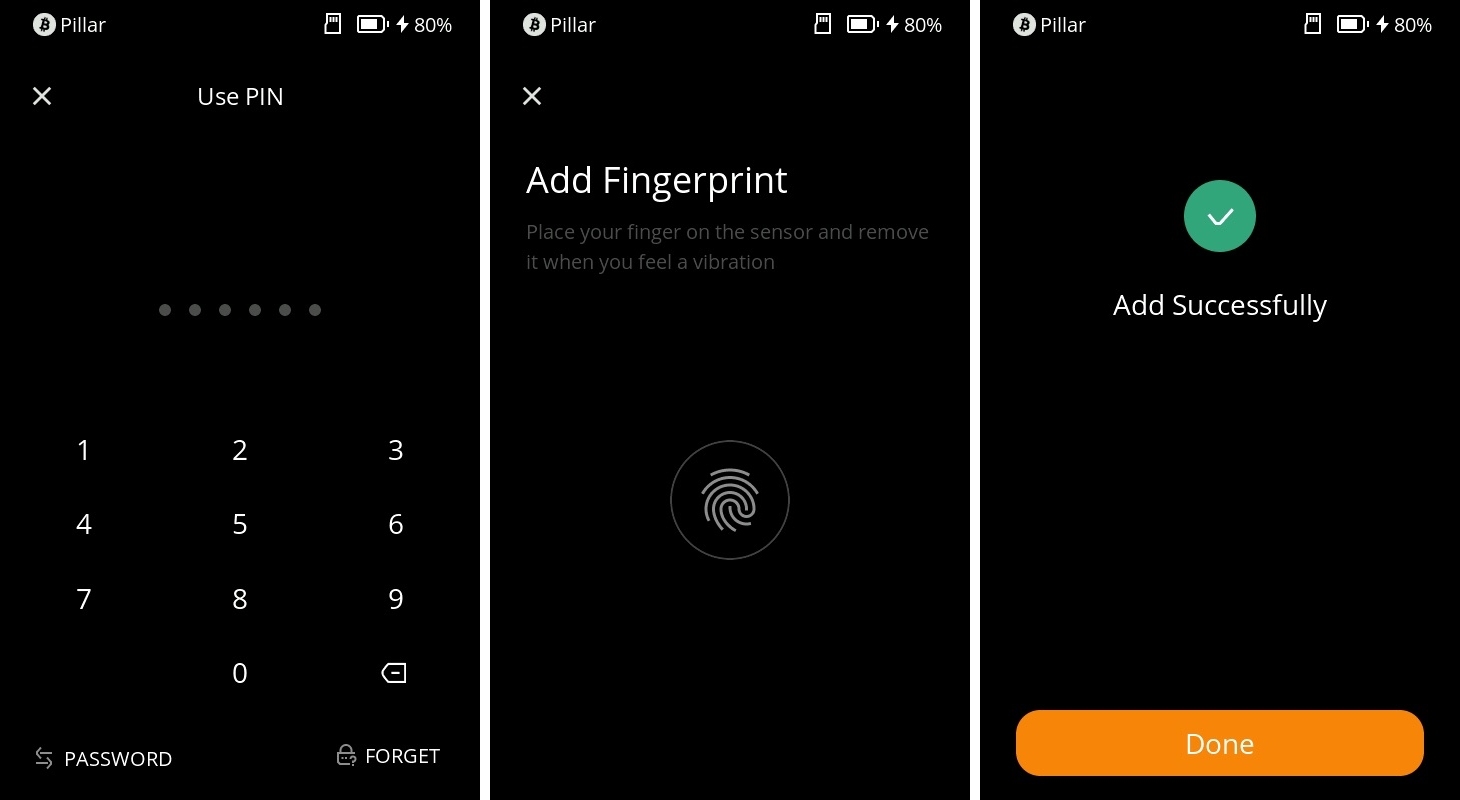
The hardware protections work alongside the device password and optional fingerprint authentication. Passwords control access to individual wallets, while fingerprint recognition provides a more convenient unlocking method without requiring users to enter credentials repeatedly. A BIP39 passphrase serves a different purpose by changing the wallet derived from a recovery phrase. These controls address different security requirements and should not be treated as interchangeable.
Physical Anti-Tamper Protection and Supply-Chain Security
One of Keystone 3 Pro’s distinguishing features is its physical tamper-response design. The manufacturer describes a mechanism intended to erase sensitive internal data when certain forms of physical intrusion or disassembly are detected, making it more difficult for an attacker with possession of the device to extract protected information. Keystone refers to this as PCI-level anti-tamper protection, although that description should not be confused with an independently established certification of the complete wallet under a specific payment-industry standard.
The mechanism is particularly relevant to theft scenarios involving attempts to access internal storage or manipulate protected components. Supply-chain attacks present a different challenge because a device may be modified before reaching the buyer. An attacker could potentially interfere with components outside the Secure Elements while preserving enough of the original hardware for normal authentication to succeed. Physical tamper response and authenticity verification therefore address overlapping but distinct threats.
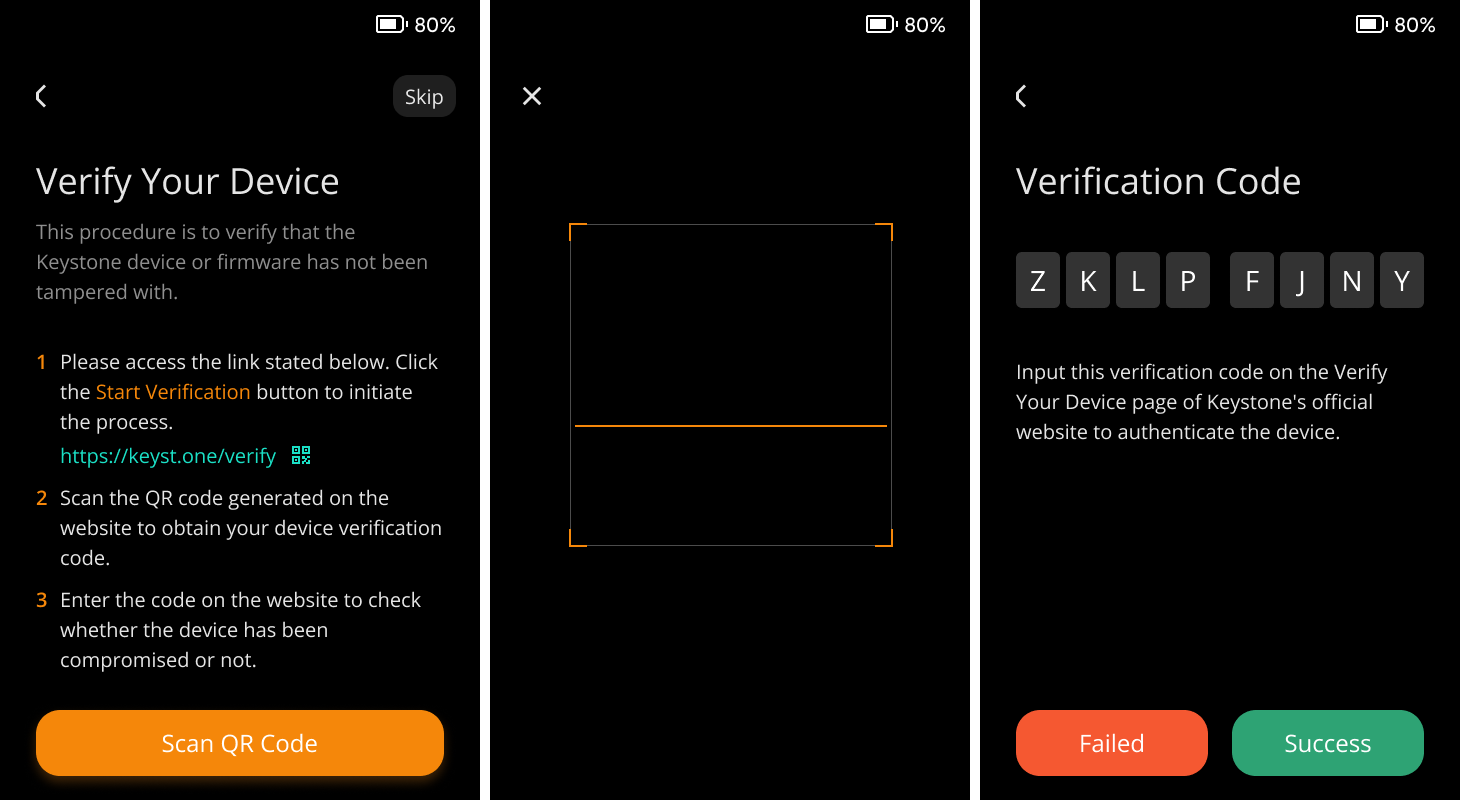
Keystone provides an official device verification process that uses a QR code and verification code to check the device through its verification service. Buyers should complete this procedure during initialization, alongside inspecting the packaging, enclosure, display, and connectors for signs of interference. A successful result provides additional evidence of authenticity, but it cannot conclusively establish that every physical component remains unchanged. Purchasing through the manufacturer or an authorized distributor reduces exposure to some distribution risks, particularly those associated with returned or previously handled inventory.
Keystone also publishes firmware source code and release checksums, allowing technically capable users to examine the software and verify downloaded files. This provides more transparency than a completely closed firmware system, although matching a published checksum establishes file integrity relative to that checksum rather than independently proving the physical condition of a shipped device. The value of Keystone’s security architecture comes from combining protected hardware, verifiable software, and physical intrusion controls without depending entirely on one mechanism.
Keystone 3 Pro Firmware: Multi-Coin, Bitcoin-Only, and Cypherpunk
Keystone 3 Pro supports three firmware editions designed around different cryptocurrency ecosystems. Rather than treating every user as having identical requirements, the manufacturer offers a broad multi-chain configuration, a dedicated Bitcoin environment, and a separate firmware edition focused on privacy-oriented cryptocurrencies. Each changes the device’s supported functionality and compatible signing workflows, making firmware selection a meaningful part of the ownership experience.
Multi-Coin Firmware
Multi-Coin is the default and most versatile configuration, supporting more than 5,500 advertised coins and tokens across over 200 blockchain networks through Keystone’s broader integration ecosystem. It is suitable for investors managing Bitcoin, Ethereum, Solana, Cardano, and other supported networks, particularly those who use established applications such as MetaMask, OKX Wallet, and Solflare.
Actual functionality depends on the selected companion wallet. Asset compatibility does not necessarily include every staking operation, NFT interaction, smart contract call, or transaction format. Keystone’s integration directory identifies supported functions by application, which is more useful than treating the overall cryptocurrency count as a guarantee of universal compatibility.
Bitcoin-Only Firmware
Bitcoin-Only firmware removes unrelated blockchain functionality to provide a more focused signing environment. Keystone describes this edition as using a Rust-based operating system with reduced code complexity and a narrower attack surface, an advantage for holders who do not need Ethereum, Solana, or other cryptocurrency integrations.
Its compatibility with supported Bitcoin applications enables workflows involving PSBT transactions, coin control, and multisignature arrangements. The narrower software scope is particularly suitable for long-term Bitcoin custody, although the security of a complete setup still depends on the firmware implementation, connected wallet software, and transaction verification.
Cypherpunk Firmware
Cypherpunk firmware is designed for users requiring Bitcoin alongside privacy-focused cryptocurrencies, including Zcash and Monero. It provides a separate operating environment for supported privacy-related functionality rather than attempting to integrate those features into every Multi-Coin installation.
The distinction is important because privacy-coin transactions can have different signing requirements, supported applications, and recovery considerations. Users should confirm the relevant wallet integration and transaction capabilities for their preferred cryptocurrency before selecting this edition.
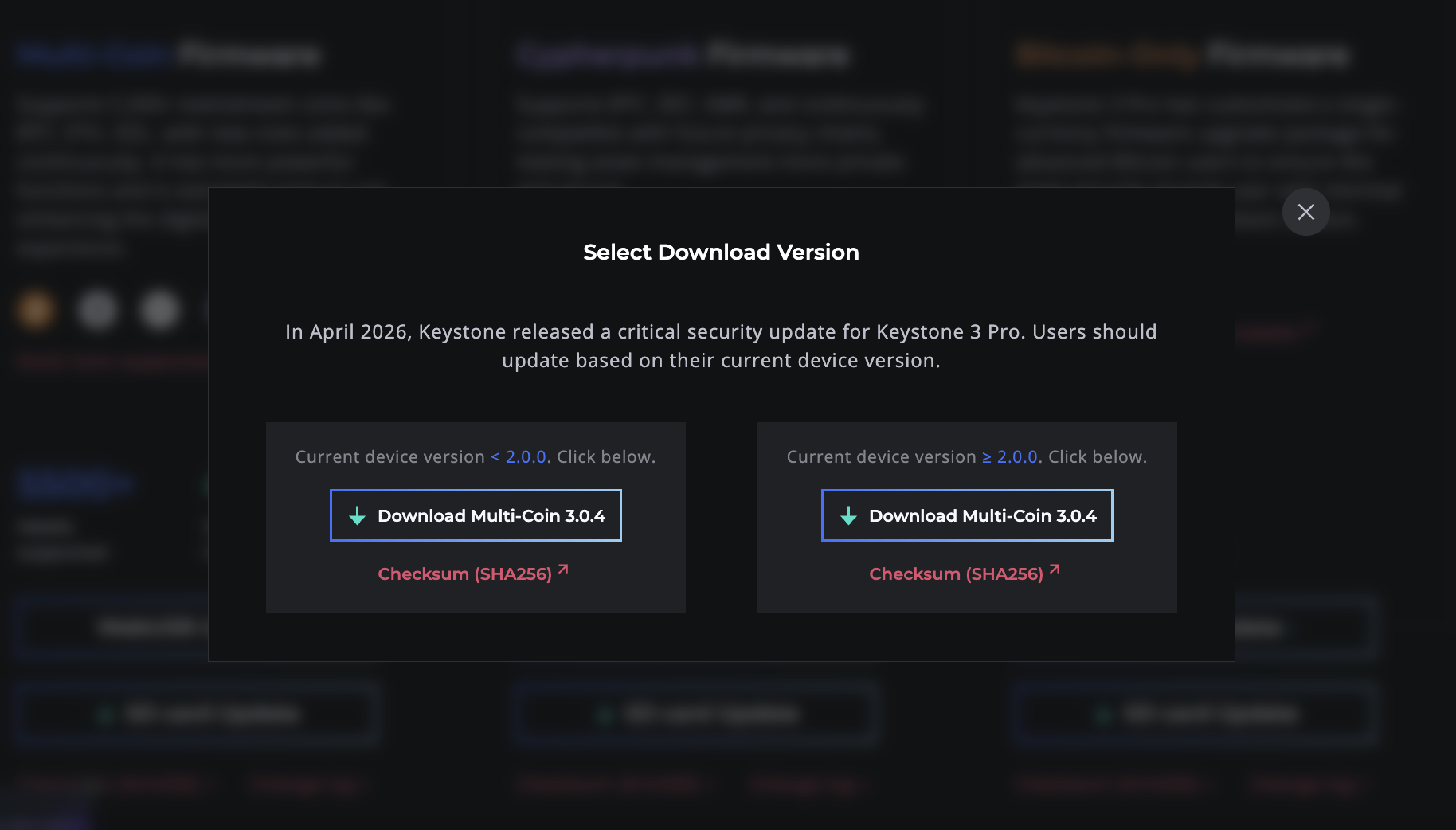
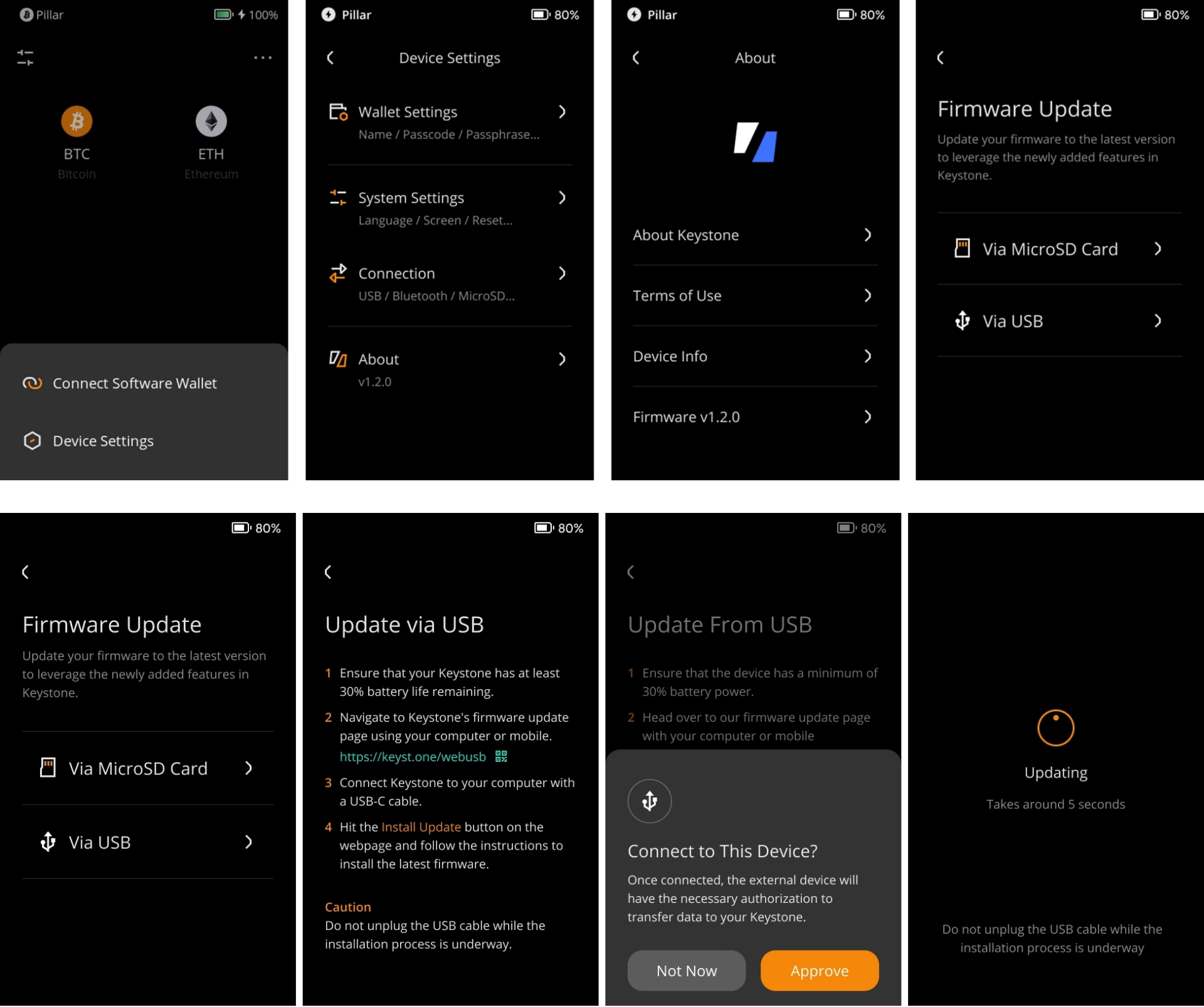
Keystone supports switching between firmware families through its supported update procedures, subject to version-specific restrictions. Updates can be installed through MicroSD or WebUSB, with MicroSD offering a way to maintain the firmware without connecting the device through a USB data-update workflow. The official firmware releases provide the relevant downloads, SHA-256 checksums, and change logs. Before switching editions, owners should confirm that their recovery information is securely backed up and review any compatibility or downgrade limitations associated with the intended release.
Multiple Seed Phrases, Shamir Backup, and Multisig Support
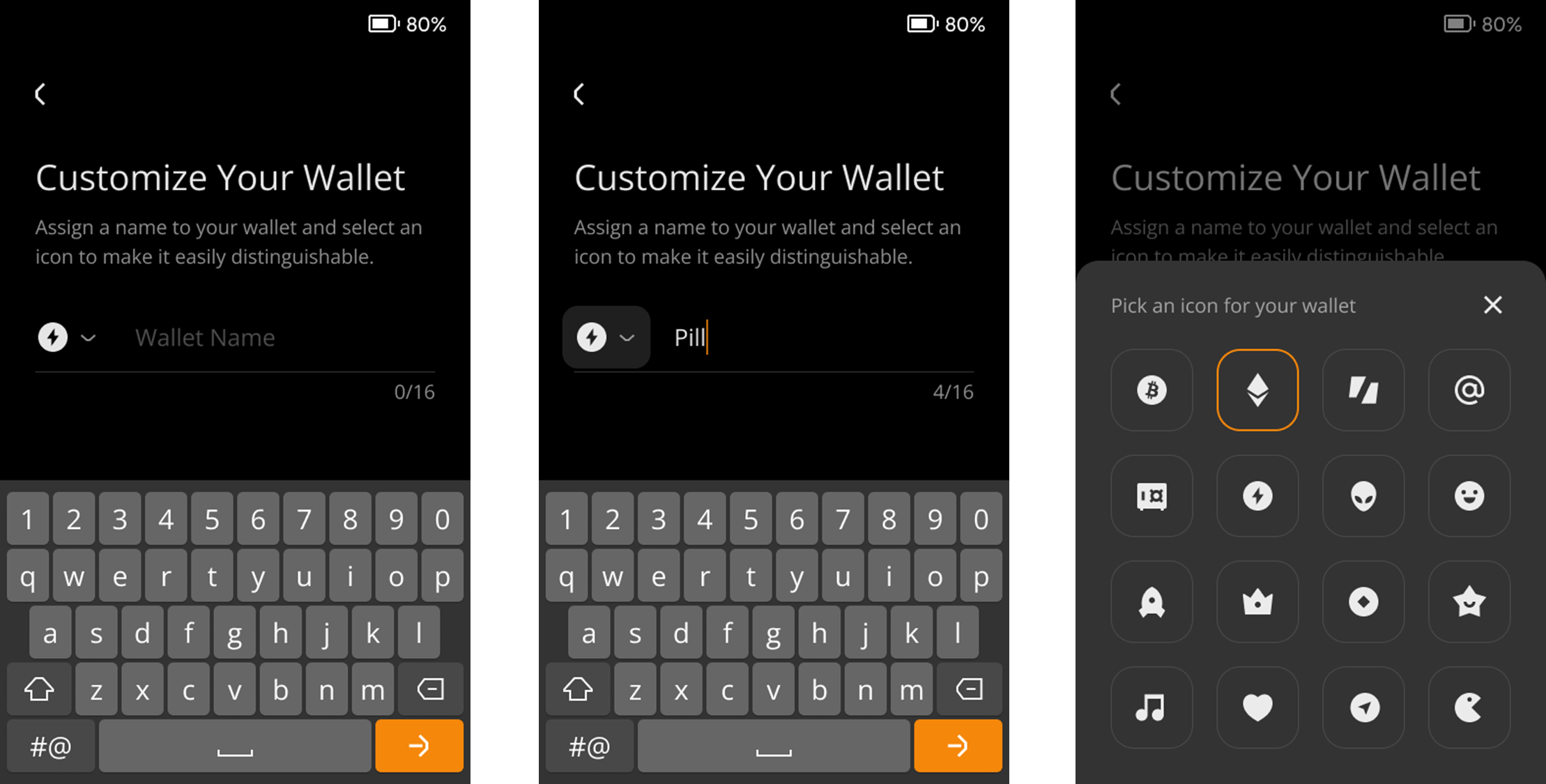
Keystone 3 Pro can manage up to three separate seed-phrase wallets on one device, with individual passwords controlling access to each wallet profile. Unlike simply creating several accounts from a single recovery phrase, these wallets can use different underlying seeds, allowing users to separate holdings according to their custody requirements.
For example, an investor could maintain a long-term Bitcoin wallet, a separate multi-chain portfolio, and another wallet used for more frequent transactions. Compromise of one recovery phrase would not automatically disclose the other independent seeds, although all three profiles remain dependent on the same physical hardware. Device theft, destruction, or a successful compromise affecting the complete signing environment could therefore create shared exposure.
Keystone also supports Shamir backup arrangements in compatible configurations. Using the SLIP39 approach, recovery information can be divided into multiple shares, with a predetermined threshold required to reconstruct the protected wallet. This can reduce dependence on a single recovery document, provided shares are distributed securely and the owner understands how the threshold works. SLIP39 recovery shares are not interchangeable with ordinary BIP39 recovery words, and recovery compatibility should be established before adopting the arrangement.
The device also supports BIP39 passphrases, which derive an additional wallet from the underlying recovery phrase. A passphrase must be reproduced exactly during recovery; losing it can make the corresponding assets inaccessible even when the original seed phrase remains available. Unlike a wallet password or fingerprint, a passphrase forms part of the information required to reconstruct that particular wallet.
How Keystone Works With Multisignature Wallets
Managing three independent seed phrases on Keystone should not be confused with operating a properly distributed multisignature wallet. In a 2-of-3 multisig arrangement, three separate signing keys are established and two are required to authorize a transaction. The security benefit comes from distributing those signing authorities so that compromising one signer does not provide sufficient control to spend funds.
Keystone can participate as a signer in compatible Bitcoin multisig arrangements, including workflows supported by Sparrow and other relevant Bitcoin applications. For stronger protection against physical theft and supply-chain compromise, separate signing keys should ideally reside on independent hardware devices, potentially from different manufacturers and stored in different locations. Keeping multiple seeds on one Keystone provides account separation, but not the same physical independence.
For long-term holders, Keystone’s combination of multiple seed profiles, passphrases, and threshold-based recovery options provides considerable flexibility. That flexibility comes with a responsibility to document which backup belongs to each wallet, preserve the necessary recovery information, and confirm that the intended accounts can be restored. A carefully configured multi-wallet setup can improve asset separation, while poorly organized backups can make recovery substantially more difficult than using a single conventional seed.
Asset Support & Tools
Asset Support and Third-Party Wallet Compatibility
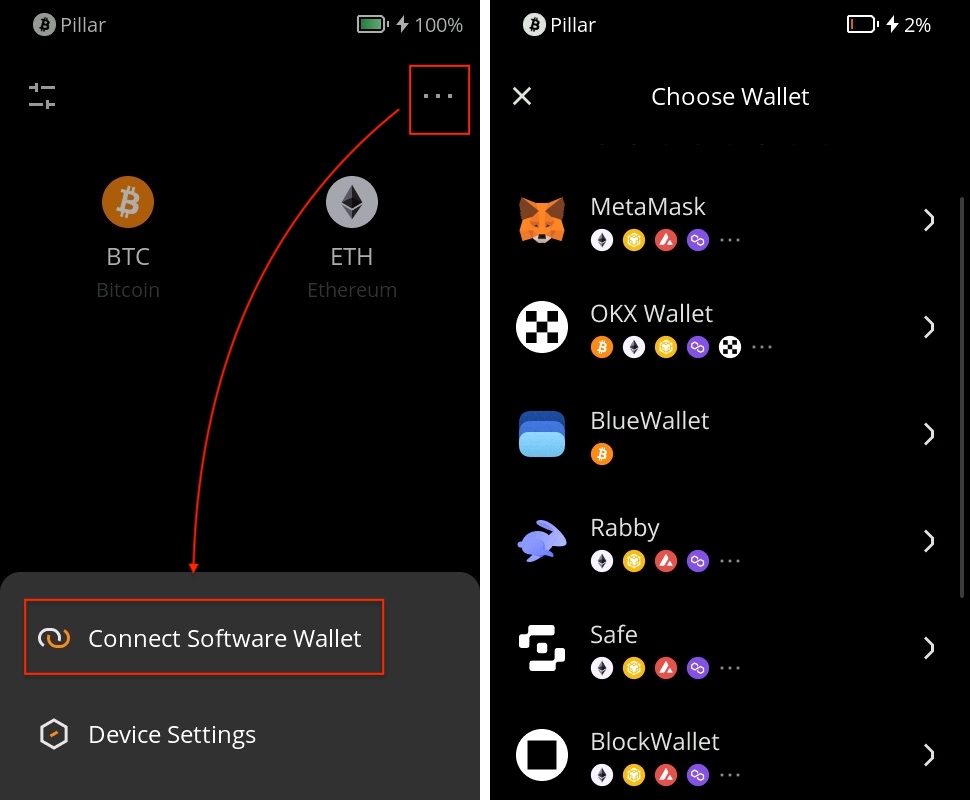
Keystone 3 Pro’s extensive software-wallet compatibility is one of its strongest advantages over hardware wallets tied primarily to a proprietary application. The device supports more than 45 wallet integrations, providing access to over 5,500 cryptocurrencies and tokens across more than 200 blockchain networks. Rather than requiring one application to handle every asset and transaction type, Keystone allows users to select specialized software for different ecosystems while retaining hardware-based control over their private keys.
For Ethereum and EVM-compatible networks, Keystone integrates with MetaMask, Rabby, and OKX Wallet, enabling access to decentralized exchanges, lending protocols, staking services, NFTs, and other supported Web3 applications. Its compatibility with Rabby Wallet is particularly useful for active DeFi traders because transaction simulation, balance-change previews, and contract-risk warnings can provide additional information before an operation reaches the hardware signer. These protections complement Keystone’s on-device verification, although transaction simulations remain estimates and cannot establish that every contract interaction is safe.
Compatibility extends well beyond Ethereum. Solana users can connect through Solflare for supported token transfers, staking, and NFT operations, while Cardano investors have access to integrations such as Eternl. Cosmos ecosystem users can work with Keplr, including supported IBC transfers, and Bitcoin holders can choose applications such as Sparrow and BlueWallet for more specialized transaction management. Sparrow is particularly valuable for users who require coin control, PSBT signing, and multisignature coordination, giving Keystone a practical role in more sophisticated Bitcoin custody arrangements.
Keystone Nexus provides a first-party mobile option for managing supported assets through a dedicated companion application. It offers a more integrated experience for users who prefer not to maintain several different wallet interfaces, although specialized third-party applications can provide capabilities that Nexus does not currently replicate. This flexibility is especially valuable for investors holding assets across multiple networks, as they can use different applications without importing their recovery phrase into each one.
The main limitation is that advertised asset coverage does not mean universal feature compatibility. Support for a particular cryptocurrency may be limited to transfers and balance management in one application, while another integration may additionally enable staking, swaps, NFTs, or complex smart contract interactions. Functionality also depends on Keystone’s installed firmware, the supported software platform, and the transaction formats implemented by the wallet provider.
For investors managing several blockchain ecosystems, Keystone offers an unusually flexible signing environment at its price point. Its value comes from combining a broad selection of established software wallets with offline private-key protection, allowing users to choose the interface best suited to each network without changing their primary signing device.
Setup
Keystone 3 Pro First Setup and Daily Security Practices
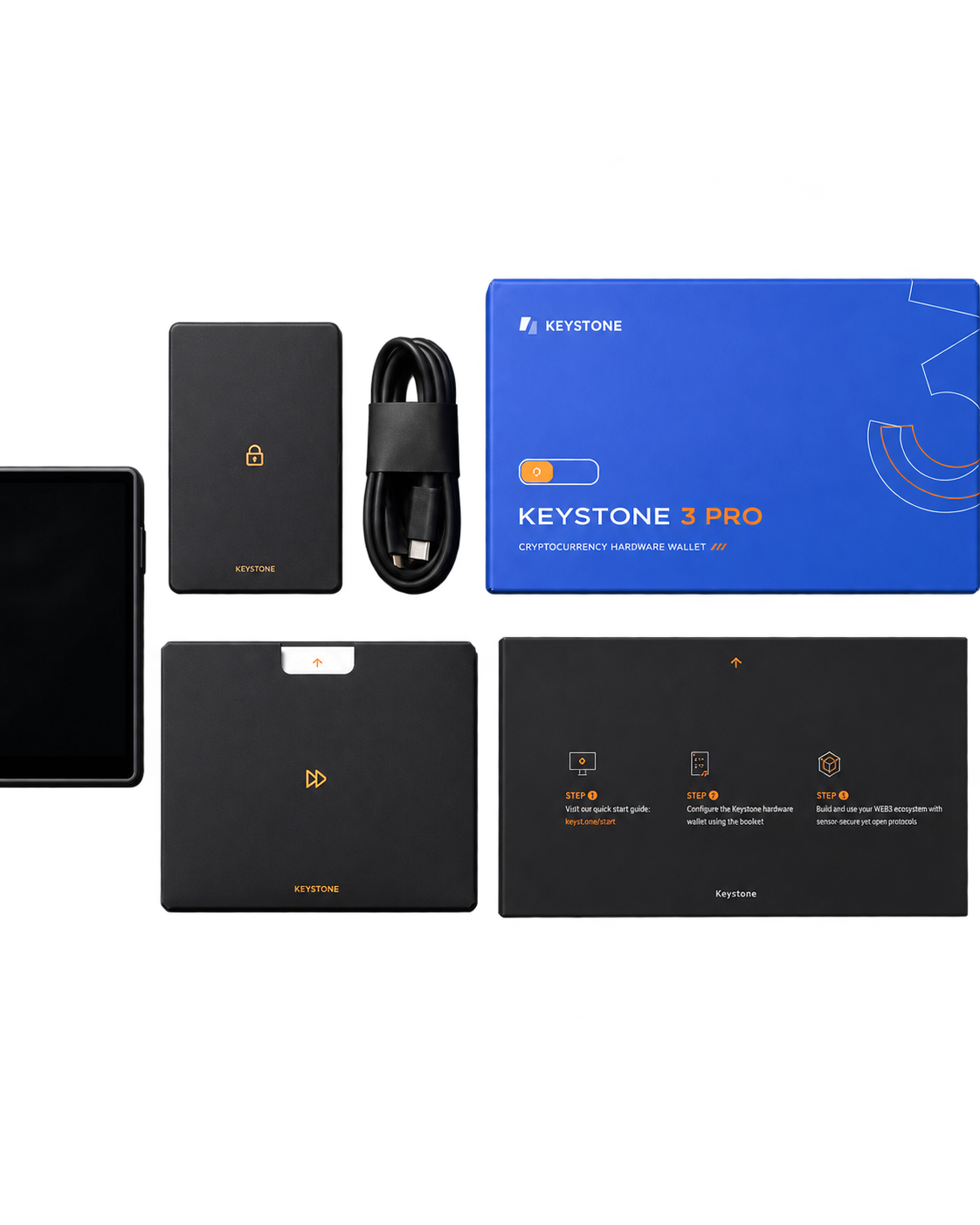
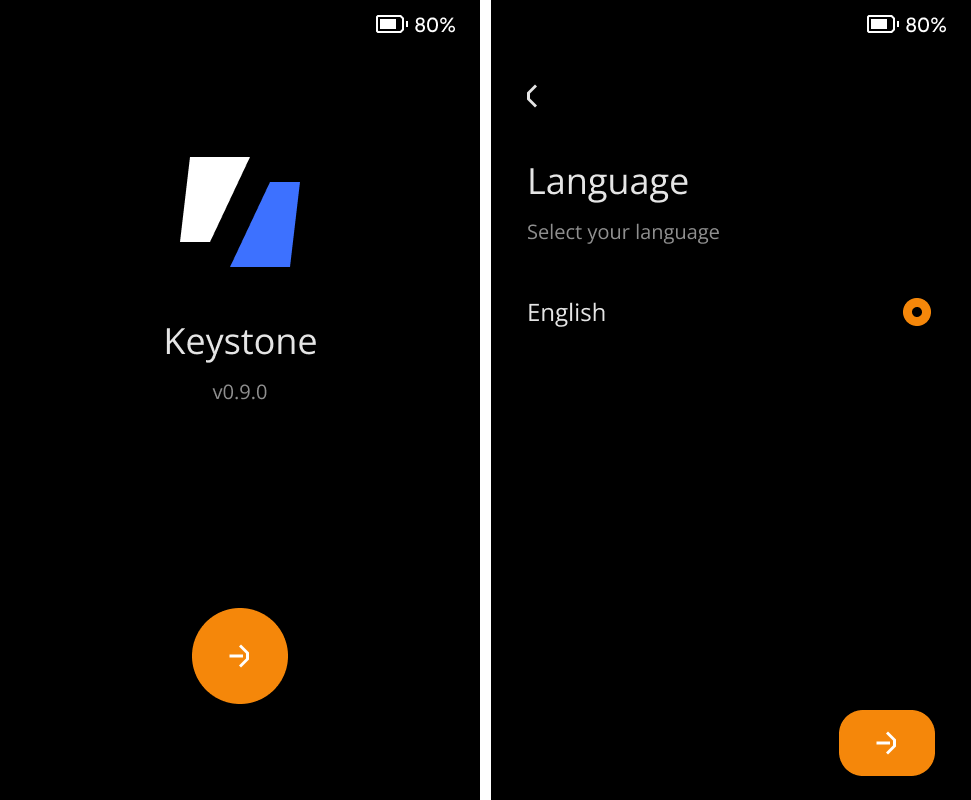
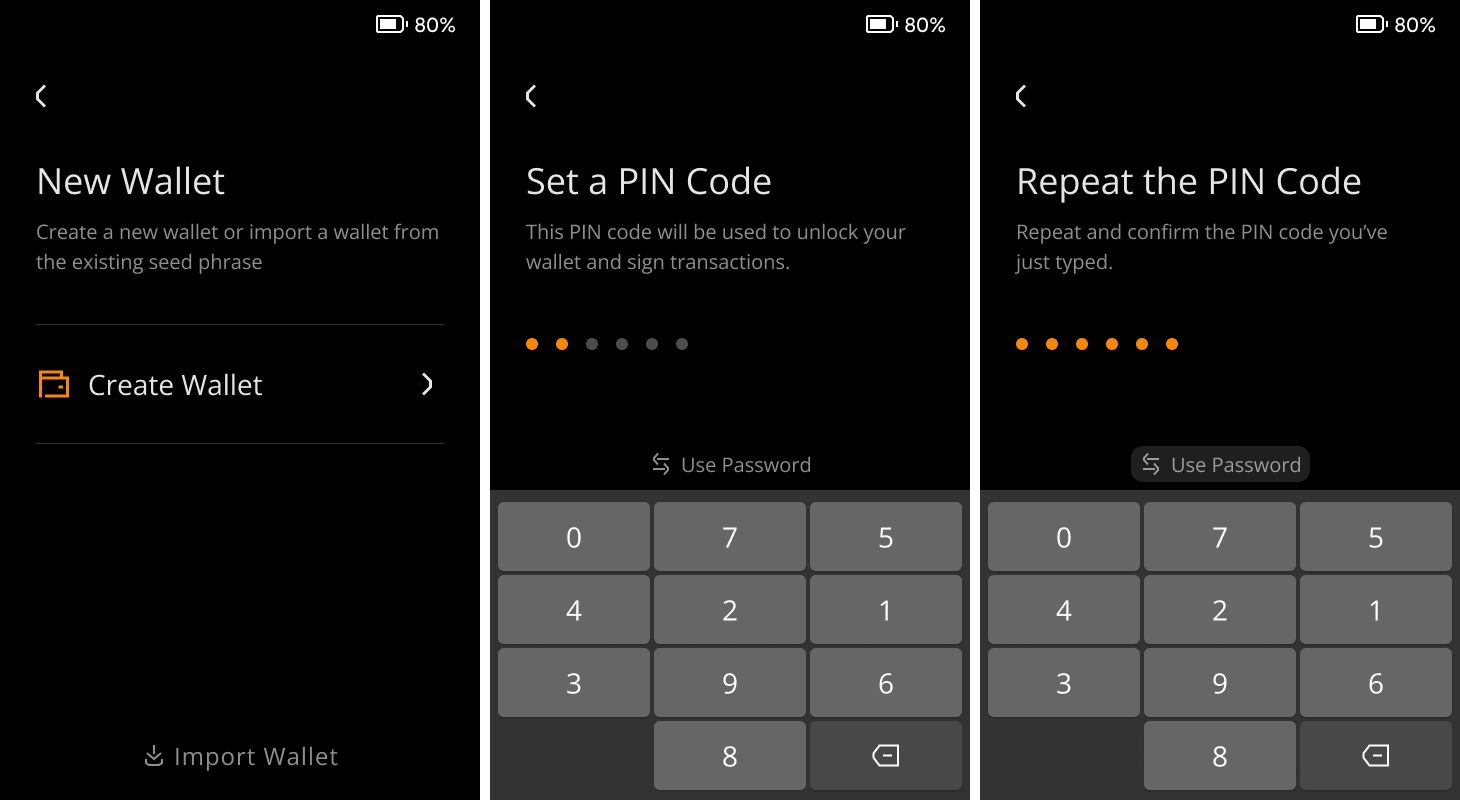
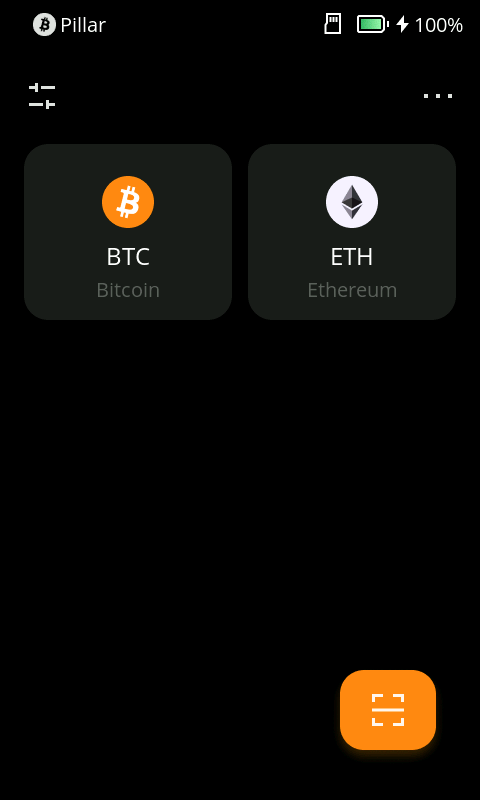
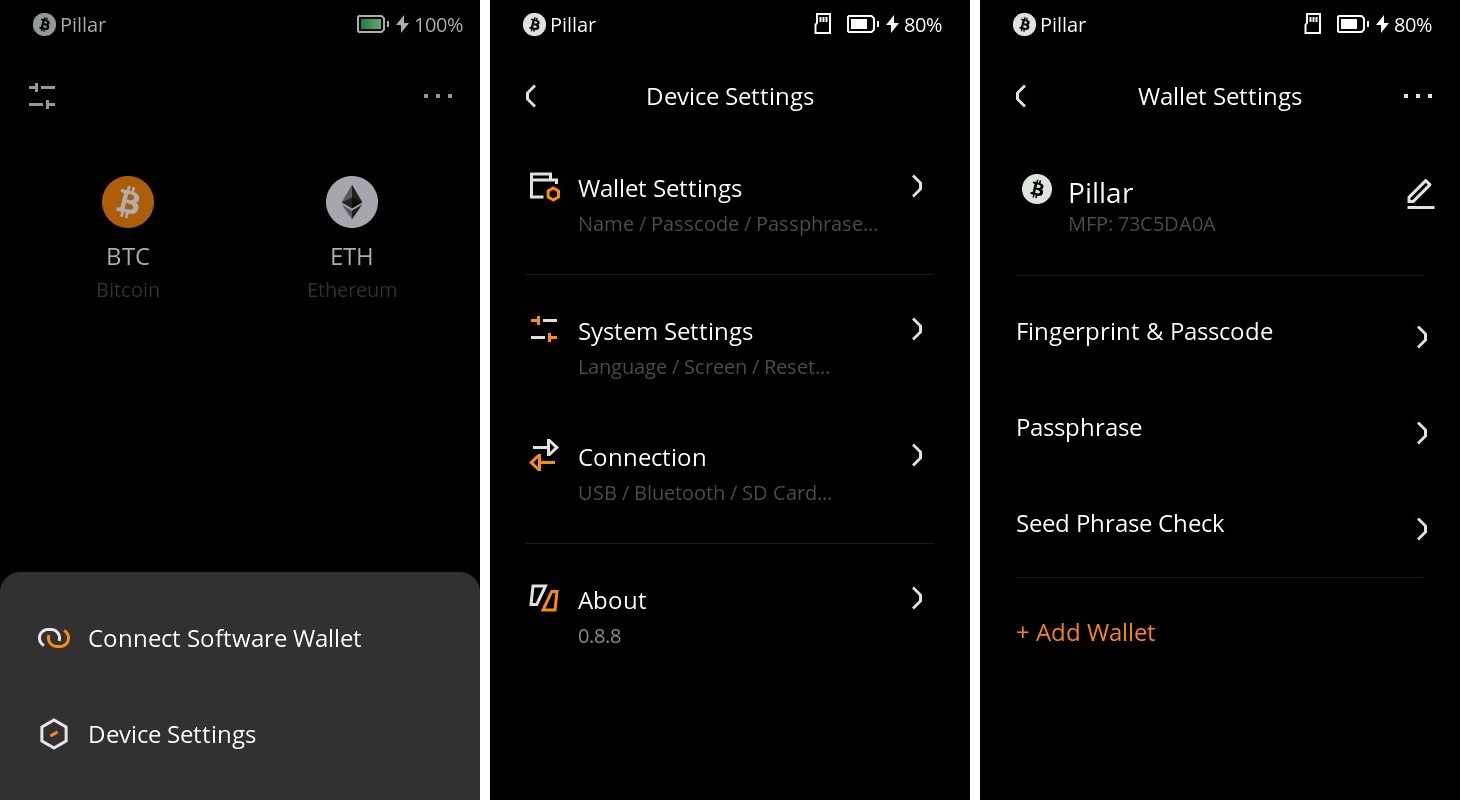
Setting up Keystone 3 Pro securely begins with verifying the device before creating a wallet or depositing cryptocurrency. Buyers should inspect the packaging, enclosure, touchscreen, and connectors for signs of interference, then complete the manufacturer’s device authentication process through its official verification service. Once authenticity has been checked, the next step is selecting the appropriate firmware edition and installing a verified release if an update is needed. Keystone supports MicroSD and USB firmware updates, allowing owners who prefer to avoid USB data connections to perform maintenance through removable storage.
For a new self-custody setup, recovery information should be generated directly on Keystone rather than imported from a software wallet previously exposed to an internet-connected device. The device supports standard 12- and 24-word recovery phrases, along with Shamir backup configurations, depending on the chosen setup. Recovery words must be recorded offline, checked for accuracy, and stored separately from the hardware wallet. Anyone obtaining a valid seed phrase can potentially restore the associated wallet without possessing the original device, making backup protection just as important as the hardware’s Secure Elements and tamper-response mechanisms.
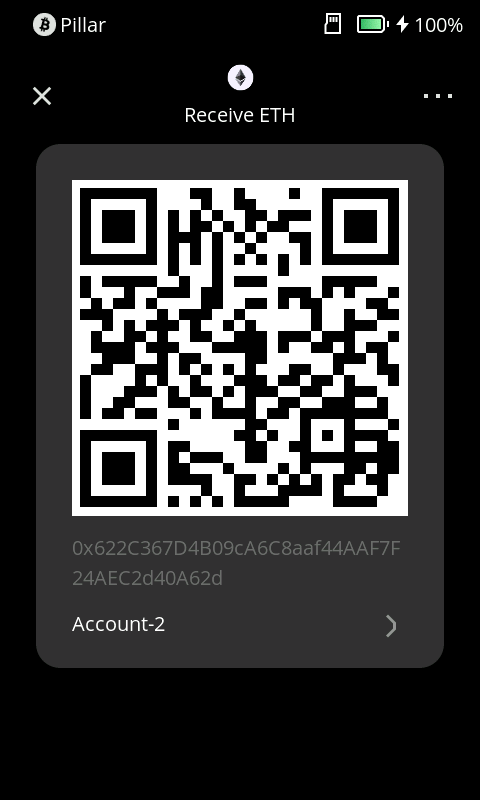
After initialization, Keystone can be paired with a compatible application such as MetaMask, Sparrow, Solflare, or OKX Wallet. The receiving address displayed by the software should be compared with the address generated on Keystone itself, ensuring that both applications refer to the intended account and derivation path. A small incoming transfer followed by a test outgoing transaction provides an opportunity to confirm that address generation, QR signing, and broadcasting work correctly before transferring substantial holdings. Recovery information should never be imported into a browser extension to resolve a pairing problem, as doing so exposes the wallet’s underlying secret to the connected environment.
For everyday use, Keystone’s offline signing architecture provides the greatest benefit when transaction details are reviewed on the hardware screen rather than trusted solely because they appear in a familiar application. Addresses, network selections, token allowances, and supported contract information deserve particular attention when interacting with decentralized applications. Separating long-term holdings from accounts used for frequent swaps, NFT transactions, or unfamiliar protocols can also limit the assets exposed to a malicious approval. Keystone’s ability to manage three independent seed-phrase wallets makes that separation practical, provided each wallet has its own securely maintained recovery backup.
Firmware maintenance, periodic backup checks, and careful transaction authorization remain essential throughout the device’s working life. Hardware authentication helps establish trust during initialization, while Keystone’s Secure Elements and physical protections contribute to the security of stored credentials. Maintaining that protection depends on using official software, preserving recoverable backups, and refusing transactions whose effects cannot be adequately verified.
Setup Guide
Kestone 3 PRO vs Competitors
Keystone 3 Pro vs. ELLIPAL Titan 2.0, Passport Prime, and Trezor Safe 7
Keystone 3 Pro competes with hardware wallets that take different approaches to private-key isolation, physical security, and transaction management. ELLIPAL Titan 2.0 is its closest competitor in QR-based signing, Passport Prime combines Bitcoin custody with a broader personal security platform, and Trezor Safe 7 offers a more integrated experience with advanced device authentication. The most relevant differences involve software compatibility, signing methods, recovery options, and how each device protects sensitive information.
Keystone 3 Pro vs. ELLIPAL Titan 2.0
The ELLIPAL Titan 2.0 is Keystone’s closest direct competitor, with both devices using four-inch touchscreens and QR codes to authorize cryptocurrency transactions without a direct data connection to the host. ELLIPAL takes a particularly restrictive approach to connectivity, excluding USB data transfer, Bluetooth, and Wi-Fi from its signing architecture. Its fully metal-sealed enclosure also incorporates a physical tamper-response mechanism designed to erase sensitive information when forced opening is detected.
Keystone offers greater flexibility through its extensive third-party wallet integrations and three distinct firmware editions. Users can choose applications such as MetaMask, Rabby, Sparrow, and Solflare rather than relying primarily on one manufacturer’s companion software. Its support for three independent seed-phrase wallets also allows separate portfolios to be managed on one device, while the Bitcoin-Only and Cypherpunk firmware editions provide more specialized signing environments.
ELLIPAL’s principal advantage is its tighter integration between the Titan 2.0 and the ELLIPAL mobile application, which can simplify account management for users who prefer a consistent interface. Its metal enclosure may also appeal to buyers prioritizing physical construction, although the effectiveness of either manufacturer’s tamper-response mechanism depends on the specific attack involved.
At their listed prices of $149 for Keystone and $169 for ELLIPAL, the difference is relatively small. Keystone 3 Pro offers better value for users who want flexible wallet integrations and advanced custody configurations, while ELLIPAL Titan 2.0 is particularly attractive for long-term holders seeking a sealed metal device and a more integrated mobile experience.
Keystone 3 Pro vs. Foundation Passport Prime
Foundation Passport Prime approaches hardware security from a different direction. Priced from $349, it combines Bitcoin self-custody with FIDO security keys, offline two-factor authentication, encrypted file storage, and a programmable security architecture built around the open-source KeyOS operating system. Its secure-boot design, protected key storage, and application isolation have also undergone independent security assessment, giving it a broader role than a conventional cryptocurrency signing device.
The difference extends to connectivity. Keystone relies on QR codes for normal transaction signing, while Passport Prime supports encrypted Bluetooth communication through Foundation’s QuantumLink protocol, alongside QR, NFC, and USB capabilities. Its Bluetooth design uses a separate communication component and cryptographic protections intended to isolate sensitive operations from the wireless interface. This provides a more convenient connected experience, although it introduces a different security architecture from Keystone’s QR-focused workflow.
Passport Prime’s native wallet experience is primarily focused on Bitcoin, with supported PSBT and multisignature functionality. Its programmable platform can accommodate additional applications, but that does not make it directly equivalent to Keystone’s established multi-chain signing ecosystem. Keystone is considerably more practical for users regularly managing Ethereum, Solana, and other supported assets through widely used third-party wallets.
Foundation’s device is more compelling for someone who wants to consolidate Bitcoin custody, account authentication, and encrypted personal data into one dedicated security platform. Keystone concentrates on cryptocurrency signing and provides broader blockchain compatibility at substantially lower cost.
Keystone 3 Pro is the stronger choice for multi-chain investors, while Passport Prime offers a more ambitious security platform for Bitcoin-focused users who also want hardware-backed authentication and encrypted storage.
Keystone 3 Pro vs. Trezor Safe 7
The Trezor Safe 7 competes with Keystone through a more integrated combination of hardware security, software transparency, and everyday usability. Its architecture incorporates the auditable TROPIC01 Secure Element, an EAL6+-certified OPTIGA Trust M chip, and a separate STM32U5 microcontroller. Trezor also supports cryptographic device authentication, signed firmware, and post-quantum protections for internal processes such as firmware verification and secure boot.
Where Keystone emphasizes QR-based signing, Trezor uses USB-C and encrypted Bluetooth connections to communicate with compatible applications. Its 2.5-inch touchscreen is smaller than Keystone’s four-inch display, but the device provides a more streamlined experience through Trezor Suite, including account management, cryptocurrency transfers, and supported trading and staking functionality. Qi2-compatible wireless charging adds another convenience feature absent from Keystone.
Keystone retains advantages for users who specifically want to avoid direct host connections during normal signing. Its larger touchscreen, support for three independent seed-phrase wallets, and specialized firmware editions also provide flexibility for advanced custody arrangements. However, these capabilities come with additional QR scanning, external software configuration, and more involved firmware management.
Trezor’s Multi-share Backup offers a different approach to recovery resilience, while its open-source software and multi-component authentication architecture provide substantial transparency around important security operations. Its post-quantum capabilities protect specified device-level processes rather than making the underlying blockchains quantum-resistant.
Trezor Safe 7 is better suited to investors prioritizing convenience, hardware authentication, and integrated portfolio management. Keystone 3 Pro is particularly attractive to users who prefer offline QR signing, a larger transaction-verification display, and extensive control over their software-wallet environment.
Pros & Cons
- Four-inch touchscreen makes supported transaction details easier to review before approval.
- QR-based offline signing reduces routine data connections between the signer and an internet-connected host.
- Three secure elements, optional fingerprint unlock, and multiple independent seeds create a versatile security setup.
- Broad software-wallet compatibility and three firmware choices cover diverse custody needs at $149.
- Repeated QR scanning adds friction for people who sign many transactions each day.
- Asset and feature availability vary by firmware, companion wallet, and transaction type.
- Physical anti-tamper features and device authentication cannot rule out every supply-chain implant or malicious signed request.
- Multiple seeds, passphrases, Shamir backups, and wallet integrations can make recovery and maintenance more complex.
Bottom Line
Is Keystone 3 Pro Worth It?
Keystone 3 Pro is an excellent hardware wallet for $149, earning its 9.0/10 rating through a compelling combination of air-gapped security, physical tamper protection, and extensive cryptocurrency compatibility. Its large touchscreen, three Secure Elements, support for independent seed-phrase wallets, and integration with established Web3 applications make it particularly attractive for investors who want greater control over transaction authorization without sacrificing multi-chain functionality.
The main compromise is convenience. QR-based signing and external wallet integrations require more involvement than a conventional connected hardware wallet, especially during frequent transactions. Nevertheless, for security-conscious investors who value offline signing, flexible custody arrangements, and strong hardware protection, Keystone 3 Pro delivers exceptional value and remains one of the most compelling air-gapped hardware wallets in 2027.
FAQs
Is Keystone 3 Pro completely air-gapped?
Its normal transaction-signing workflow exchanges unsigned transactions and signatures through QR codes without Bluetooth or a live USB data connection. USB-C is present for charging and optional approved firmware maintenance, so air-gapped signing should not be confused with a device that has no physical data-capable port.
How many cryptocurrencies does Keystone 3 Pro support?
The Multi-Coin firmware is advertised as supporting more than 5,500 assets across over 200 blockchains. Practical support depends on which companion wallet can construct and display the particular transaction, while Bitcoin-Only and Cypherpunk firmware deliberately support much narrower asset sets.
Can Keystone 3 Pro be used with MetaMask and Rabby?
Keystone supports pairing with MetaMask and Rabby through compatible integrations, keeping signing keys on the hardware device while those applications manage accounts and dApp interactions. Users should verify that the installed firmware and software-wallet versions support the required chain and signing format.
Can someone steal crypto by physically modifying Keystone 3 Pro?
Keystone uses device authentication, multiple secure elements, and physical anti-tamper measures that make several attack paths more difficult. No commercial hardware wallet can guarantee that a skilled attacker has not inserted or altered another component, so trustworthy sourcing, authentication, fresh on-device seed generation, and transaction inspection remain necessary.
Does Keystone 3 Pro support multiple wallets and multisig?
It can store up to three separate seed-phrase wallets and can act as a signer in supported multisig applications. These are different features: three seeds stored on one device do not by themselves create independent 2-of-3 multisig security.
Is Keystone 3 Pro better than Trezor Safe 7 or ELLIPAL Titan 2.0?
Keystone is particularly attractive for offline QR signing, flexible software integrations, and firmware choice. Trezor Safe 7 offers a smoother USB/Bluetooth experience and distinctive hardware architecture, while ELLIPAL Titan 2.0 emphasizes a sealed enclosure and first-party mobile workflow. The right choice depends on the desired threat model and how often transactions need to be signed.