






 X
X  Facebook
  LinkedIn
  Google News
  Telegram
  Instagram
  RSS Feed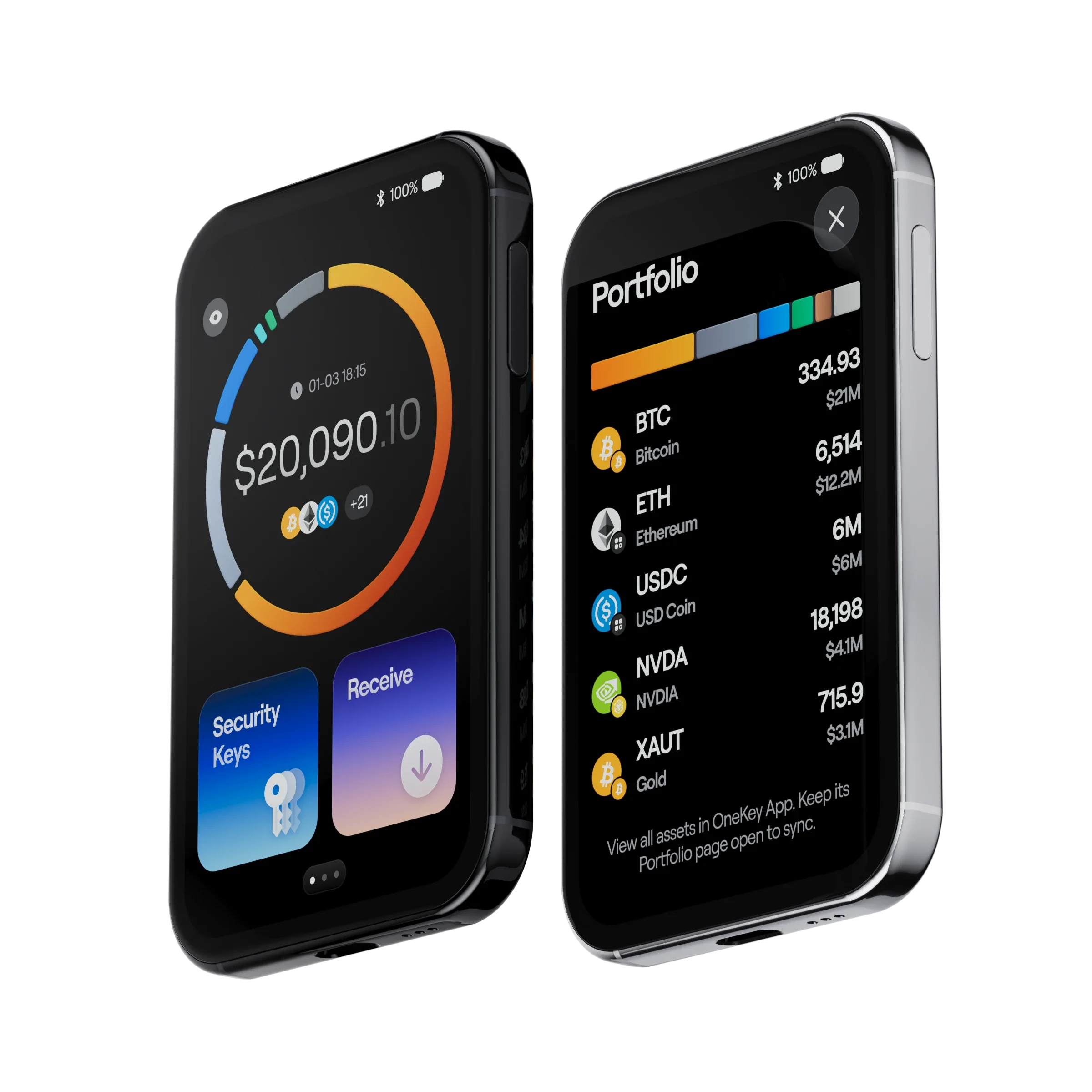


Introduction
OneKey Pro 2 Review 2027: Security, Features, Price, and Hardware Wallet Comparisons
The OneKey Pro 2 is a premium hardware wallet launched on October 8, 2026, priced at $299. Built around four EAL6+-certified Secure Elements, it combines advanced private-key protection with a 3.54-inch AMOLED touchscreen, QR-based air-gapped signing, Bluetooth and USB-C connectivity, and extensive multi-chain support. Its appeal lies in offering the security of a dedicated signing device without the limitations often associated with traditional cold-storage wallets.
Beyond its hardware specifications, OneKey Pro 2 places considerable emphasis on transaction security. Clear Signing helps users verify supported transaction details directly on the device, while SignGuard provides additional risk analysis through the companion application. Together, these features address one of the most persistent challenges in hardware wallet security: protecting private keys does not prevent financial losses when users unknowingly approve malicious transactions, excessive token allowances, or dangerous smart contract interactions.
The Pro 2 also introduces a redesigned operating system, on-device portfolio tracking, and hardware-backed passkey authentication, positioning it as more than a conventional cryptocurrency storage device. However, its recent launch leaves some important questions unanswered. The official purchasing process still includes pre-order messaging, several announced capabilities depend on future firmware updates, and the new model has yet to establish a substantial long-term reliability record. At this price, its value depends on how well its advanced security architecture, transaction protection, and everyday functionality perform together, rather than on premium specifications alone.
OneKey Pro Overview
| Category | OneKey Pro 2 |
|---|---|
| Introduced | October 8, 2026 |
| Listed Price | $299 USD; check current order and shipping status |
| Display | 3.54-inch AMOLED touchscreen, 1024 × 604, up to 800 nits |
| Security Hardware | Four CC EAL6+ THD89 secure elements and STM32H747 MCU |
| Signing Connections | QR air-gap, USB-C, Bluetooth; NFC for SeedCard functions |
| Biometric Authentication | Fingerprint power button, with PIN protection |
| Backup | 12-/24-word recovery phrases, 20-word SLIP-39 shares, NFC SeedCard |
| Supported Assets | 30,000+ coins and tokens promoted; OneKey App covers 100+ chains |
| Size / Weight | 84.9 × 53.2 × 6.2 mm / 51 g |
| Battery | 700 mAh, USB-C and wireless charging |
| Software | safeOS 2 and OneKey App on desktop and mobile |
| Not Yet Available | Apple Find My, TOTP codes, Tor, and coin control are marked for future updates |
| Overall Editorial Rating | 9/10 |
Design & UI
Design, Display, and Daily Experience
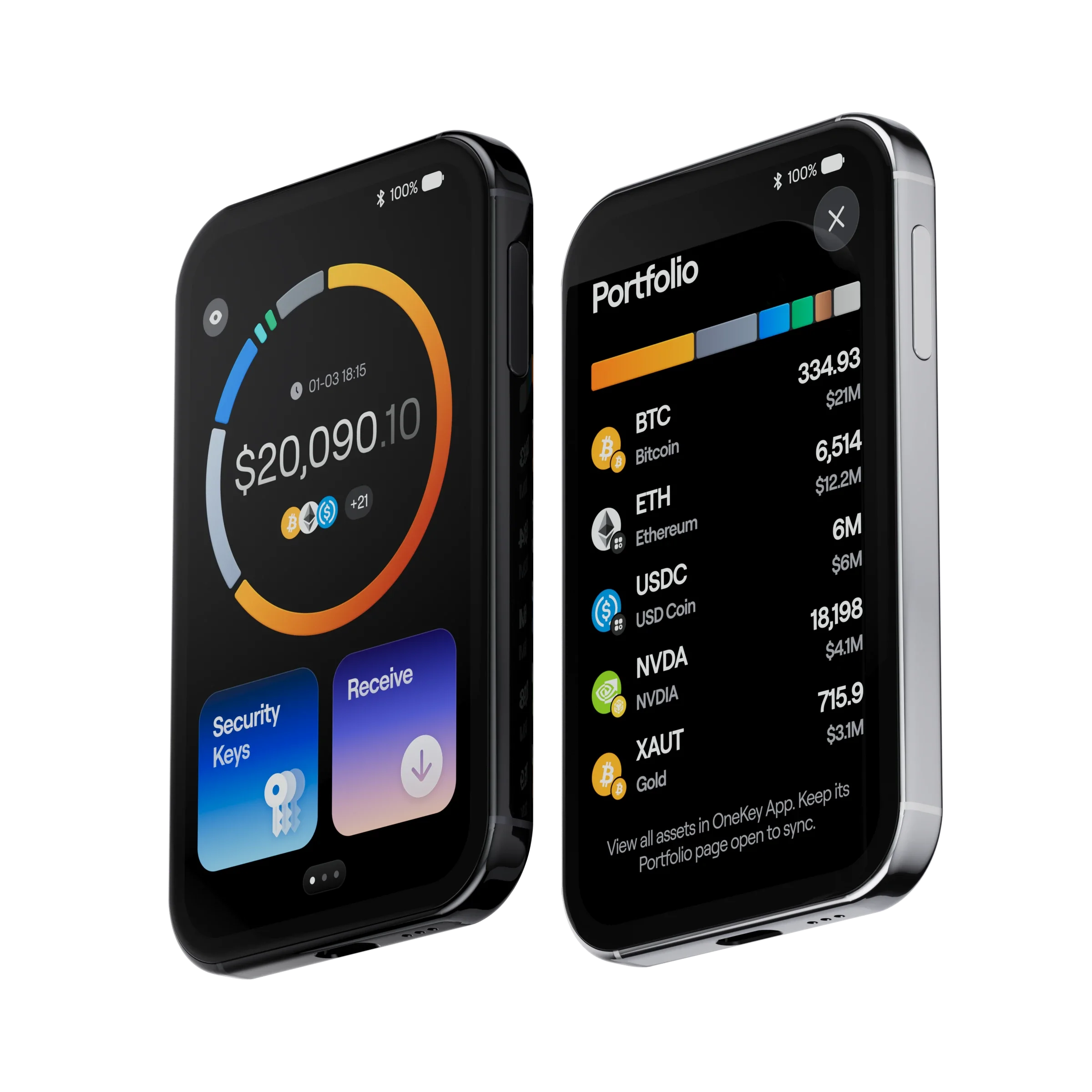
OneKey Pro 2 combines a slim, premium design with a touchscreen large enough to make cryptocurrency management considerably more practical. Measuring just 6.2 mm thick and weighing 51 grams, it features an aluminum frame, Gorilla Glass 5 protection, and a 3.54-inch AMOLED display with a 1024 × 604 resolution. The screen delivers sharp text and ample space for reviewing transaction information, while the fingerprint sensor integrated into the power button provides a convenient alternative to repeatedly entering a PIN during supported authentication operations.
The display also contributes directly to transaction security. Its size allows supported recipient addresses, transfer amounts, network information, and smart contract permissions to be presented more clearly before approval. This is particularly valuable for users interacting with decentralized applications, where signing requests can involve complex permissions rather than straightforward cryptocurrency transfers. Combined with OneKey’s Clear Signing functionality, the touchscreen makes it easier to identify potentially harmful instructions without relying exclusively on information displayed by a connected computer or smartphone.
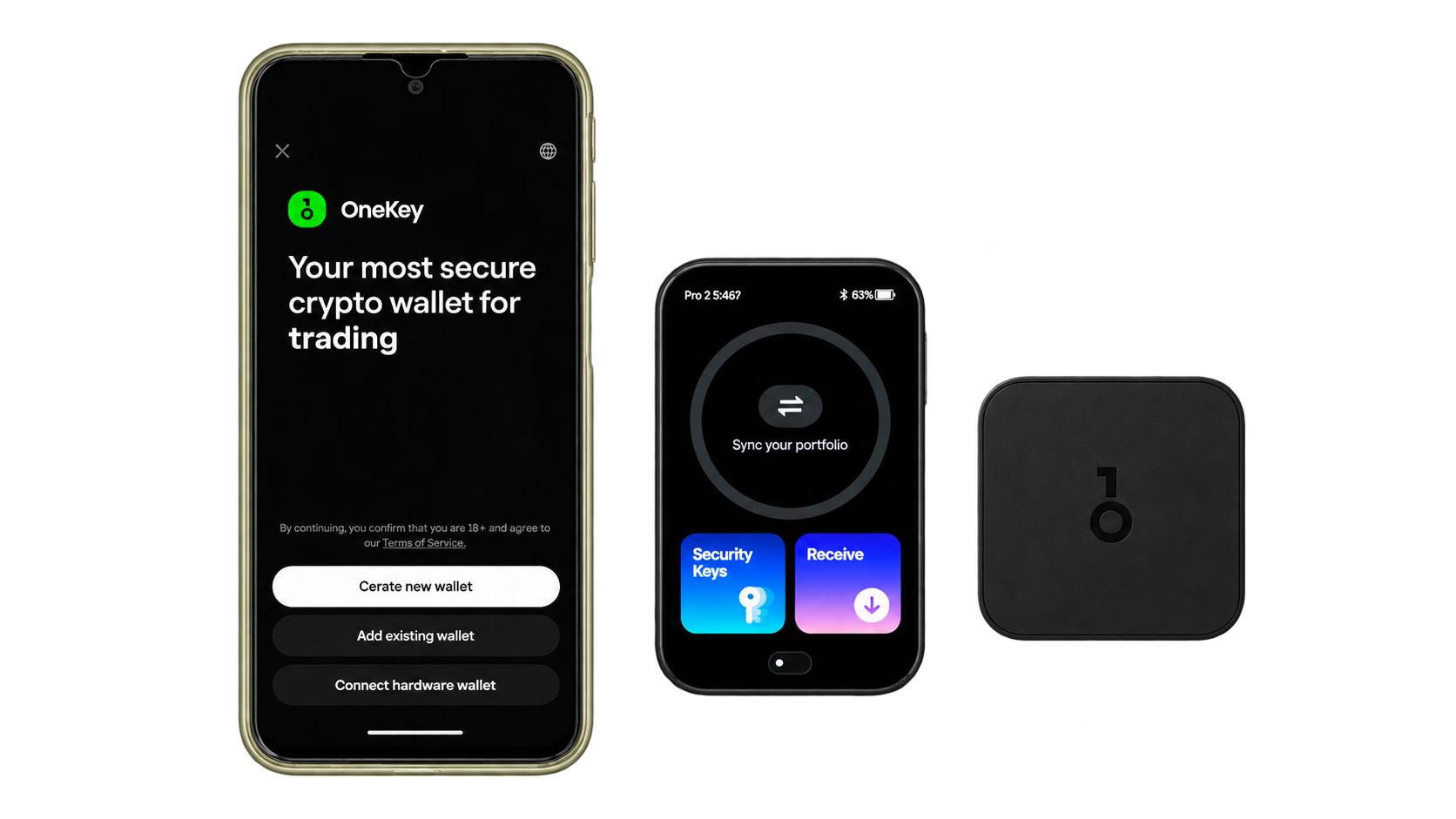
OneKey’s redesigned safeOS 2 further improves the everyday experience by introducing portfolio information directly on the hardware wallet. Users can check synchronized balances and supported asset holdings without repeatedly navigating through the companion application. However, the OneKey App remains responsible for retrieving blockchain data and synchronizing portfolio information, meaning the device displays the latest available updates rather than independently verifying live network balances. The interface nevertheless makes Pro 2 more useful for regular portfolio monitoring than hardware wallets limited primarily to transaction confirmations.
Its metal-and-glass construction, responsive touchscreen, and rechargeable battery give OneKey Pro 2 the feel of a premium electronic device rather than a basic cold-storage accessory. These design choices improve usability but introduce familiar considerations, including battery aging, potential screen damage, and greater dependence on software maintenance. For active cryptocurrency users, the additional functionality may justify those trade-offs, while investors who rarely access long-term holdings may prefer a simpler device with fewer components and maintenance requirements.
Setup Guide
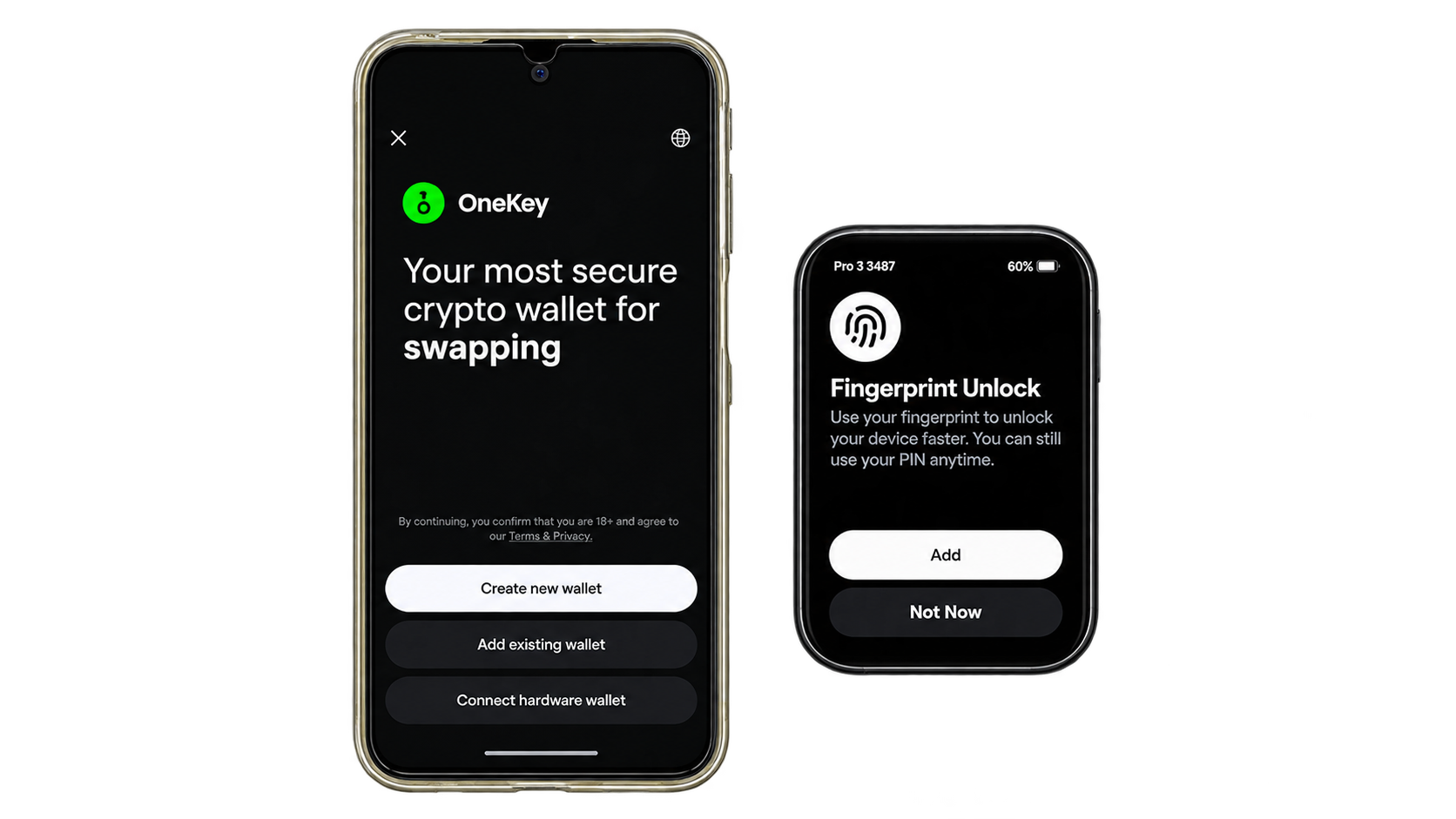
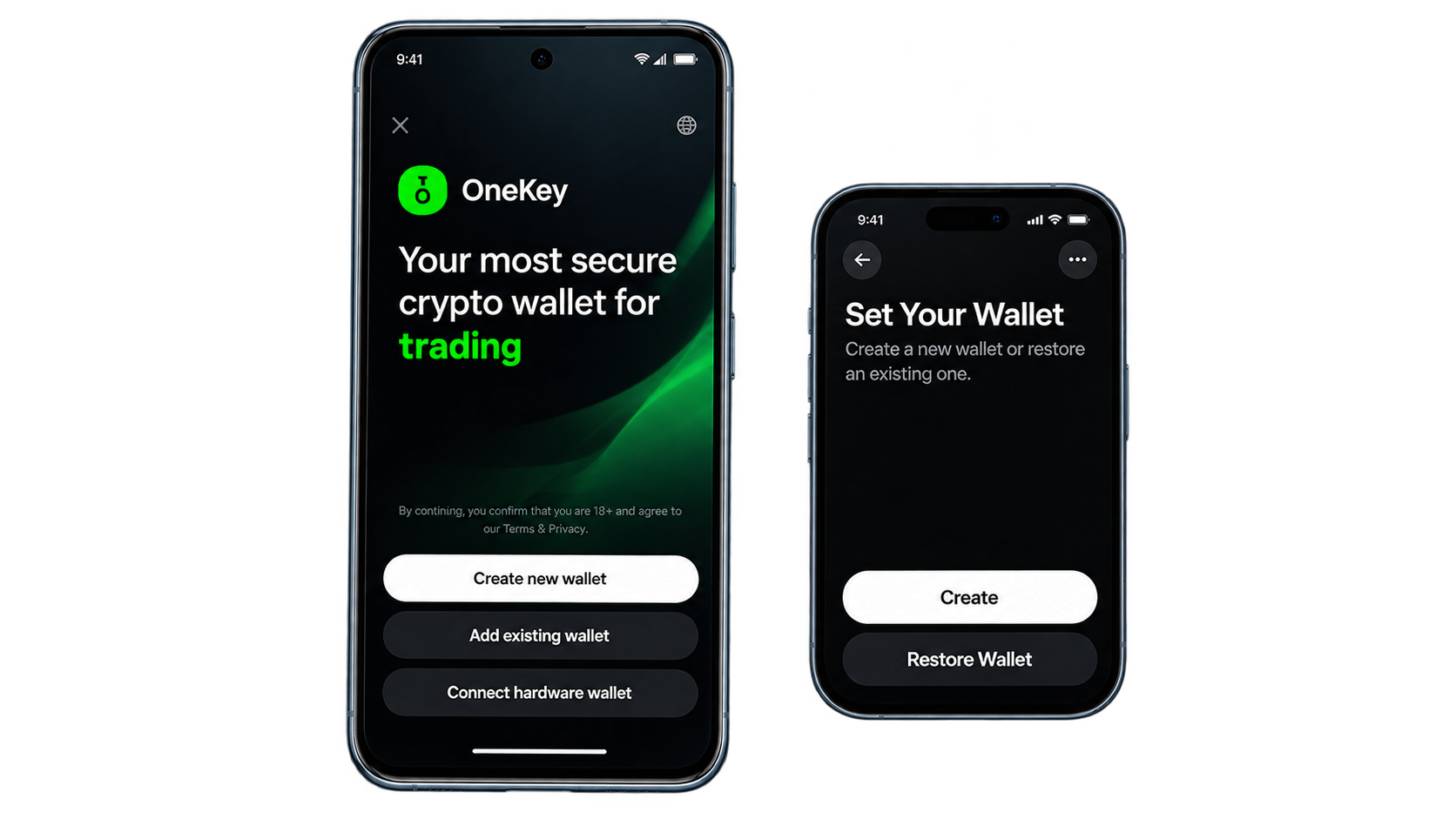
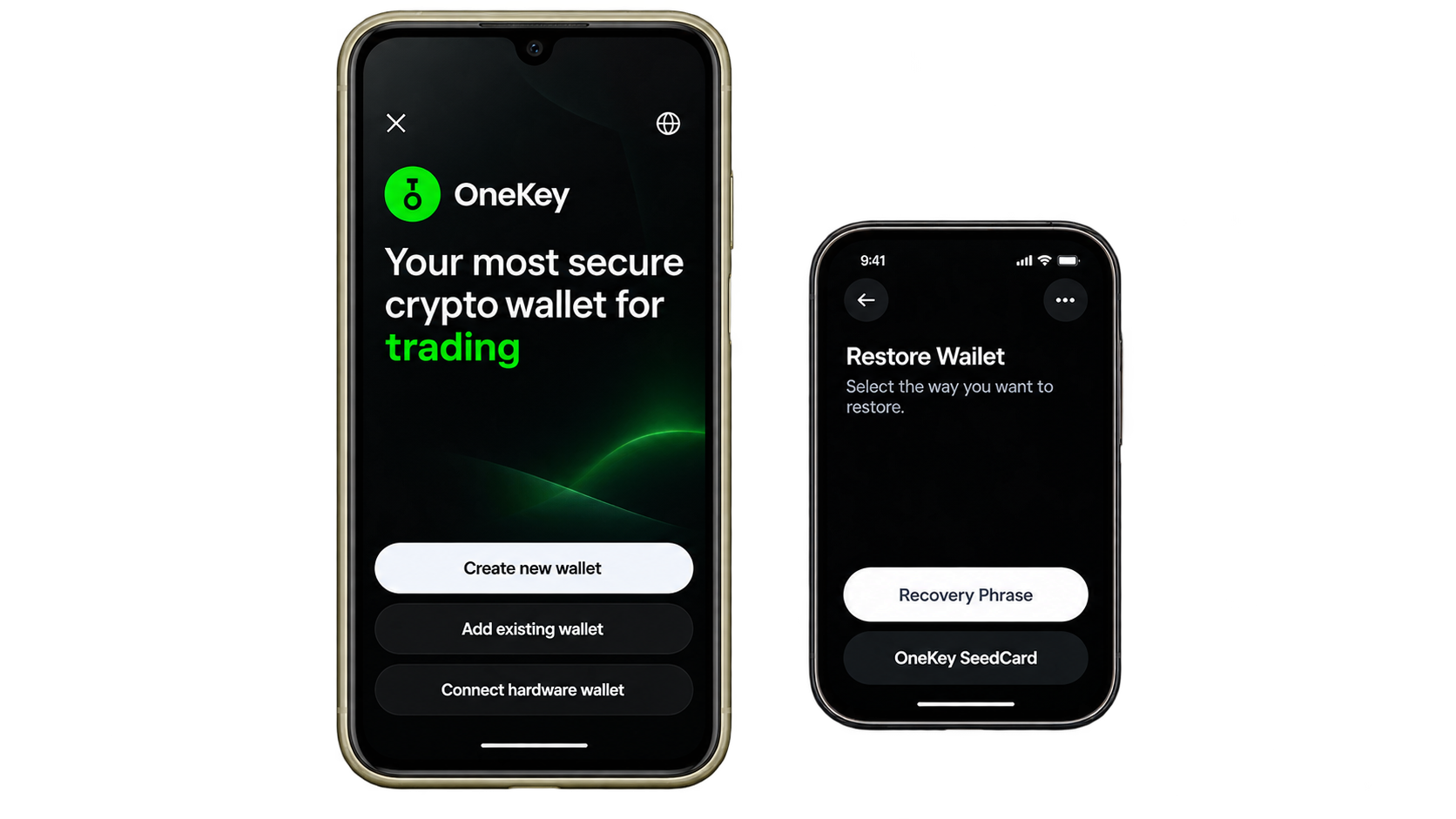
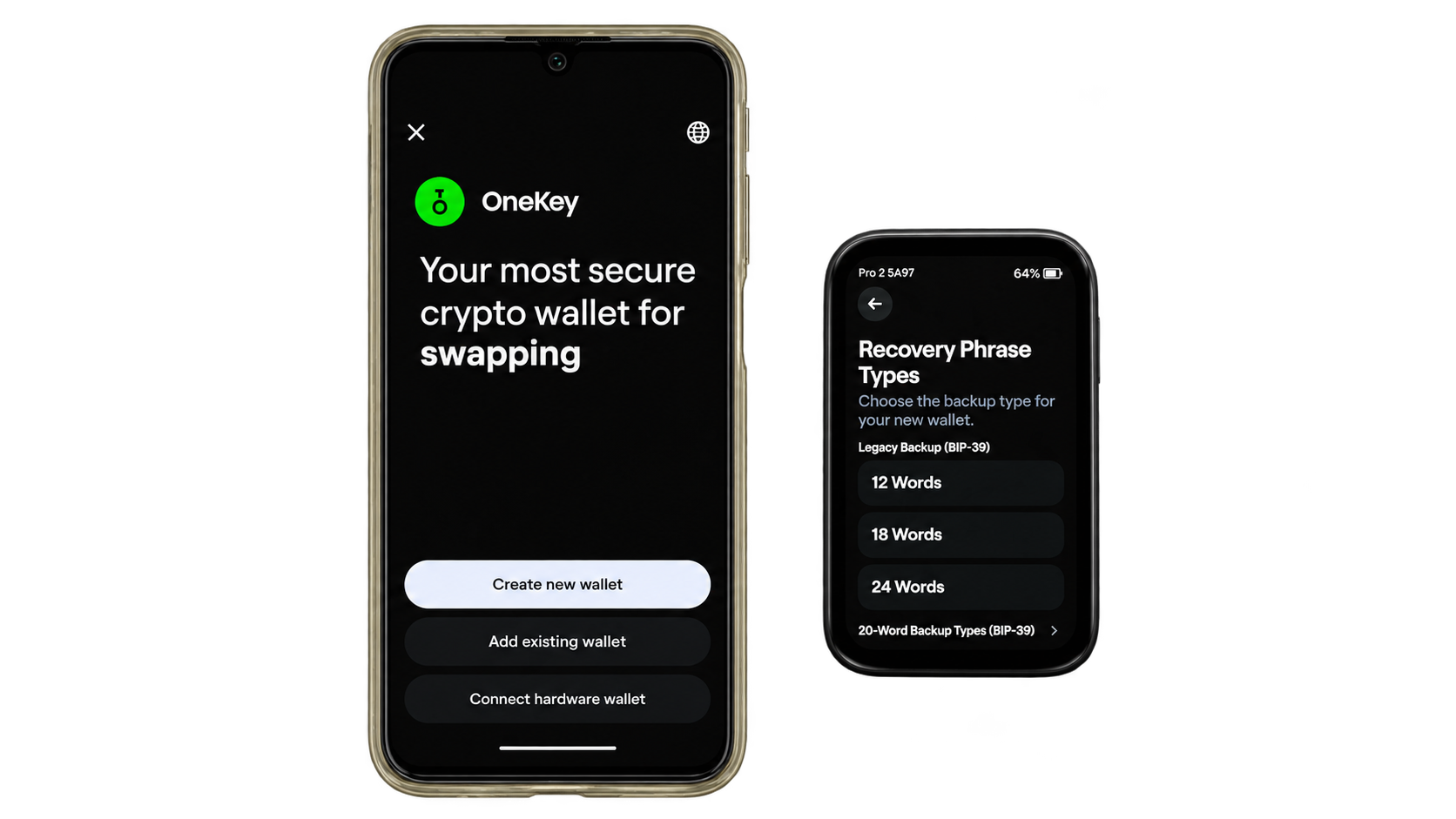
Security
Four Secure Elements and an Audited Security Architecture
OneKey Pro 2 uses four THD89 Secure Elements certified to Common Criteria EAL6+, providing dedicated hardware protection for private-key operations and sensitive cryptographic information. According to Keylabs’ October 2026 hardware and firmware assessment, the device uses an STM32H747 microcontroller to manage its display, camera, fingerprint reader, Bluetooth, and NFC functionality, while BIP-32 key derivation takes place within the Secure Elements. This separation is central to its security architecture, keeping sensitive key operations isolated from the general-purpose processor responsible for everyday device functionality.
The independent assessment found no critical or high-severity vulnerabilities, and a subsequent retest of production firmware version 1.0.0 confirmed that all three identified medium-severity issues had been resolved. These involved inadequate confirmation in certain typed-data and multisignature signing workflows, incomplete firmware rollback enforcement, and insufficient protection of communications between the microcontroller and Secure Elements. Addressing these weaknesses before production release strengthens confidence in the device’s transaction-verification and firmware-integrity mechanisms, particularly because both directly influence whether users can trust the information and software involved in authorizing transactions.
However, the assessment also identified limitations relevant to physical security. Low-severity concerns remained, including potential hardware attack surfaces, while fingerprint matching was found to occur on the main microcontroller rather than inside the Secure Elements. Keylabs also reported that the audited design did not incorporate active physical tamper-detection circuitry. Consequently, OneKey Pro 2’s protection against unauthorized access relies primarily on its Secure Elements, authentication mechanisms, and overall hardware architecture rather than dedicated intrusion sensors that automatically detect enclosure interference. These distinctions are especially important when evaluating resistance to sophisticated attacks involving prolonged physical possession of the device.
OneKey complements its hardware architecture with open-source wallet software and firmware, signed updates, and documented verification procedures. Publicly accessible code and independent assessments make important parts of the security implementation available for scrutiny, although they cannot establish complete transparency over proprietary Secure Element internals or guarantee resistance to every physical modification. Similarly, the EAL6+ certifications apply to the evaluated security chips rather than the entire hardware wallet. For investors prioritizing anti-tamper protection, OneKey Pro 2 offers a credible, independently examined security architecture, but its certified key protection should be distinguished from active physical intrusion detection.
Clear Signing
Clear Signing and SignGuard: Where OneKey Pro 2 Stands Out
One of OneKey Pro 2’s strongest advantages is its emphasis on transaction security, addressing risks that even sophisticated hardware protection cannot eliminate. Secure Elements can prevent private keys from being exposed, but they cannot stop users from authorizing malicious smart contracts or granting excessive token permissions. Many wallet-drainer attacks exploit this weakness by presenting transactions that appear legitimate while granting attackers access to cryptocurrency holdings. OneKey addresses the problem through two complementary technologies: Clear Signing, which displays supported transaction details in a readable format on the hardware wallet, and SignGuard, which evaluates potential risks through the companion application before approval.
SignGuard provides several layers of transaction analysis, including suspicious-address screening, smart contract and token risk assessments, phishing website detection, token allowance warnings, and transaction simulation. These checks can help identify unusual activity, such as an unlimited spending approval, an unexpected transfer of assets, or a contract interaction that produces consequences different from those anticipated by the user. Transaction simulation is particularly valuable because it attempts to predict the effects of a transaction before execution, potentially exposing harmful balance changes or permissions that might not be obvious from the original signing request. Clear Signing complements these warnings by allowing users to examine the supported transaction information directly on the device rather than relying exclusively on the computer or smartphone preparing the request.
However, neither technology guarantees protection against every malicious transaction. The accuracy of transaction interpretation depends on blockchain compatibility, supported signing formats, and the information available to the software. Simulated results may also differ from actual execution when network conditions or contract states change, while newly deployed malicious contracts may not yet have an established risk history. Legitimate transactions involving unfamiliar protocols can occasionally trigger warnings as well. These limitations make transaction inspection essential even when the software reports no immediate concerns. The security benefit comes from providing additional information and opportunities to recognize suspicious activity before a cryptographic signature is issued.
The practical value is greatest for investors who frequently interact with decentralized finance protocols, token launches, NFT marketplaces, and multisignature applications. These activities often involve complex smart contract calls and permissions that carry greater risk than ordinary cryptocurrency transfers. Long-term holders making occasional Bitcoin transactions may have less need for extensive contract analysis, but active Web3 users can benefit considerably from combining hardware-isolated private keys with readable transaction details and proactive risk screening. This integration makes OneKey Pro 2 particularly appealing to investors who want stronger protection against transaction-based attacks without abandoning the flexibility of a multi-chain hardware wallet.
Air-gapped Technology
Air-Gapped QR Signing, Bluetooth, USB-C, and NFC
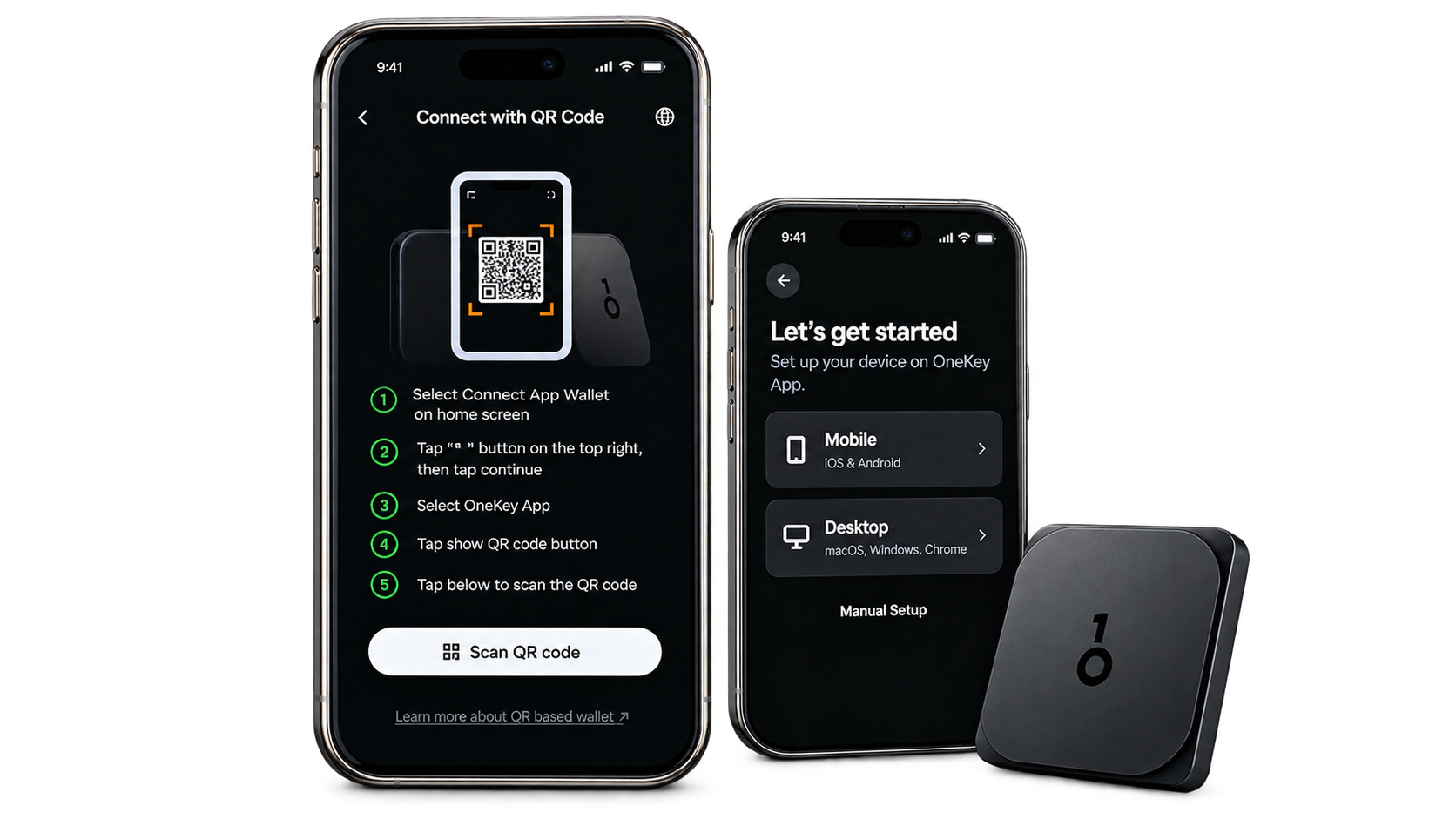
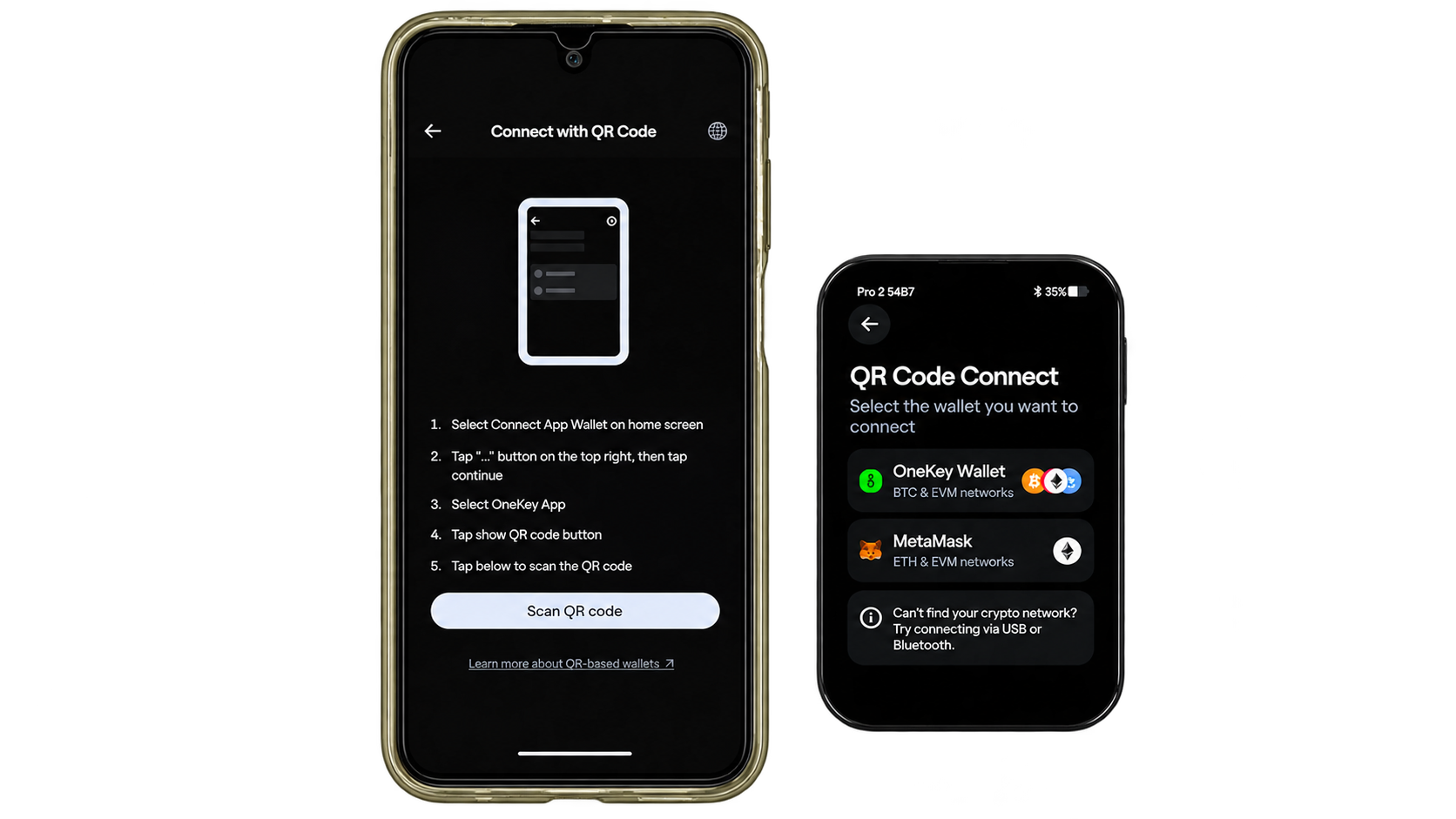
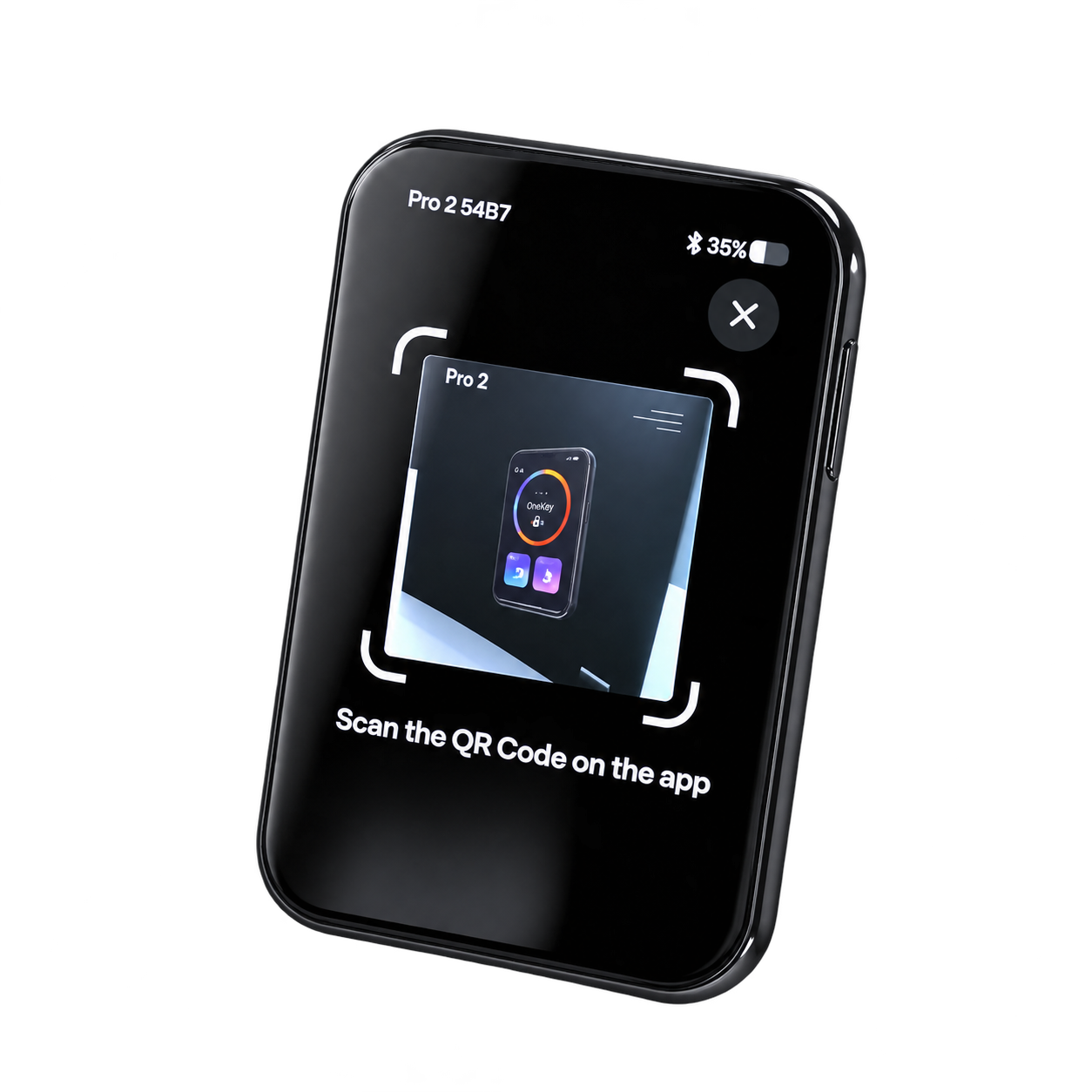
OneKey Pro 2 offers several transaction-signing methods, allowing users to balance connectivity, convenience, and security according to their needs. Its QR-based air-gapped signing workflow enables transactions to be authorized without establishing a direct electronic connection between the hardware wallet and the host device. A compatible companion application prepares the unsigned transaction and presents it as a QR code, which Pro 2 scans and displays for verification. Once approved, the wallet signs the transaction internally and generates a response that can be scanned by the companion application for broadcasting. Bluetooth and USB-C provide more convenient direct connections, particularly for investors who regularly authorize transfers or interact with decentralized applications.
Unlike strictly air-gapped wallets that omit wireless communication hardware, OneKey Pro 2 includes Bluetooth and NFC components alongside its camera and USB-C interface. Consequently, QR signing should be understood as an isolated transaction workflow rather than evidence that the device has no wireless capabilities. The ability to choose between connection methods provides greater flexibility, allowing users to avoid direct data connections for supported transactions while retaining faster communication options when needed. However, QR-based signing availability depends on the cryptocurrency, transaction format, and compatibility of the accompanying wallet software.
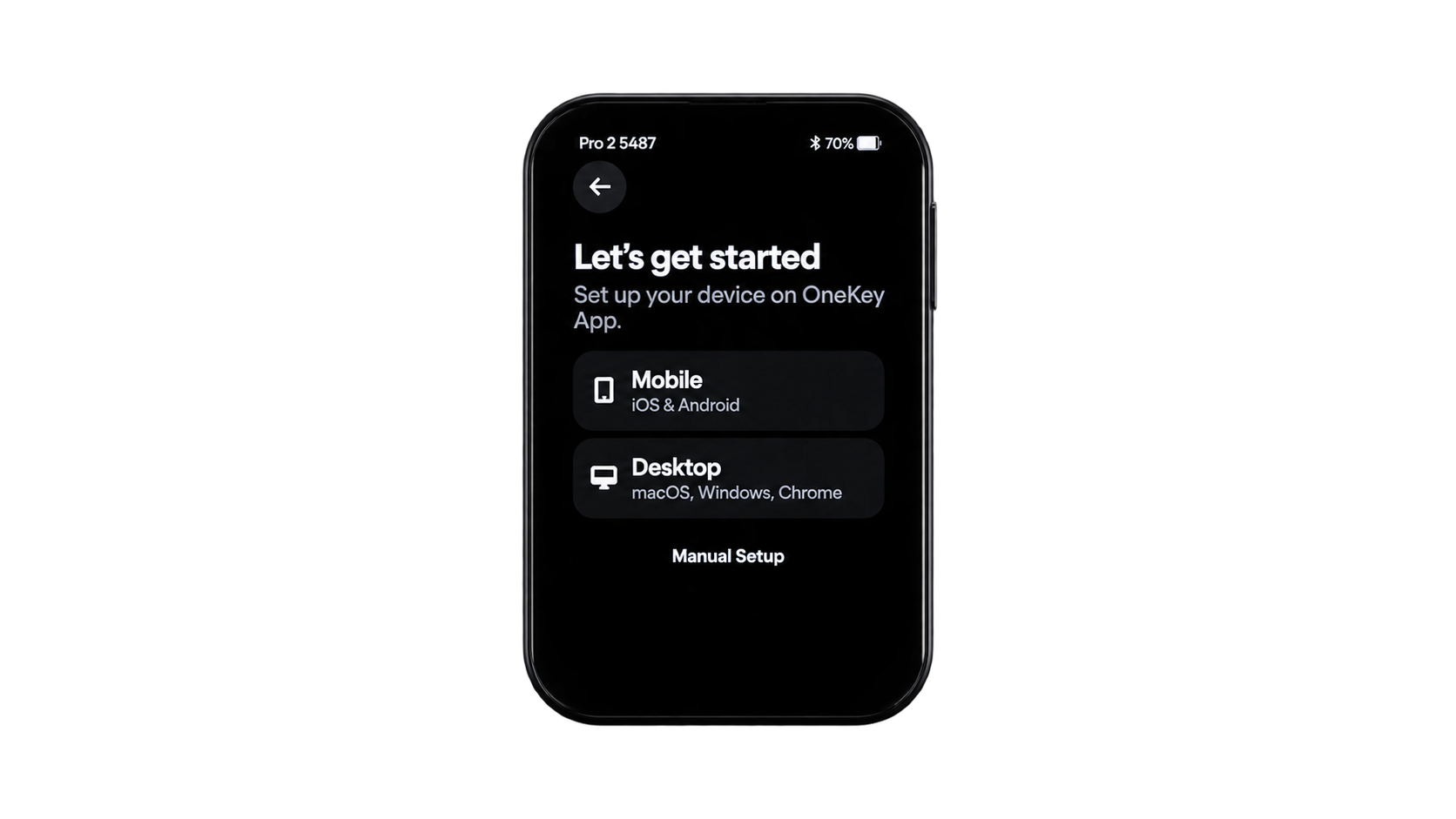
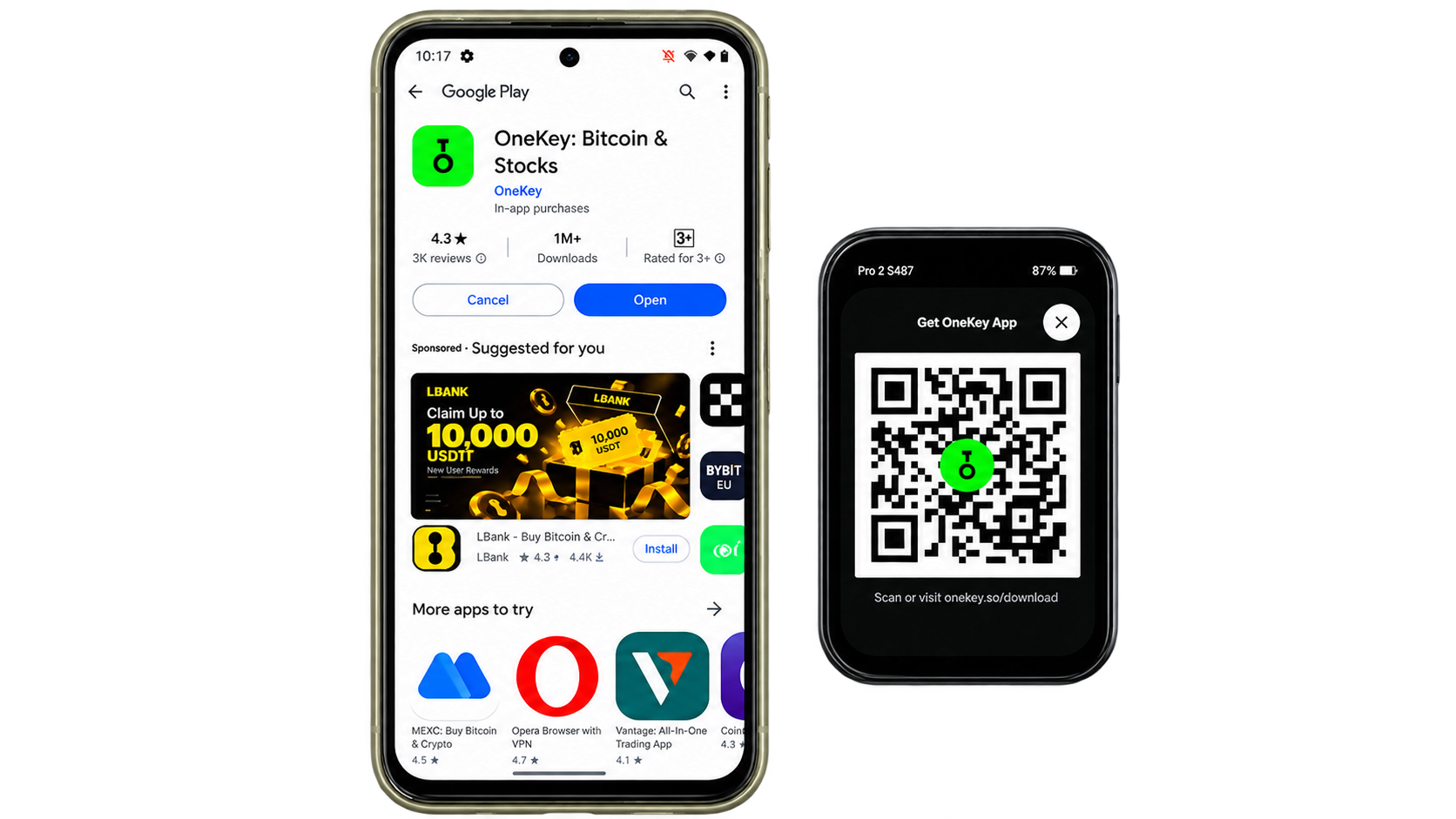
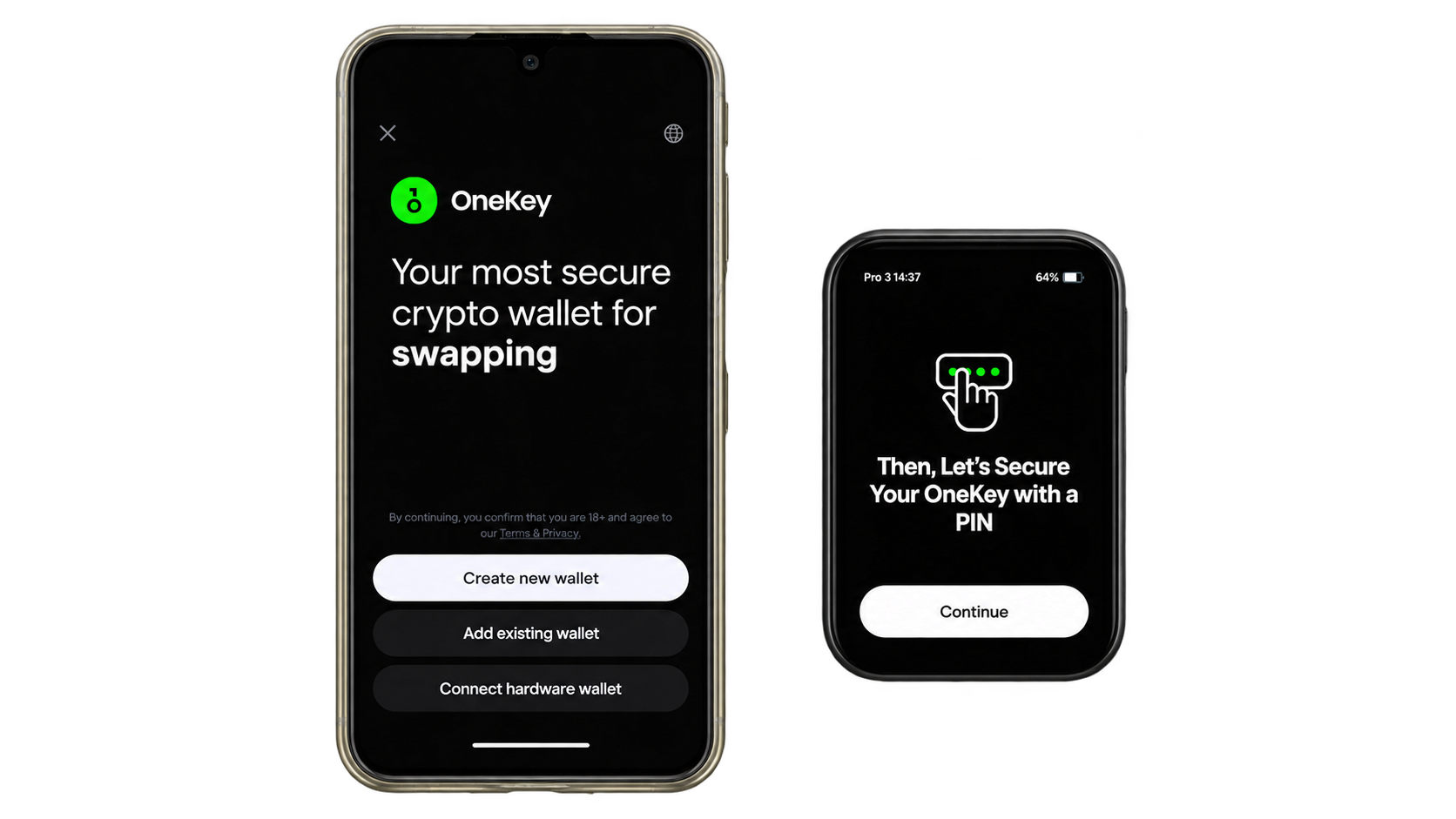
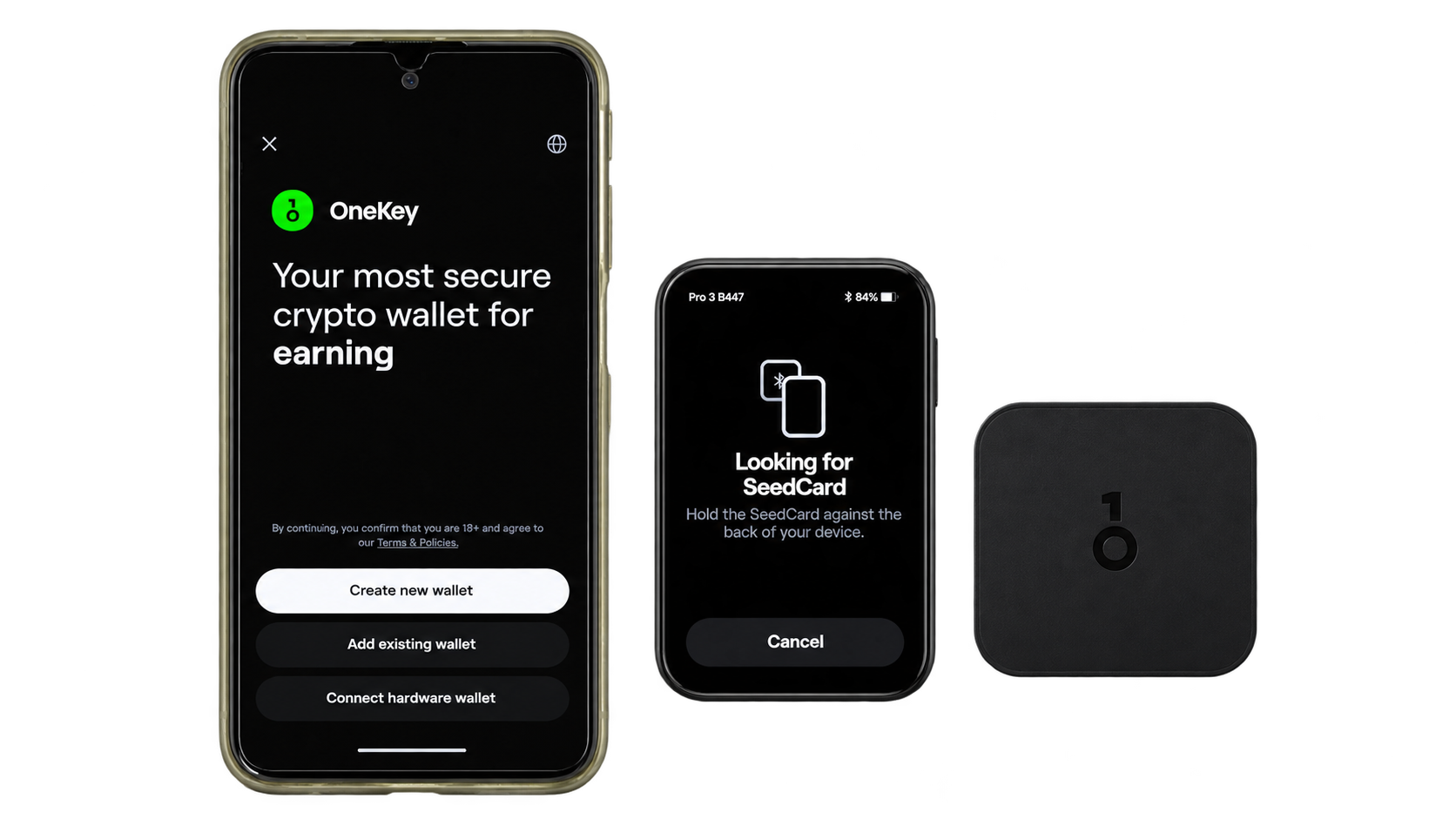
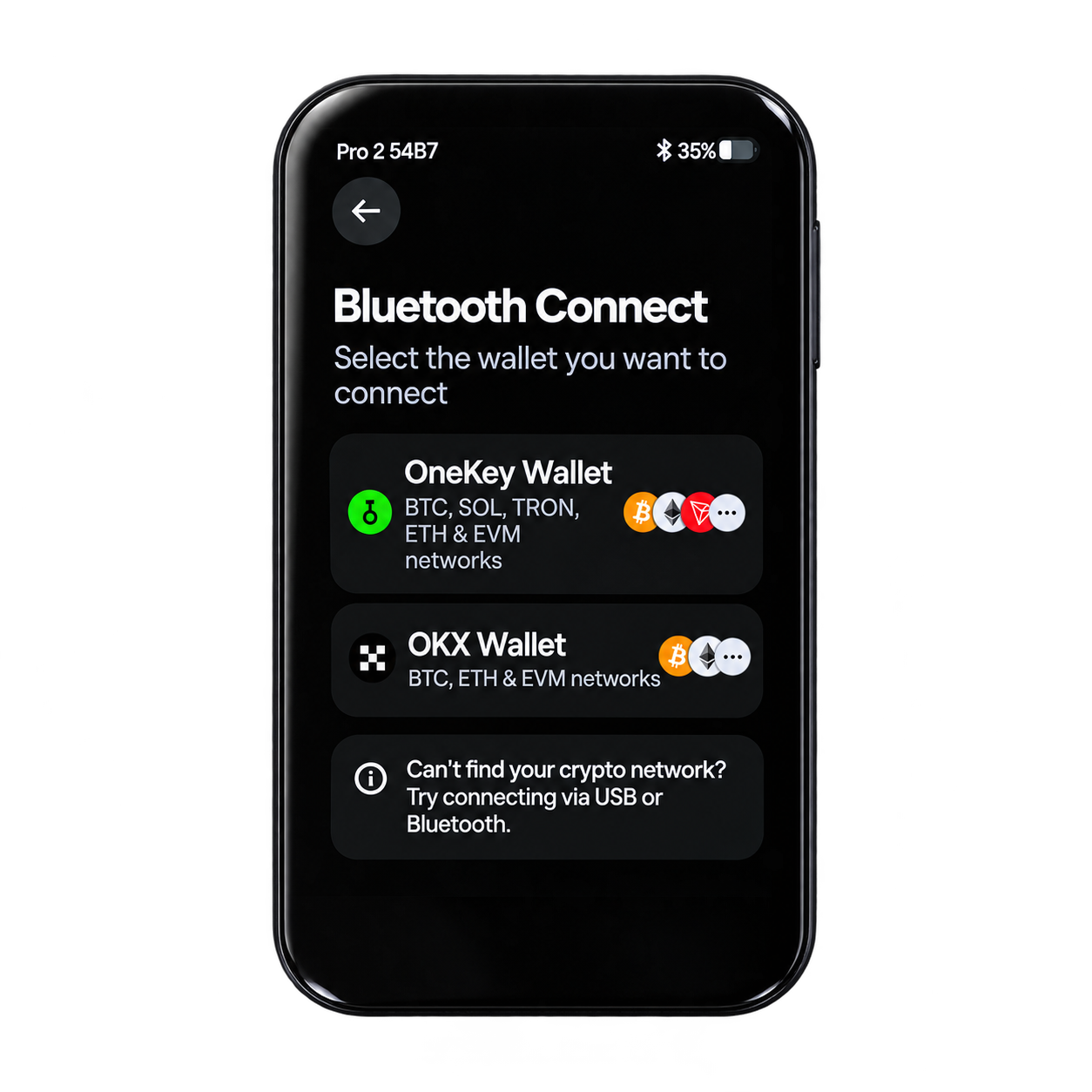
Mobile compatibility also introduces some practical distinctions. OneKey’s Pro 2 onboarding documentation identifies Bluetooth as the supported direct hardware connection through the OneKey App on mobile devices, while NFC primarily serves compatible OneKey SeedCard backup and recovery operations. NFC should therefore not be confused with general-purpose contactless transaction signing, and buyers should verify that their preferred mobile application supports the intended workflow before purchasing the device. Users who rely heavily on QR signing should also confirm support for the specific blockchains and third-party wallets they intend to use.
Although Bluetooth and USB-C introduce additional communication interfaces, their presence does not inherently compromise private-key isolation. Sensitive signing operations remain within the wallet’s protected hardware architecture, with device authentication, firmware-integrity controls, and on-device transaction confirmation contributing to the overall security model. The more relevant consideration is whether those interfaces are securely implemented and whether the user can reliably verify transaction details before approval. OneKey Pro 2’s flexible connectivity is particularly useful for investors who want the option of QR-based offline signing without giving up the convenience of direct connections, although those requiring a device without any wireless communication hardware may prefer a strictly air-gapped alternative.
Backup
Backup Options: Recovery Phrases, SLIP-39, and SeedCard
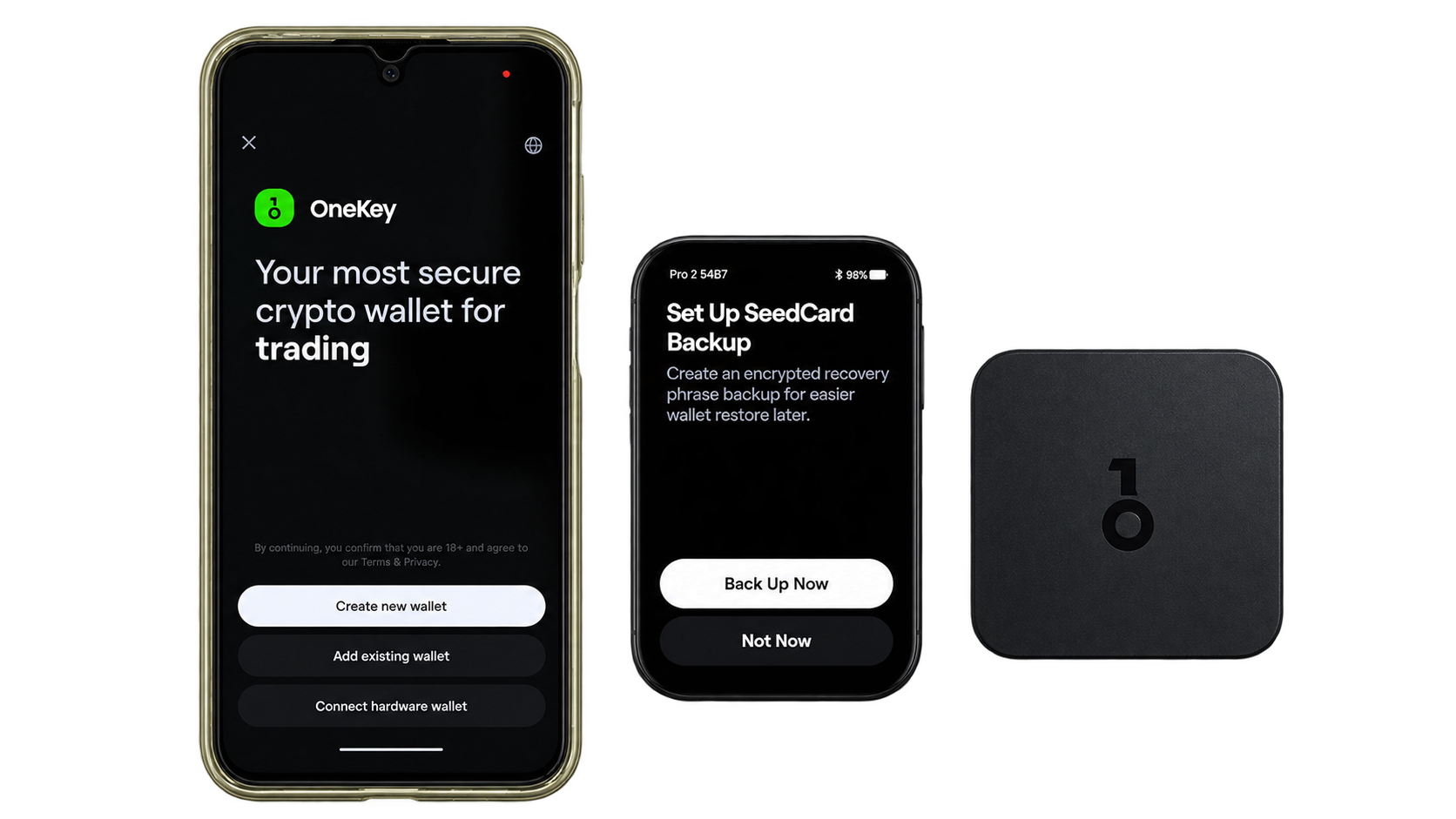
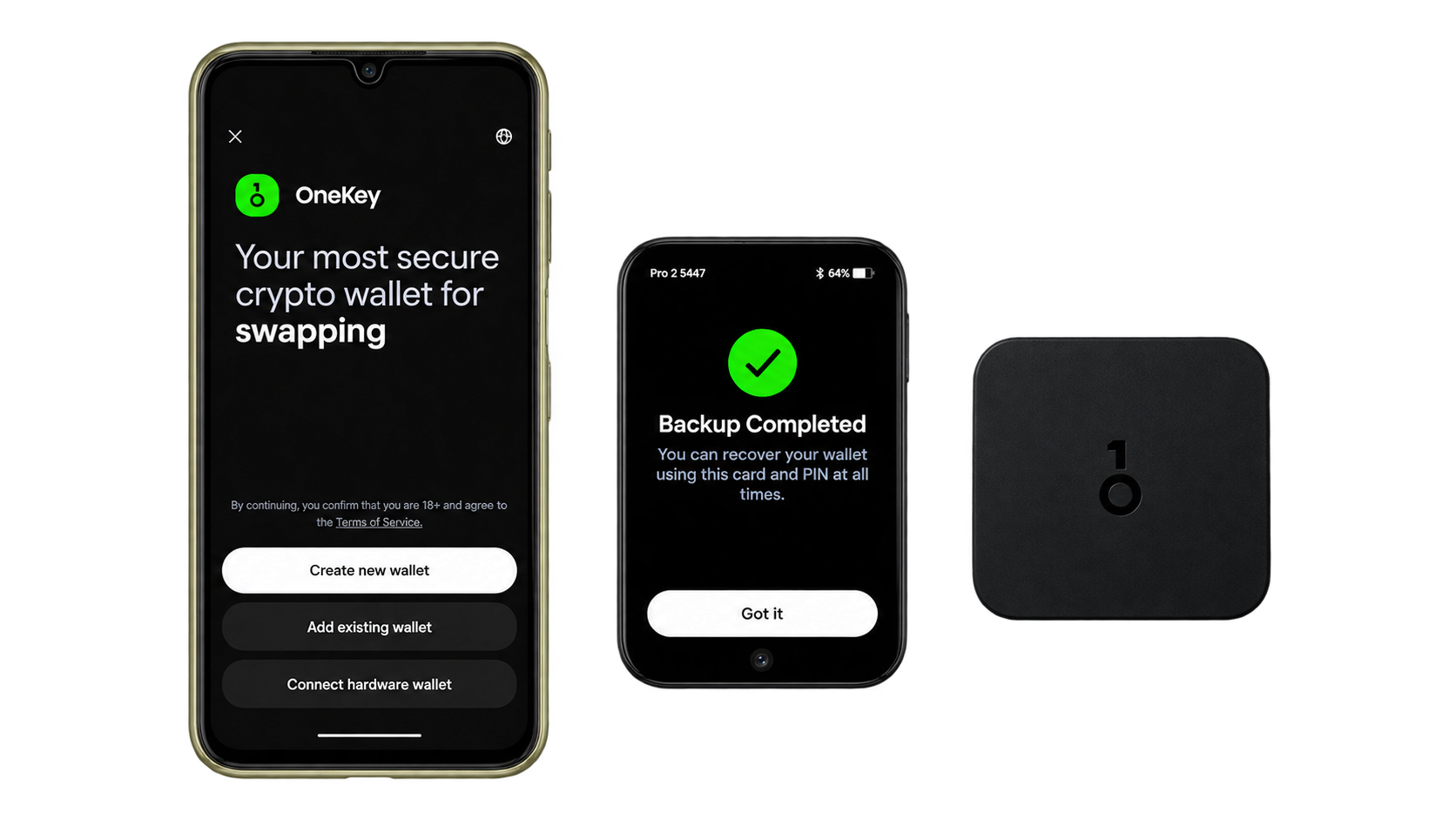
OneKey Pro 2 provides several recovery options, including standard 12- and 24-word mnemonic phrases, 20-word SLIP-39 recovery shares, and the company’s NFC-enabled SeedCard. Traditional recovery phrases offer a widely supported method of restoring access if the hardware wallet is lost, damaged, or replaced, while SLIP-39 allows recovery information to be divided into multiple shares according to a configurable threshold. This can reduce dependence on a single backup location, although users must preserve enough valid shares to meet the recovery requirements. OneKey also supports optional passphrases that create separate wallet accounts, adding another layer of protection but introducing an additional secret that must be remembered or securely stored.
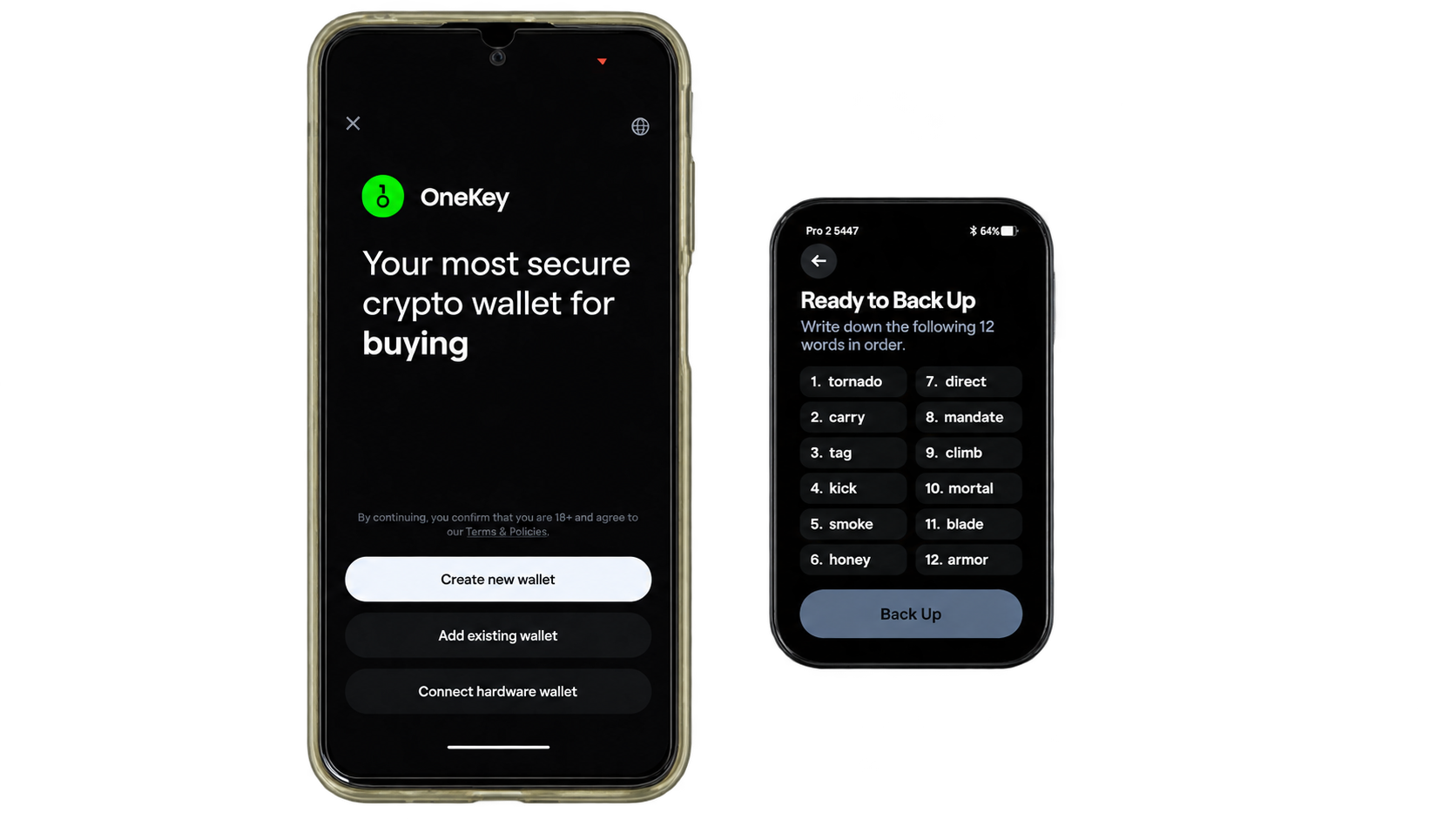
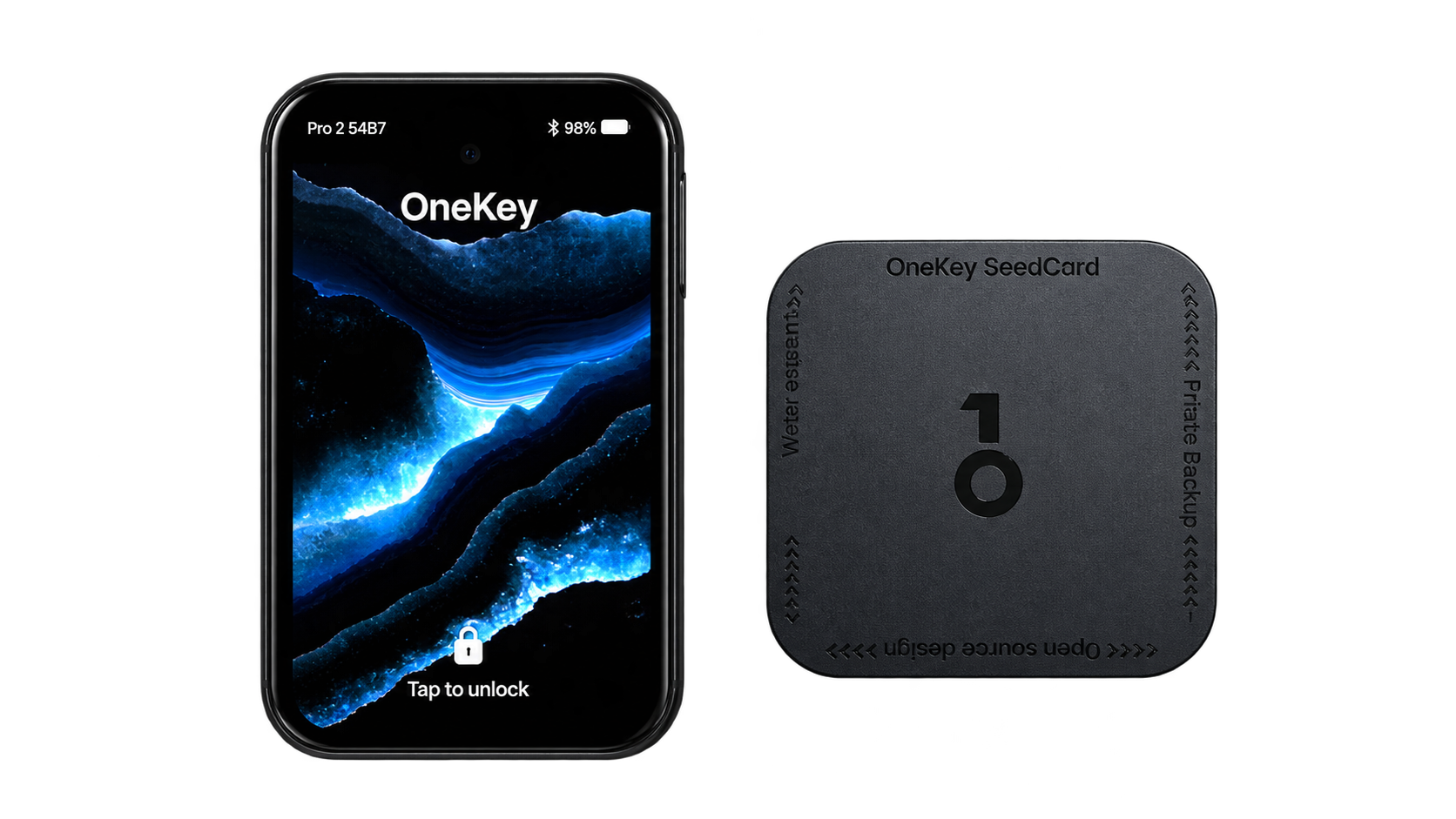
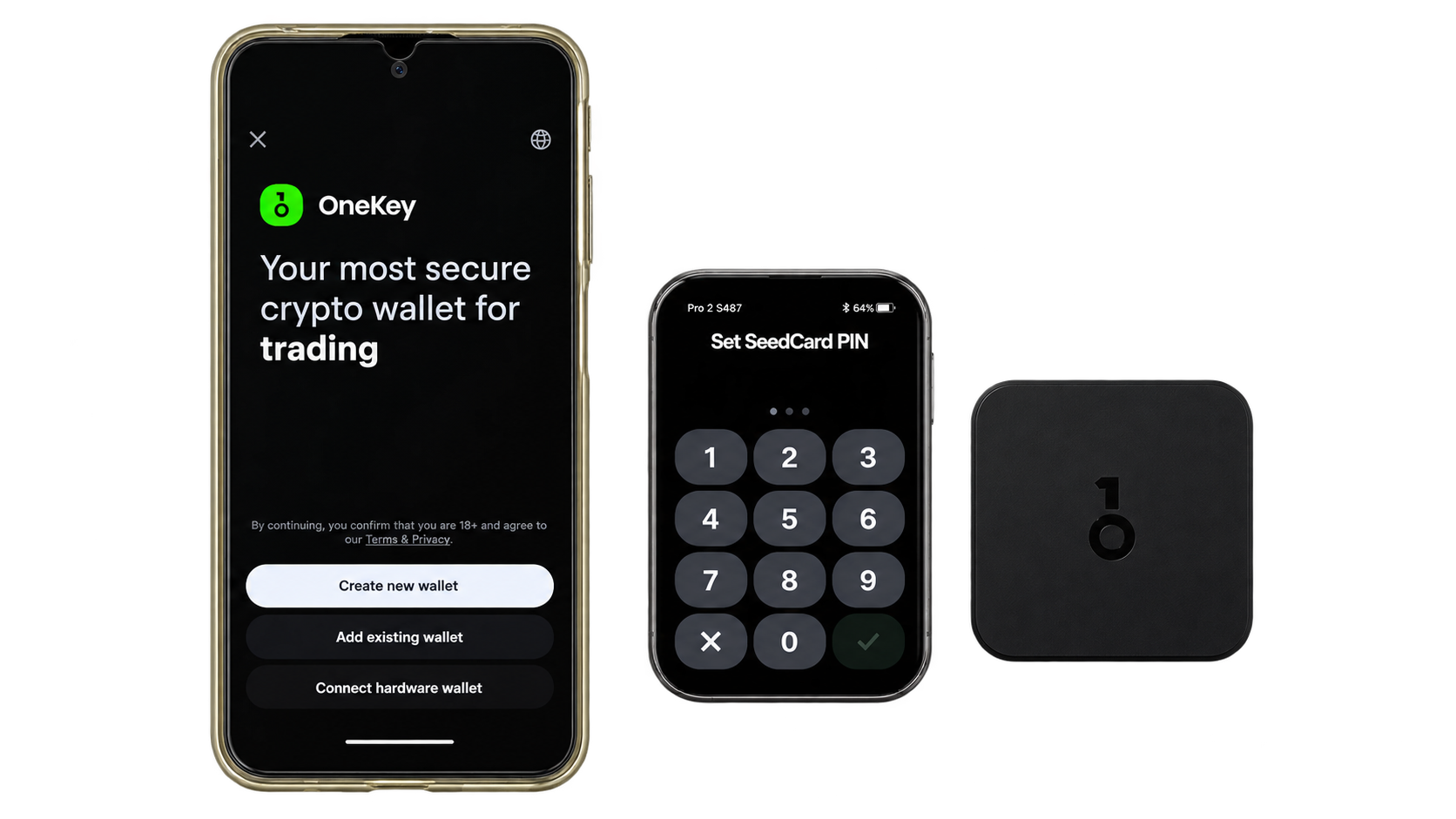
The included OneKey SeedCard offers a more convenient approach to backup and restoration by storing encrypted recovery information on an NFC-enabled card protected by a PIN. Compatible OneKey devices can use the card during supported recovery procedures, reducing the need to manually enter lengthy mnemonic phrases. This may be particularly useful for investors managing multiple devices or preparing for hardware replacement. However, the card remains a physical recovery asset that requires careful protection against theft, loss, and unauthorized access. Its encryption and PIN controls provide additional safeguards, but owners should understand the consequences of losing the card or its authentication credentials before relying on it as their primary recovery method.
OneKey Pro 2 also includes an optional quick-verification feature for certain backup operations, allowing users to authenticate with the device PIN instead of repeatedly entering the complete recovery phrase. This can simplify supported backup workflows, although the device PIN serves a different purpose from the recovery phrase and cannot independently restore a lost wallet. Enabling more convenient backup access also makes it important to understand which operations remain available after the device has been unlocked and how those operations are protected against unauthorized use.
Regardless of the chosen method, maintaining an independent offline backup remains an important precaution. Recovery information should be protected against unauthorized copying, environmental damage, and accidental loss, with seed phrases stored securely away from cameras, cloud services, and internet-connected applications. Owners should also verify that their backup method is compatible with their intended recovery devices, particularly when using SLIP-39 shares or proprietary accessories. Investors migrating from a software wallet should consider generating fresh recovery information directly on OneKey Pro 2, since importing an existing phrase does not eliminate any previous exposure of those private keys.
OneKey App & Supported Assets
OneKey App, Passkeys, and Upcoming Features
OneKey Pro 2 integrates with the OneKey App, providing a unified environment for portfolio management, cryptocurrency transfers, staking, swaps, and interactions with decentralized applications. The broader OneKey wallet ecosystem supports desktop, mobile, browser-extension, and hardware-wallet workflows, allowing users to manage different blockchain assets without constantly switching between unrelated applications. The companion software also handles network synchronization and transaction preparation, while Pro 2 keeps private-key operations within its protected hardware environment. This integration is particularly useful for investors managing multiple networks or frequently interacting with Web3 services.
Beyond cryptocurrency management, OneKey Pro 2 supports FIDO2 passkey authentication, allowing it to function as a hardware security key for compatible websites and online accounts. Instead of relying exclusively on passwords or software-based authentication, users can authorize supported login requests through the physical device. This extends its usefulness to email accounts, exchanges, and other services implementing passkey standards. However, combining cryptocurrency custody and account authentication on one device also creates a practical dependency: losing access to the hardware may affect several services unless appropriate alternative authentication and recovery methods have been configured.
Several advertised features remain scheduled for future software releases rather than being available at launch. Apple Find My integration is intended to help owners locate the device through Apple’s tracking ecosystem, while offline TOTP generation would introduce another method of producing time-based authentication codes. Tor connectivity and coin control are also listed as upcoming capabilities. These additions could improve privacy, account security, and transaction management, but buyers should evaluate OneKey Pro 2 primarily on its existing functionality until the promised features are released and their implementations can be assessed.
The OneKey App also provides access to additional services, including gas-sponsored transactions, integrated trading functionality, and optional App Prime benefits. These features can simplify cryptocurrency management, particularly when dealing with multiple blockchain networks, but their availability depends on the supported assets, external service providers, and applicable terms. The Pro 2 package includes six months of App Prime, after which continued access to paid benefits may require a subscription. Investors should distinguish these software conveniences from the hardware wallet’s fundamental security capabilities, which are designed to protect signing credentials independently of optional account services.
Supported Blockchains, NFTs, and Web3 Compatibility
OneKey Pro 2 is designed for broad cryptocurrency compatibility, with the OneKey ecosystem advertising support for more than 30,000 coins and tokens across over 100 blockchain networks. Major ecosystems include Bitcoin, Ethereum, and Solana, alongside numerous additional networks and token standards. Through the OneKey App and supported third-party integrations, users can manage ordinary cryptocurrency transfers, token holdings, NFTs, and various decentralized finance activities while retaining hardware-based control over transaction signing.
The extensive asset coverage is an advantage for investors maintaining diversified portfolios, although supported-token counts do not fully describe a hardware wallet’s functionality. A device may support receiving and transferring an asset without providing the same level of compatibility for staking, smart contract interactions, NFT management, or advanced transaction decoding. Similarly, Clear Signing and SignGuard coverage can vary between blockchain networks and transaction types. Buyers who depend on specialized DeFi protocols or less common cryptocurrencies should confirm that the specific operations they intend to perform are supported through their preferred wallet applications.
OneKey Pro 2 can also participate in multisignature custody arrangements through compatible platforms, including Sparrow for Bitcoin, Safe for Ethereum, and Squads for Solana. These integrations allow the device to function as an independent hardware signer within a broader authorization structure, making it suitable for certain shared treasury, organizational custody, and higher-value self-custody setups. However, the security of these arrangements depends on more than the individual signing devices. Signature thresholds, account permissions, backup distribution, and recovery procedures must be configured correctly to avoid creating unnecessary vulnerabilities or losing access to funds.
Different multisignature implementations also introduce distinct security assumptions. Bitcoin multisignature generally relies on transaction rules requiring signatures from a specified number of keys, while Ethereum Safe and Solana Squads use programmable account infrastructure to coordinate authorization. Understanding the differences between multisig and smart contract wallets is particularly relevant when selecting signing policies, managing account permissions, or planning emergency recovery procedures.
For active multi-chain investors, OneKey Pro 2’s broad compatibility reduces the need to maintain separate signing devices for every supported network. Its combination of hardware key protection, application integrations, and transaction-risk analysis provides a versatile environment for managing cryptocurrencies across different ecosystems. Nevertheless, support for a particular token or decentralized application should not be mistaken for an endorsement of its security. Users remain responsible for evaluating smart contracts, verifying transaction permissions, and understanding the risks associated with the protocols they choose to access.
Price
Price, Included Accessories, and Long-Term Value
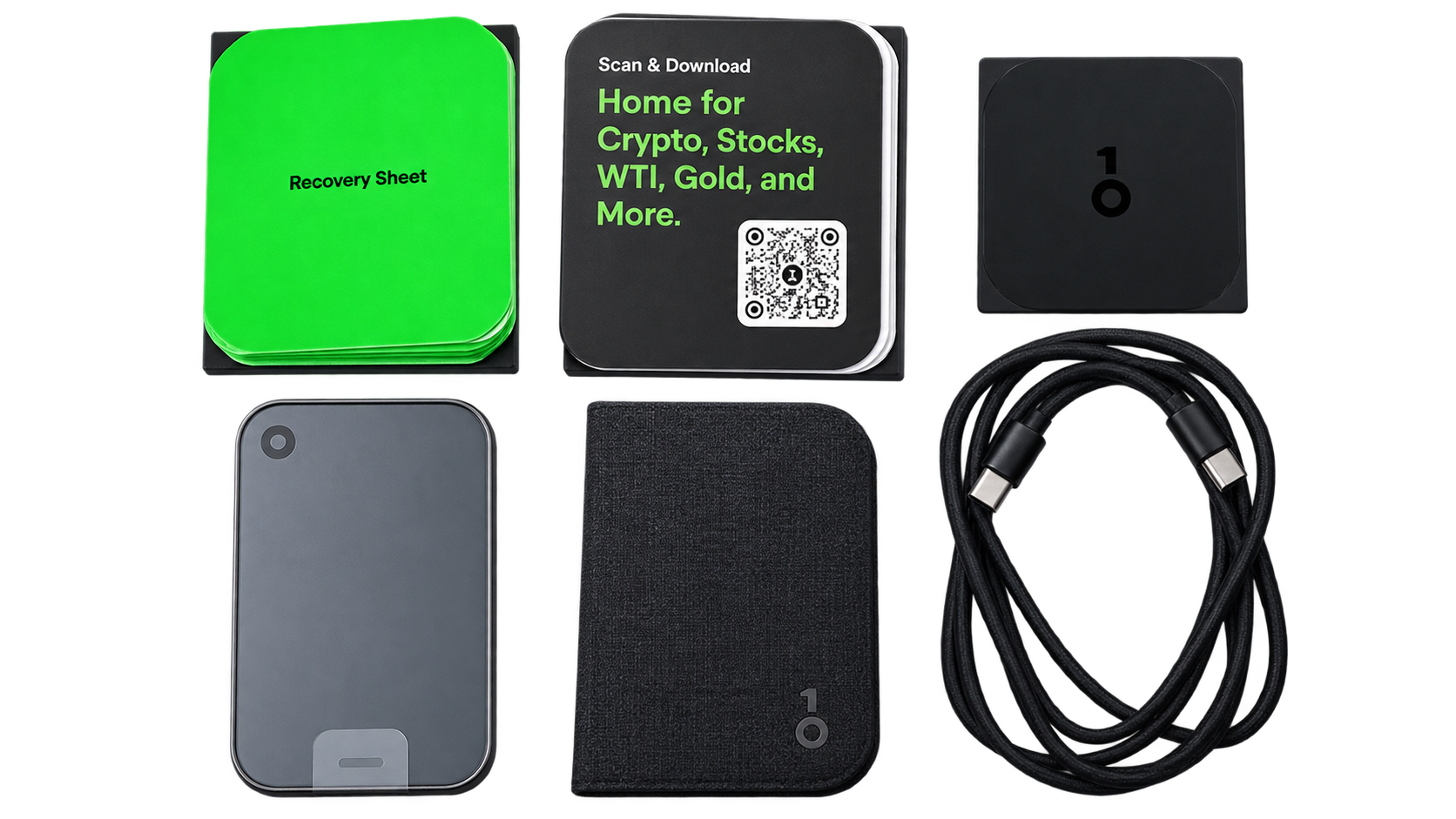
Priced at $299, OneKey Pro 2 sits firmly in the premium hardware-wallet category, competing on security architecture, advanced functionality, and everyday usability rather than affordability. The package includes a OneKey SeedCard, fabric folio case, recovery sheet, USB-C cable, and six months of OneKey App Prime. OneKey estimates the combined retail value of these extras at $257, although their practical value depends on whether buyers intend to use the accessories and subscription services. The included SeedCard is particularly relevant for users seeking an alternative encrypted backup method, while the App Prime subscription adds temporary access to premium software benefits.
The strongest justification for the price is the combination of four EAL6+-certified Secure Elements, independent security assessments, a high-resolution AMOLED display, flexible transaction-signing methods, and extensive multi-chain compatibility. Clear Signing and SignGuard further strengthen its appeal for investors who frequently interact with decentralized applications, where understanding transaction permissions can be as important as protecting private keys. For active cryptocurrency users managing several blockchain networks, these capabilities create a more comprehensive experience than a basic cold-storage device. However, investors primarily holding Bitcoin for long periods may find that a less expensive wallet provides sufficient security without the additional connectivity, portfolio-management features, or advanced Web3 integrations.
Long-term value also depends on software support, hardware reliability, and the availability of promised features. Although OneKey Pro 2 was introduced on October 8, 2026, the official purchasing process still displayed pre-order messaging at the time of review, making it important to confirm shipping estimates and regional availability before purchasing. Buyers should also check applicable taxes, warranty coverage, replacement procedures, and which advertised functions are already supported by production firmware. With several features scheduled for future updates, the $299 purchase should be justified by the device’s current capabilities rather than assuming every announced addition will become available on a particular timeline.
Pros & Cons
- Four EAL6+ secure elements with independently audited production firmware.
- Sharp 3.54-inch AMOLED display, readable transaction confirmations, and fingerprint unlock.
- SignGuard and Clear Signing address real smart-contract approval risks.
- Extensive multichain coverage and flexible QR, Bluetooth, and USB-C signing workflows.
- $299 price is difficult to justify for basic long-term Bitcoin storage.
- New release with limited public reliability history and pre-order wording still visible at checkout.
- Apple Find My, TOTP, Tor, and coin control are not yet delivered.
- No active hardware tamper sensors in the audited design, and some lower-severity audit items remain open.
OneKey Pro 2 vs Competitors
OneKey Pro 2 vs ELLIPAL Titan 2.0, Keystone 3 Pro, Trezor Safe 7, and Passport Prime
OneKey Pro 2 competes with several established and newer hardware wallets that approach security, connectivity, and cryptocurrency management differently. While its four Secure Elements, transaction-risk analysis, and extensive software integrations make it a versatile choice, alternatives may offer stronger physical tamper detection, more restrictive signing environments, or greater hardware transparency. The differences become particularly relevant when deciding between frequent multi-chain activity and long-term cryptocurrency custody.
OneKey Pro 2 vs ELLIPAL Titan 2.0
The ELLIPAL Titan 2.0 takes a more restrictive approach to hardware-wallet connectivity, using QR codes for transaction signing without Bluetooth, Wi-Fi, or USB data connections. Its sealed metal enclosure, four-inch touchscreen, EAL5+ Secure Element, and physical tamper-response mechanism emphasize protection against unauthorized access and device manipulation. The manufacturer also specifies automatic key erasure when certain physical tampering conditions are detected, providing a security feature that OneKey Pro 2’s independently audited design does not include.
OneKey Pro 2 offers greater flexibility through Bluetooth, USB-C, and optional QR signing, alongside a slimmer construction, higher-resolution AMOLED display, fingerprint authentication, and SignGuard transaction analysis. Its integrated software ecosystem is better suited to frequent cryptocurrency management and complex Web3 interactions, while ELLIPAL provides a more constrained signing environment with dedicated physical tamper protections. Investors prioritizing isolation and long-term storage may prefer Titan 2.0, whereas OneKey Pro 2 offers a more convenient experience for active multi-chain users.
OneKey Pro 2 vs Keystone 3 Pro
The Keystone 3 Pro combines three Secure Elements, a four-inch touchscreen, QR-based transaction signing, fingerprint authentication, and broad compatibility with third-party software wallets. Its security design also includes physical tamper-response protections intended to erase sensitive information under specified conditions. At approximately $149, Keystone costs substantially less than OneKey Pro 2’s $299 launch price, making it an attractive option for investors seeking dedicated hardware signing without paying for an extensive integrated software platform.
OneKey Pro 2 distinguishes itself through four EAL6+-certified Secure Elements, its AMOLED display, SignGuard risk analysis, and the option to switch between QR signing and direct connectivity. Keystone places greater emphasis on operating as an independent signer alongside applications such as MetaMask and other compatible wallets, allowing users to select their preferred software environment. The choice largely depends on whether the buyer values Keystone’s specialized QR-signing workflow and lower price or OneKey’s broader functionality, integrated transaction screening, and everyday convenience.
OneKey Pro 2 vs Trezor Safe 7
The Trezor Safe 7 is one of OneKey Pro 2’s closest premium competitors, combining a modern touchscreen, Bluetooth and USB-C connectivity, advanced recovery options, and a security architecture built around two Secure Elements. These include Trezor’s transparent TROPIC01 chip and an additional EAL6+-certified component, supported by a hardened microcontroller and open-source firmware. Trezor also incorporates post-quantum cryptography into internal firmware authentication and boot processes, although this does not make the underlying cryptocurrencies quantum-resistant.
OneKey Pro 2 offers a larger display, four certified Secure Elements, extensive multi-chain functionality, and stronger integration of transaction simulation and risk warnings through SignGuard. Trezor’s advantages include its emphasis on hardware transparency, established security research, and a recovery ecosystem supporting advanced multi-share backups. Both devices provide sophisticated self-custody environments, but OneKey is particularly attractive for frequent Web3 activity, while Trezor Safe 7 may appeal more to investors who prioritize independently examinable security components, structured recovery, and long-term custody.
OneKey Pro 2 vs Passport Prime
Foundation’s Passport Prime follows a different security philosophy, combining Bitcoin self-custody with hardware-backed identity protection, FIDO security keys, offline authentication codes, and encrypted file storage. Its open-source KeyOS operating system isolates applications, while a dedicated Secure Element and protected memory architecture safeguard sensitive information. Passport Prime also incorporates active physical tamper detection, with independent security testing confirming that specified enclosure-opening events trigger protective clearing of critical memory. Its QuantumLink protocol provides encrypted Bluetooth communication through a separate wireless processor.
OneKey Pro 2 is considerably more focused on diversified cryptocurrency management, with extensive blockchain support, integrated trading functionality, and dedicated analysis of smart contract interactions. Passport Prime places greater emphasis on protecting Bitcoin credentials and other sensitive digital information within a broader personal security platform. Its audited physical tamper-response architecture also offers a notable distinction from OneKey’s approach, which relies primarily on protected security chips and authenticated software. Investors managing several blockchain ecosystems may find OneKey more practical, while Passport Prime is particularly relevant to Bitcoin-focused users seeking hardware-based security for both cryptocurrency and digital identity.
Who Is OneKey Pro 2 Best Suited For?
OneKey Pro 2 is best suited to active cryptocurrency investors who manage assets across multiple networks and want hardware-level protection without sacrificing transaction convenience. Its combination of Clear Signing, SignGuard, flexible connectivity, and broad application compatibility makes it particularly useful for users regularly interacting with decentralized exchanges, staking protocols, NFT marketplaces, and multisignature wallets. The premium touchscreen and integrated portfolio features also appeal to those who prefer managing cryptocurrency through a unified hardware and software environment rather than relying on several separate applications.
It is less compelling for investors who only make occasional Bitcoin transfers or prefer a signing device without Bluetooth or other wireless communication components. Buyers prioritizing physical intrusion detection should also consider the independent security assessment’s finding that OneKey Pro 2 does not incorporate active tamper-detection circuitry, despite its four certified Secure Elements and strong key-isolation architecture. At $299, its value is strongest for users who will regularly benefit from its advanced transaction verification, multi-chain functionality, and flexible signing options rather than those seeking the simplest possible long-term cold-storage solution.
Final Words
Is OneKey Pro 2 Worth It?
OneKey Pro 2 is a strong premium hardware wallet for investors who regularly manage cryptocurrency across multiple blockchains and want advanced transaction protection alongside secure private-key storage. Its four EAL6+-certified Secure Elements, independently audited architecture, Clear Signing, and SignGuard risk analysis provide a compelling security foundation, while its AMOLED display and flexible connectivity make everyday Web3 activity considerably more convenient. However, its $299 price, limited post-launch track record, and absence of active physical tamper-detection circuitry leave room for more specialized alternatives. For active multi-chain investors, OneKey Pro 2 offers an appealing combination of security, functionality, and usability, although long-term software support and independent security scrutiny will ultimately determine how well it holds up against established competitors.
FAQs
Is OneKey Pro 2 safe for large crypto holdings?
Its four certified secure elements, signed firmware, on-device confirmation, and independent security audit provide a credible foundation. Large balances still require secure recovery backups, careful transaction review, and a threat model that accounts for physical access and operator error; the audit does not establish that physical tampering is impossible.
Does OneKey Pro 2 work without Bluetooth?
The device supports USB-C and camera-based QR air-gap signing as alternatives, although the current OneKey mobile onboarding flow describes Bluetooth as its hardware connection method. Third-party software compatibility depends on the asset and signing workflow.
Can OneKey Pro 2 store Bitcoin, Ethereum, Solana, and tokens?
OneKey promotes support for more than 30,000 coins and tokens through its ecosystem. Specific networks and features, including smart-contract decoding and staking interactions, should be checked individually before relying on them.
Is OneKey Pro 2 open source and independently audited?
OneKey publishes its wallet software and firmware, and Keylabs audited the Pro 2 hardware and firmware in October 2026. The production retest verified fixes for all medium-severity findings; some lower-severity observations remain. Open software does not imply that every secure-element chip design is publicly disclosed.
What happens if OneKey Pro 2 is lost or damaged?
The wallet can be restored from its compatible mnemonic backup or supported SeedCard recovery method on replacement hardware. The PIN alone cannot restore assets, and any optional passphrase must also be retained to recover the corresponding hidden wallet.
Is OneKey Pro 2 better than Trezor Safe 7 or Keystone 3 Pro?
It is a stronger fit for users who prioritize a large screen, SignGuard analysis, and one integrated multichain app. Trezor Safe 7 better matches a preference for auditable hardware and an established ecosystem, while Keystone 3 Pro is a more economical option for predominantly QR-based signing.