







 X
X  Facebook
  LinkedIn
  Google News
  Telegram
  Instagram
  RSS Feed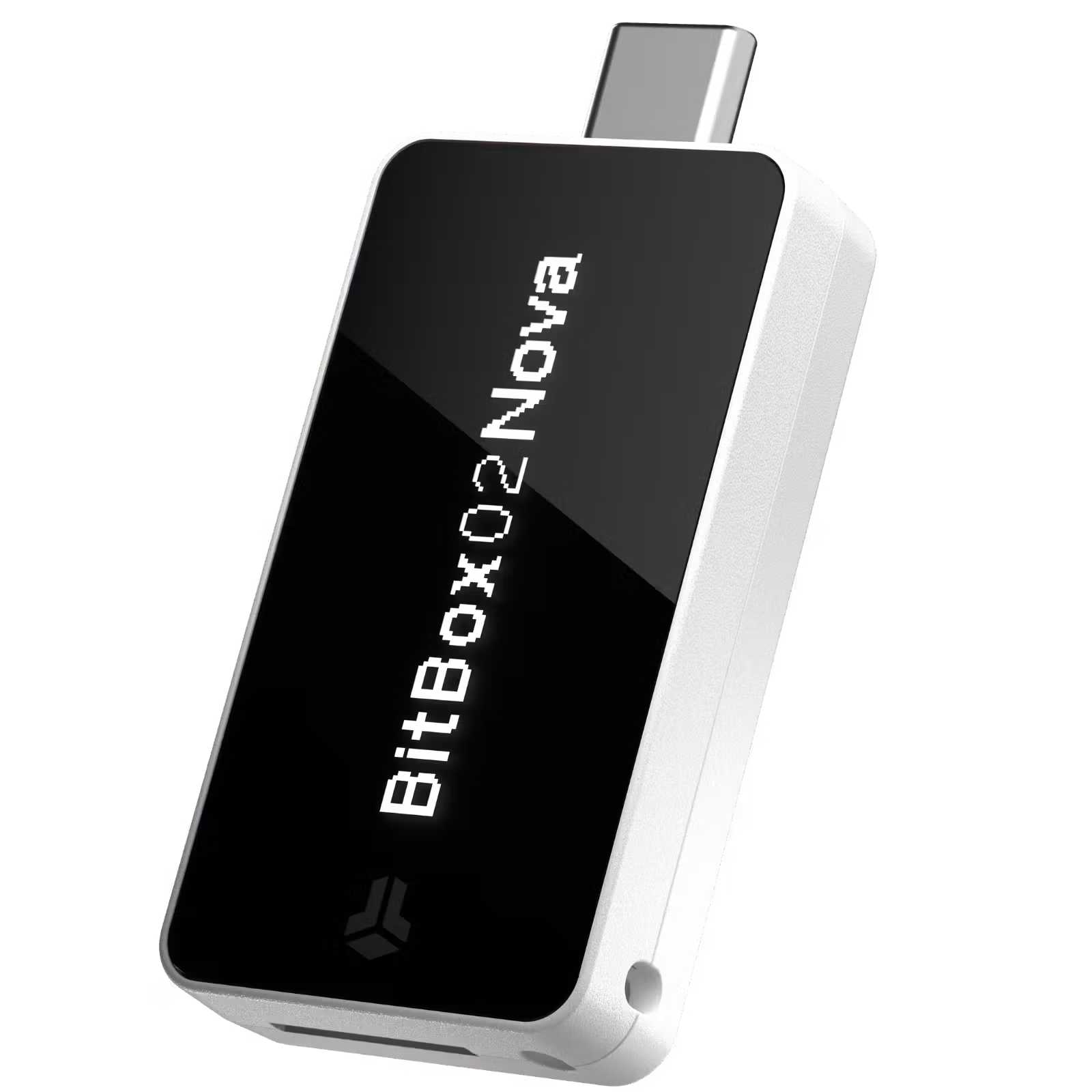

Introduction
BitBox02 Nova Review 2027: Security, Bitcoin-Only Edition, iPhone Support and Verdict
The BitBox02 Nova is a compact Swiss hardware wallet built around an unusually focused proposition: keep the signing device simple, make its security design inspectable, and improve everyday use without turning it into another phone-sized screen. Introduced in June 2025, Nova brought iPhone and iPad support to the BitBox family, alongside a glass-covered OLED display and an EAL6+ certified secure chip.
Unlike products that prioritize a huge coin catalogue or extensive touchscreen navigation, Nova concentrates on private-key protection, verifiable transaction signing, straightforward recovery and a disciplined companion app. Its Multi edition covers Bitcoin and selected altcoins; the separate Bitcoin-only edition permanently removes non-Bitcoin firmware. The version choice is a genuine security and usability decision, not a cosmetic branding difference.
Nova is also a useful test of how hardware-wallet security should be assessed in 2027. Its design includes safeguards against physical extraction and compromised communication, but recent firmware disclosures demonstrate why open audits, timely updates and realistic supply-chain precautions remain necessary even with a certified secure chip.
What Is the BitBox02 Nova?
BitBox02 Nova is the higher-spec successor to the original BitBox02, designed and manufactured by Switzerland’s Shift Crypto. Both belong to the same product family and retain the familiar compact shape, OLED screen, touch-sensitive controls and microSD-based recovery. Nova adds a more durable glass screen, a newer Infineon OPTIGA Trust M V3 secure chip and the hardware required for optional Bluetooth communication with Apple mobile devices. It is not a separate blockchain wallet service or an exchange account: the device stores the key material needed to authorize transactions, while the companion software prepares transactions and displays balances.
That separation is central to the product. A computer or phone can be infected without automatically gaining access to the signing key, because the transaction still needs approval on the dedicated device. But a hardware wallet does not correct a payment sent to the wrong address or an approval deliberately signed for a malicious contract. The distinction between active spending wallets and long-term cold storage therefore still applies to Nova owners who regularly interact with DeFi applications.
Design
Design, OLED Display and Daily Handling
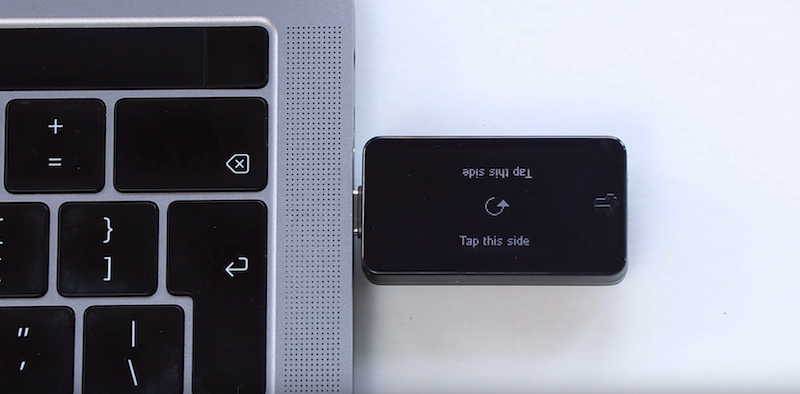
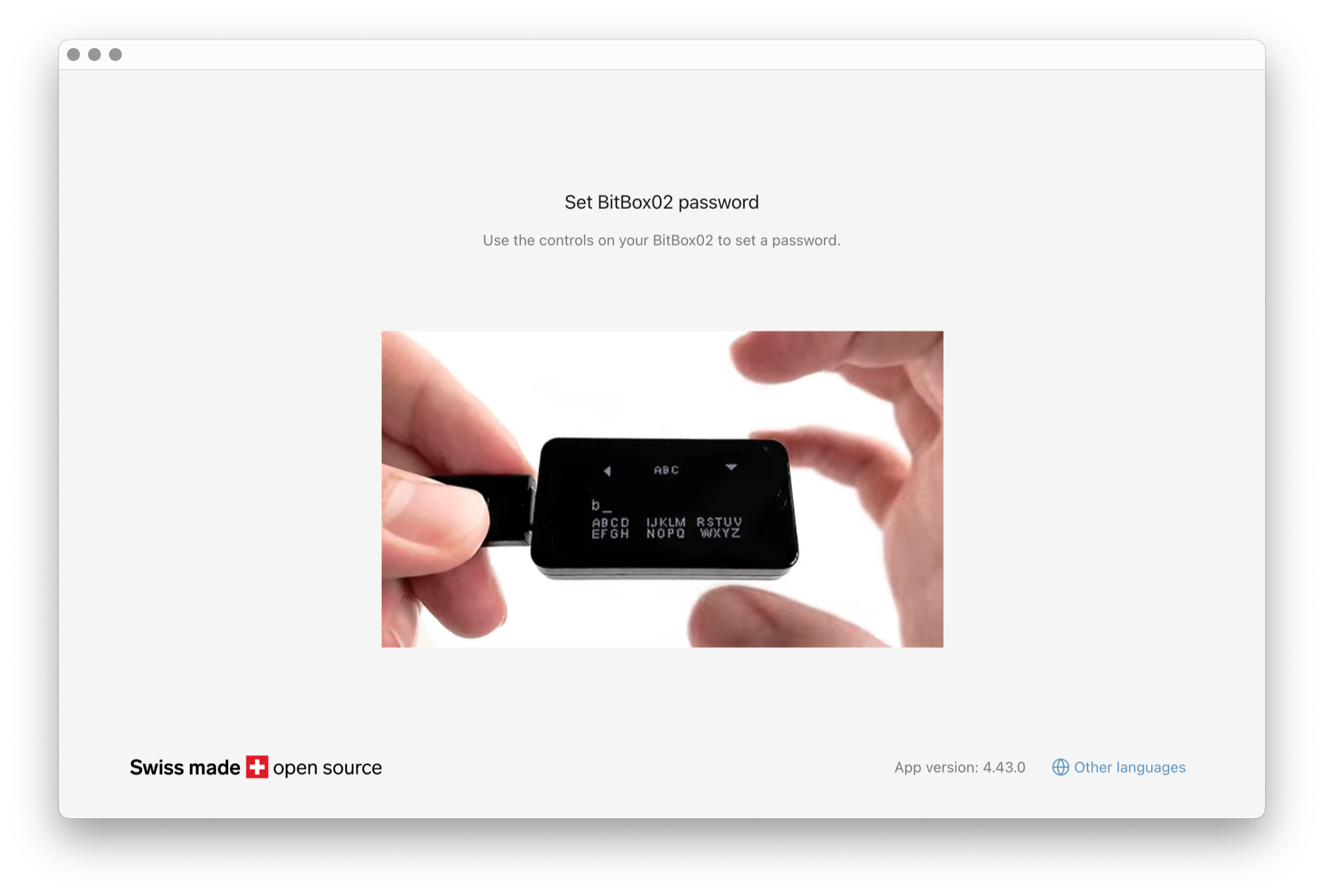
The BitBox02 Nova looks more like a compact USB security accessory than a traditional gadget. Its OLED screen is small but sharply defined, while the glass covering improves resistance to scratches and gives transaction details stronger contrast. The device does not use a full touchscreen or a physical keypad. Instead, touch sensors along its edges register taps, slides and holds for password entry and confirmations.
Nova connects by USB-C with the included adapters and has no rechargeable battery to maintain; on an iPhone, it still needs a wired power connection even though data travels over Bluetooth.
Wallet Setup
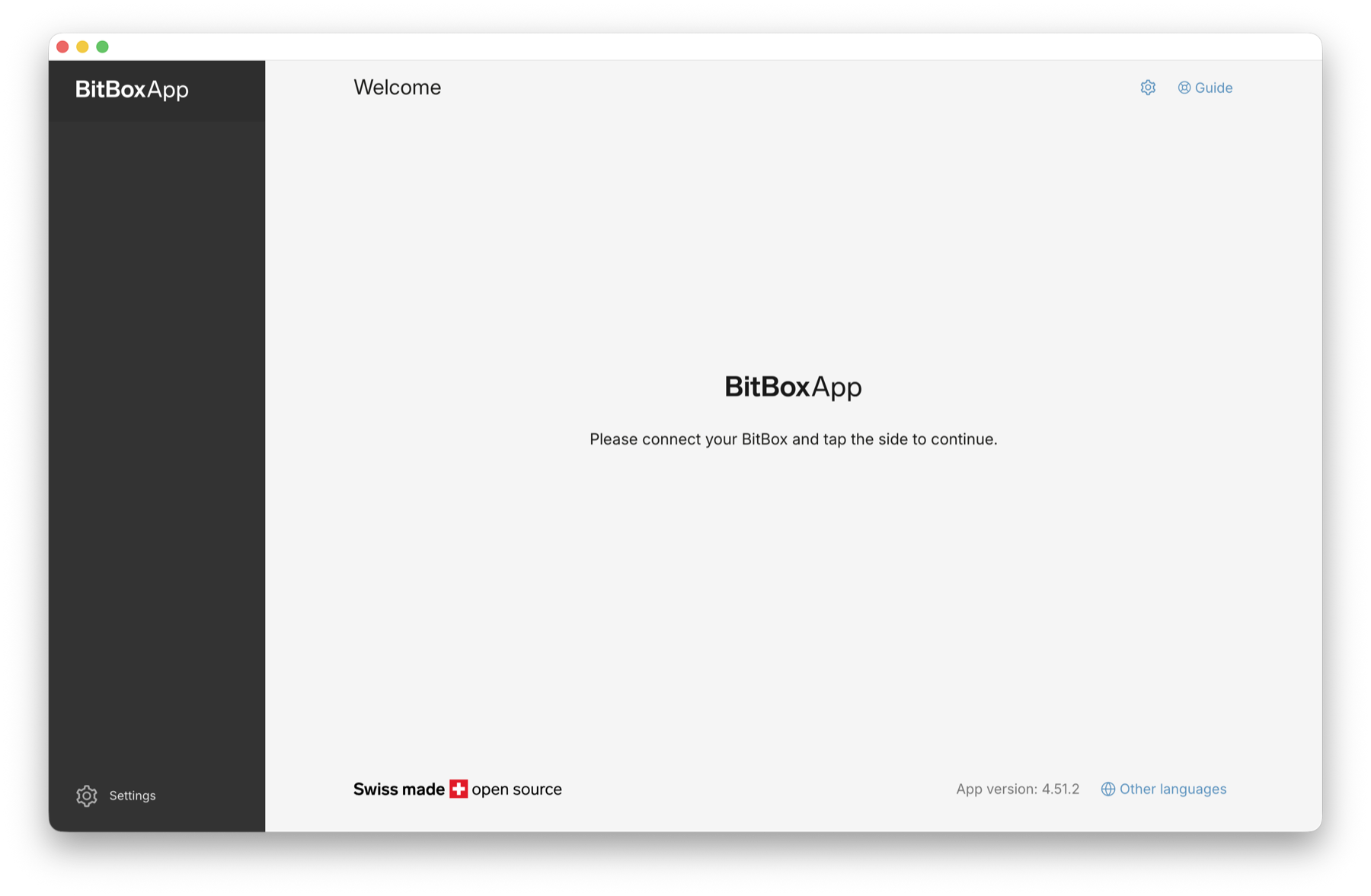
Setup and the BitBoxApp Experience
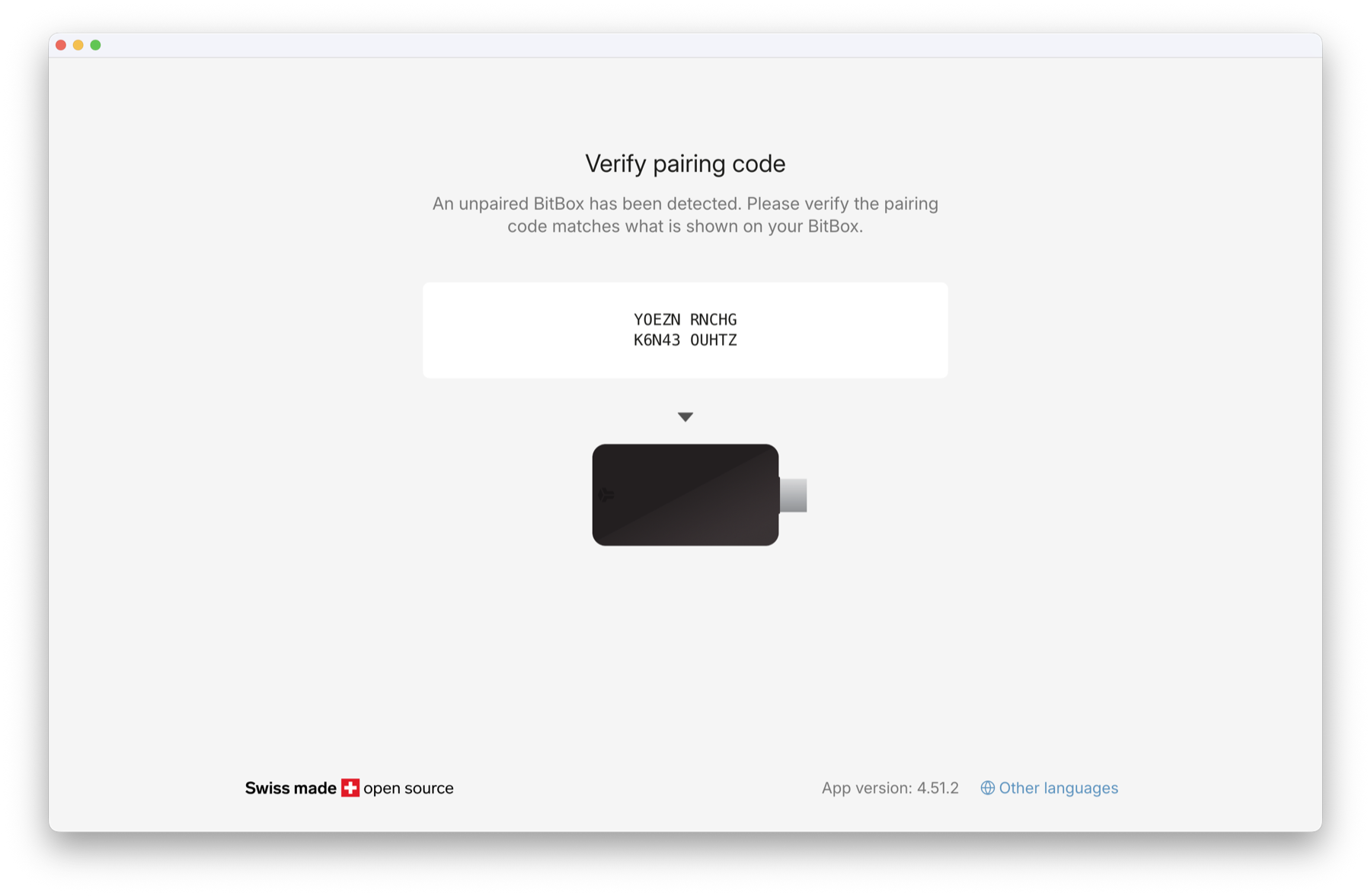
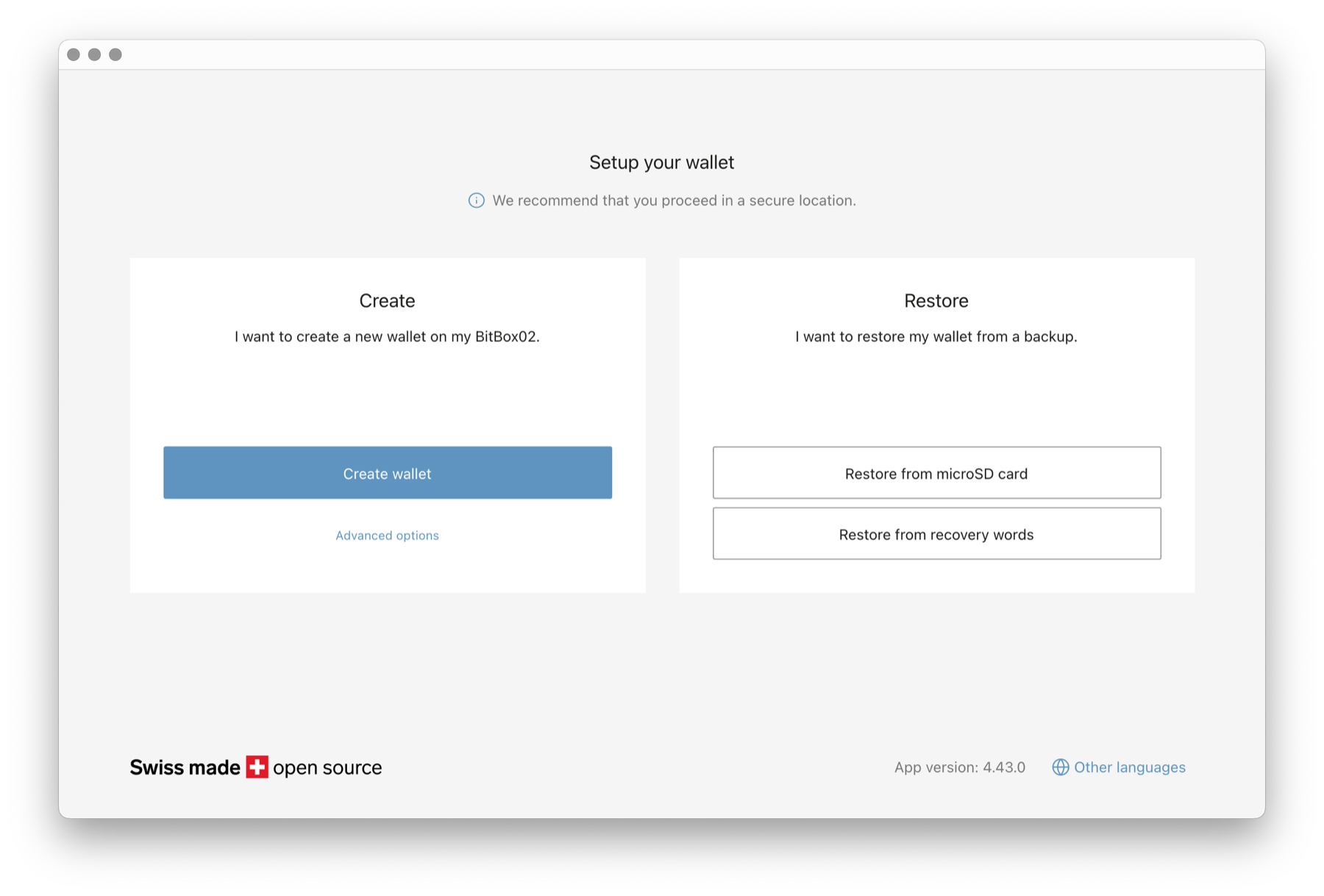
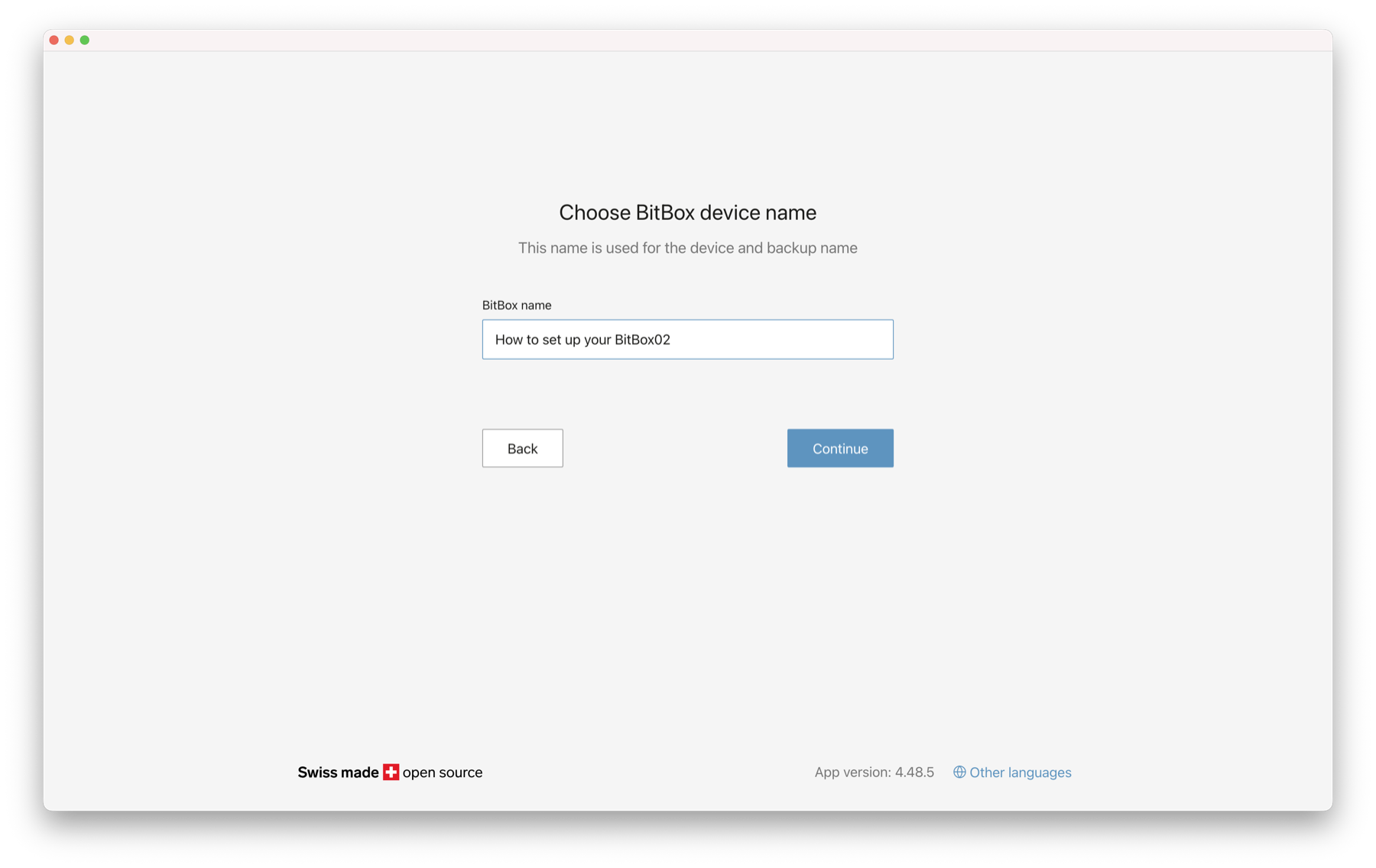
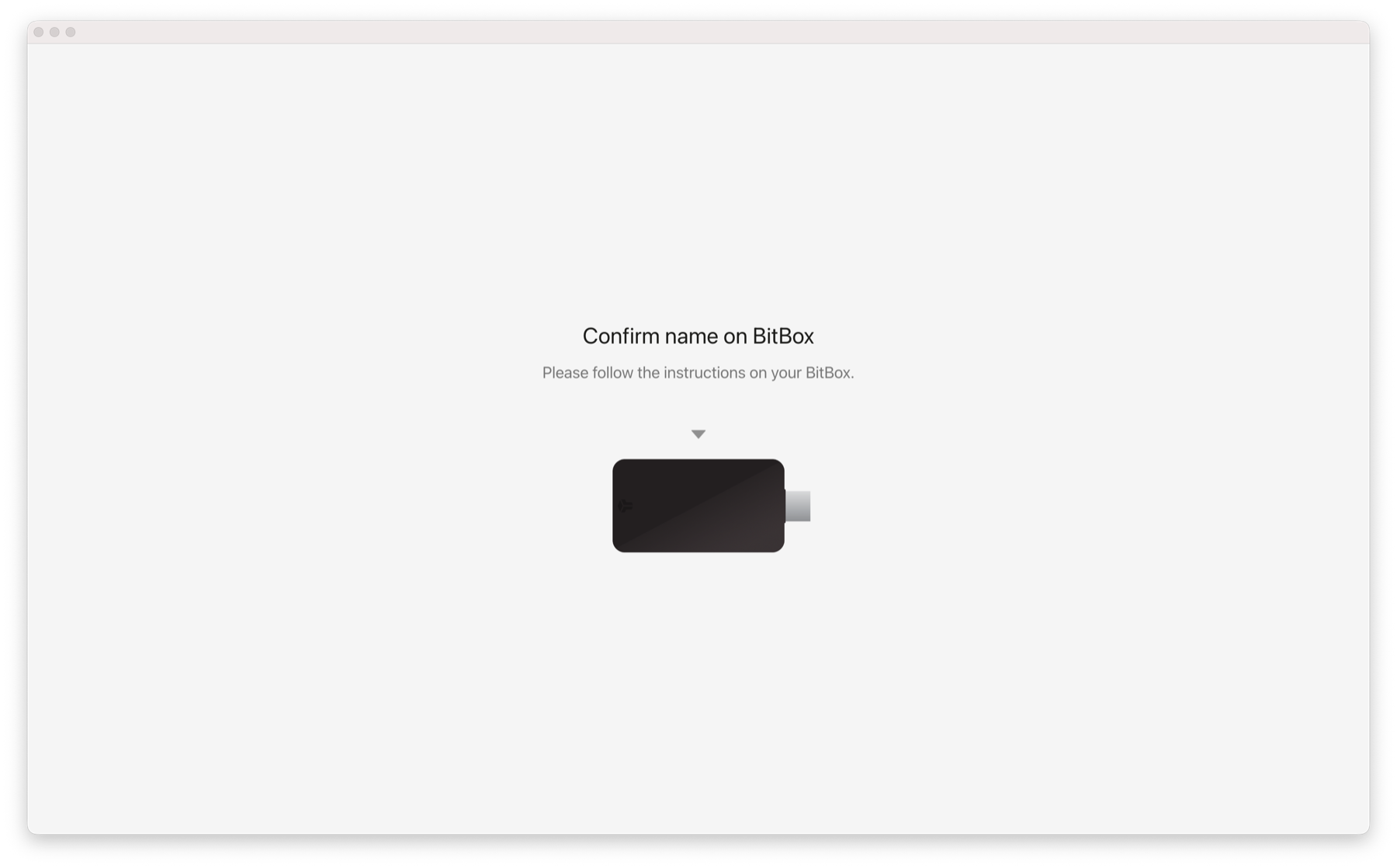
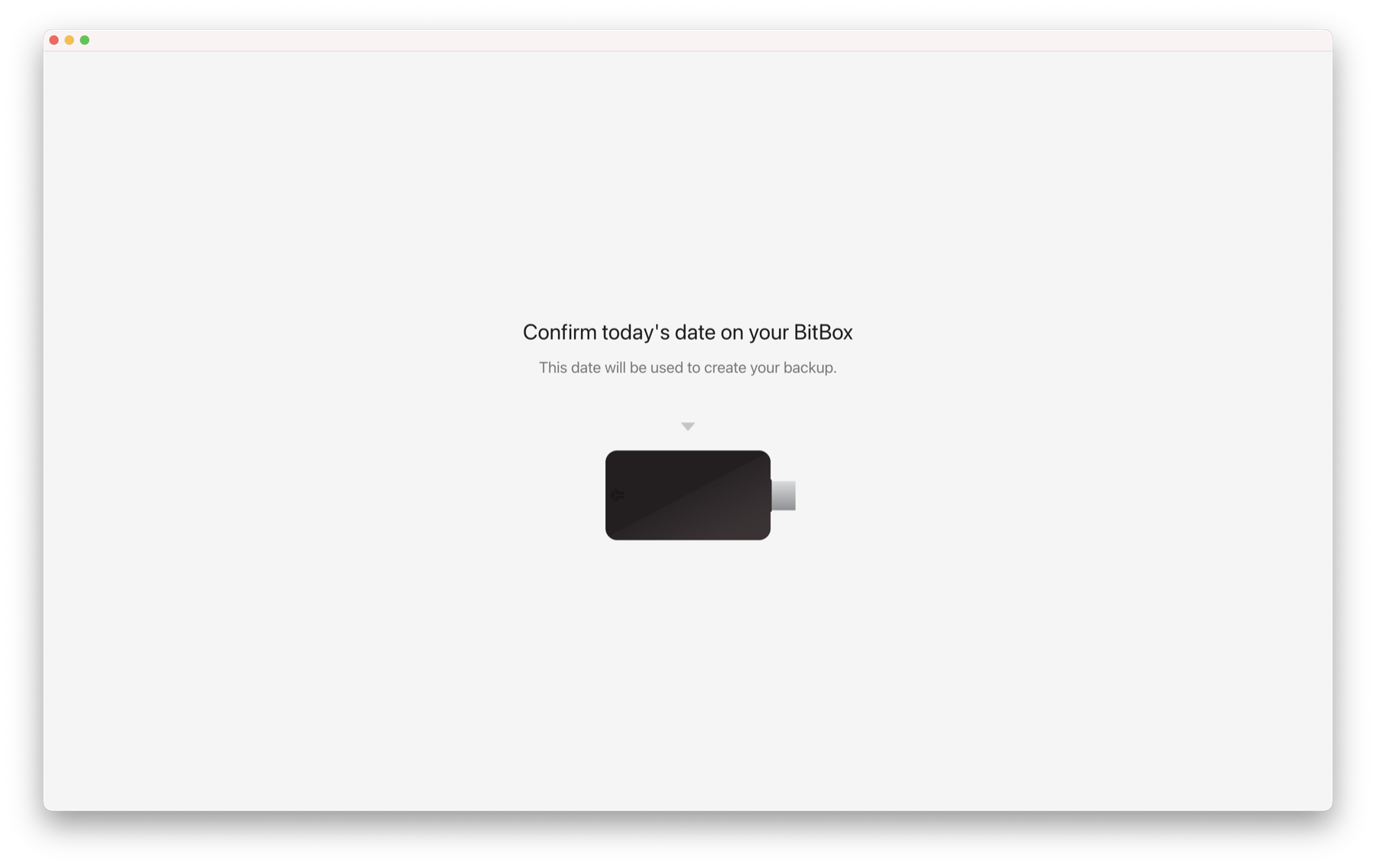
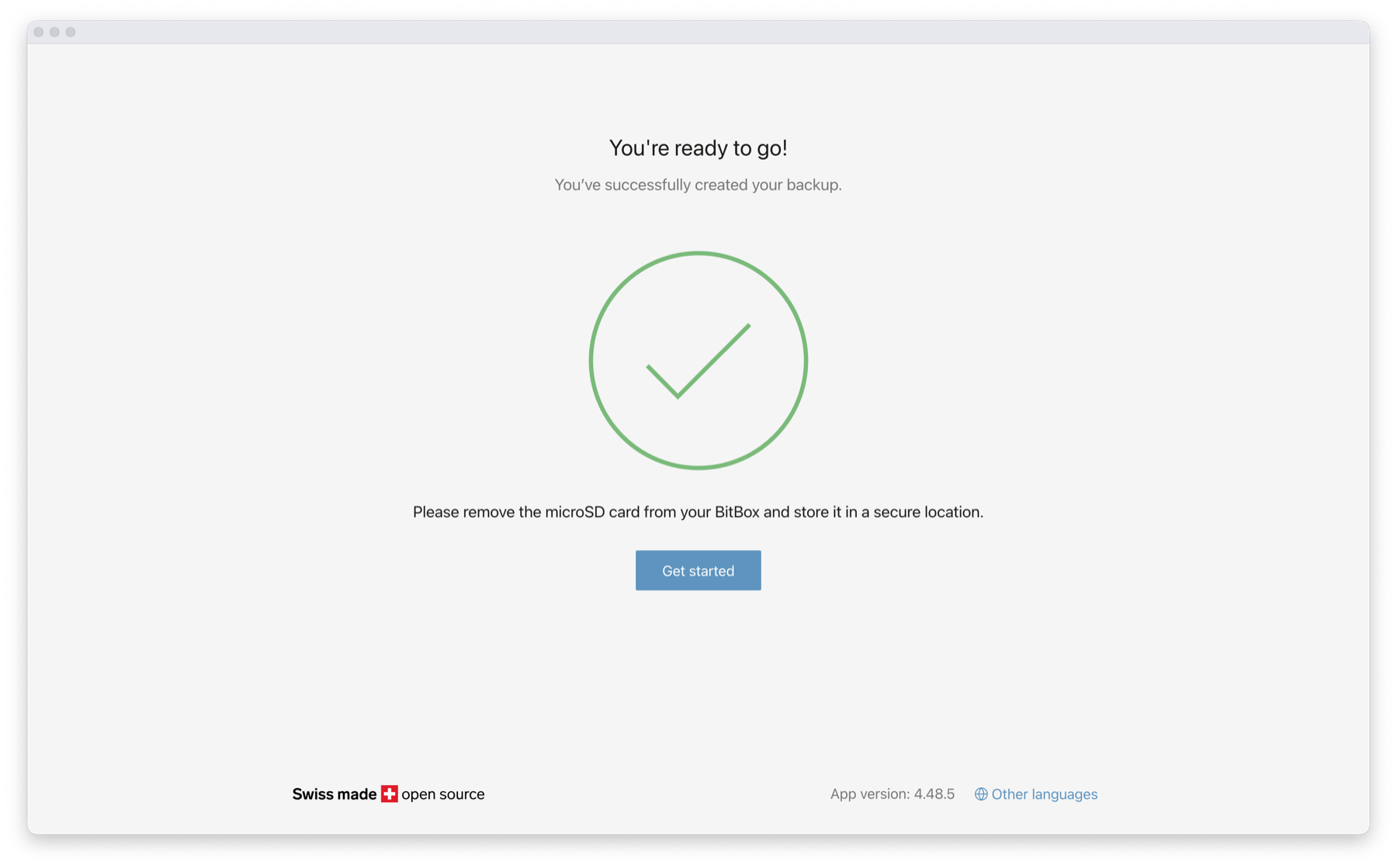
The normal setup takes place in the BitBoxApp, with firmware installed during first-time initialization, a pairing code checked on the device and host, a device password created through the touch controls, and a wallet backup generated. BitBox intentionally ships devices without the operating firmware installed, relying on a signed installation process during setup rather than preloading an arbitrary software image on the production line.
The application favors a restrained layout for balances, receiving addresses, sends, device settings and wallet accounts. Windows, macOS, Linux and Android users can connect over USB, while iPhone and iPad owners use Nova’s optional Bluetooth channel. Account management is approachable without stripping away advanced choices such as manual network fees, passphrases, full-node connections and coin-control tools for Bitcoin.
Setup Guide
Security and Backup
Dual-Chip Security and What EAL6+ Actually Means
Nova’s security architecture combines an open-source main microcontroller with an Infineon OPTIGA Trust M V3 secure chip certified to Common Criteria EAL6+. The secure chip contributes hardware-enforced protection, including defenses against password guessing, while the transaction logic remains outside the secure element in the inspectable main firmware. This reduces dependence on a single opaque component and makes the signing behavior more accessible to code review.
The certified chip does not mean the complete wallet is invulnerable, a limit shared by hardware wallets. Certification covers a defined component and evaluation scope, not every future firmware release, user action, Bluetooth session or physical modification. Nova also uses signed firmware, secure-boot checks and anti-rollback restrictions to make unauthorized firmware changes harder. BitBox’s anti-klepto signing protocol addresses a different problem: protecting against manipulated signing nonces that could otherwise become a covert channel for leaking a private key.
A capable attacker with physical access or control of a distribution channel is a different adversary from remote malware. A malicious extra component can potentially observe user input or alter signals without replacing the secure chip at all. The recent hardware-wallet supply-chain attacks illustrate why genuine firmware and authentic cryptographic components cannot, on their own, establish that every part inside an enclosure remains untouched. Buying through trusted channels, examining packaging and refusing suspicious initialization requests are separate safeguards.
The MicroSD Backup: Excellent Recovery Convenience With a Real Exposure
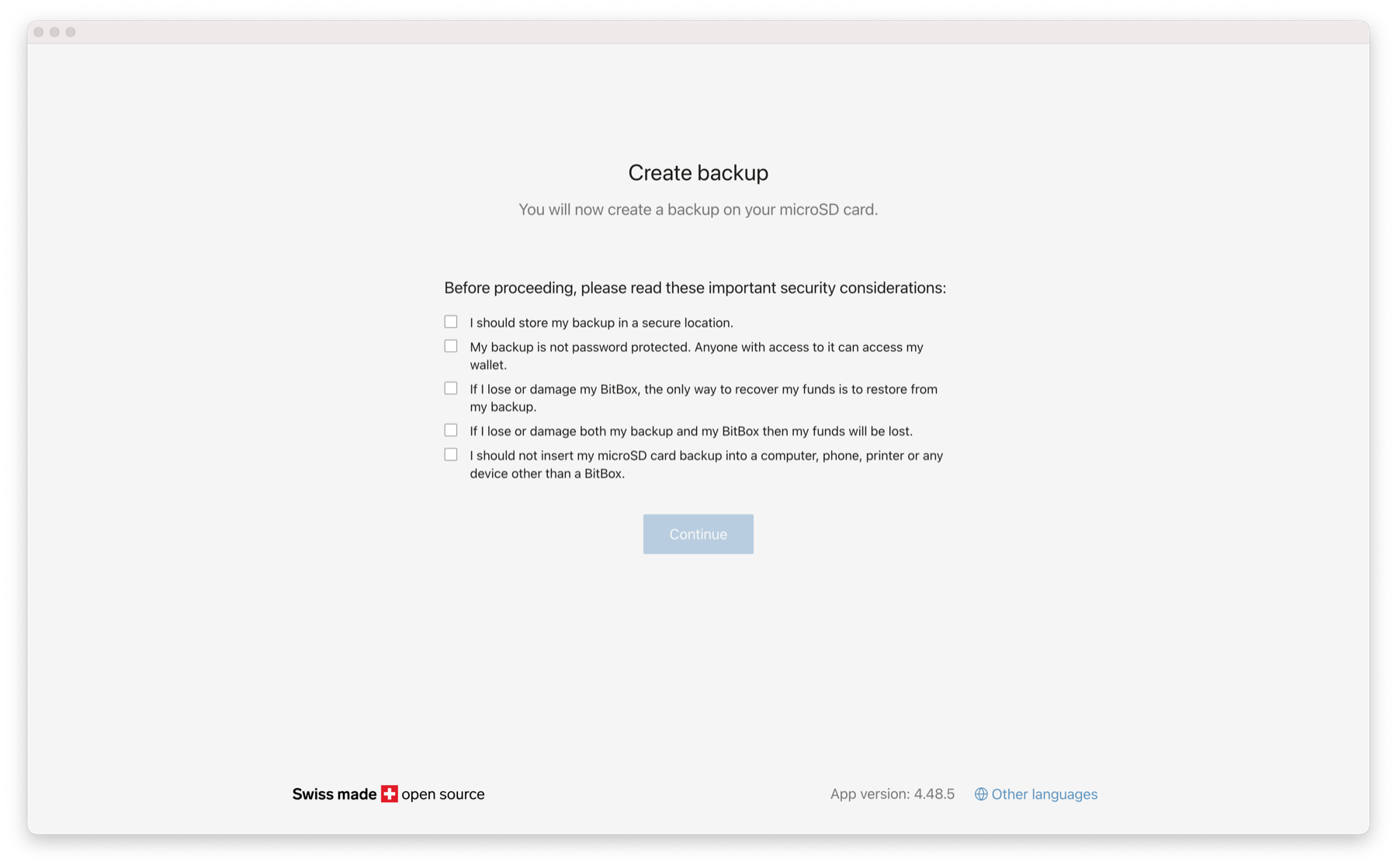
BitBox’s microSD recovery workflow is one of Nova’s most distinctive features. Setup can create a BIP39 wallet backup on the included microSD card in seconds, avoiding the early mistake of copying recovery words incorrectly. The card is then removed and stored separately. Users can also obtain the conventional recovery words on the device and preserve them offline on paper or steel, which makes recovery less dependent on a particular removable-storage medium.
The important qualification is that the default microSD backup is not encrypted with the device password. Someone who obtains the card can potentially restore the wallet without possessing the Nova. It must therefore be protected as carefully as a full recovery phrase and should never be inserted into an ordinary computer, phone or camera. Its convenience is valuable only if the physical storage location is secure and the card is not left in the hardware wallet after setup.
An optional BIP39 passphrase can create a separate protected wallet, but the passphrase is not stored in the microSD backup. Losing that passphrase can make otherwise valid recovery material insufficient. Sound seed phrase storage requires deciding where the wallet backup lives, how its integrity will be checked and how a legitimate recovery would be performed years later. Users should test backup verification before transferring a large balance, not when a broken device forces an emergency restore.
Security Disclosures and the Importance of Firmware Updates
Two Nova-specific secure-chip configuration issues were fixed in the January 2026 Marmorera release, following a disclosure from a Trezor researcher. One concerned access to a configuration slot without a viable seed-extraction path; the other involved bypassing a password-attempt limit under demanding physical-access conditions, with broader consequences if the same device password had been reused elsewhere. Firmware 9.25.0 addressed both issues, illustrating the value of independent review and defense in depth.
The August 2026 Dixence release brought more serious fixes across the BitBox family. The Multi editions of both BitBox02 and Nova could be affected by a memory-corruption issue during an uninitialized-device scenario with a malicious host, while another issue affected a silent-payment signing scenario on certain firmware versions. Firmware 9.26.5 addressed those disclosed problems. A separate bootloader vulnerability involving malicious firmware on older original BitBox02 devices did not affect Nova.
An open-source security design is not a guarantee that defects will never be found. Its practical value comes from how issues are disclosed, independently examined, patched and communicated to owners. Nova users should keep the BitBoxApp and device firmware current through official distribution channels, verify release notes when a security update appears and avoid installation links supplied through unsolicited messages. A device that remains unpatched forfeits part of the security benefit its architecture was built to provide.
Supply-Chain Authenticity and the Limits of Physical Protection
Hardware wallets can be attacked before they reach the purchaser. A compromised reseller, malicious repair service or attacker with temporary access might replace parts, implant a recording component or repackage an altered device. Secure-boot signatures and encrypted key storage make many forms of compromise harder, but neither can conclusively prove that no extra component was added inside the case. Buyers need to distinguish chip authentication from complete board-level integrity.
For Nova, direct purchase from BitBox or a genuinely authorized distributor reduces avoidable risk. First-time setup should involve official software, matching pairing information, correctly signed firmware and a wallet generated under the owner’s control. Any unit that arrives initialized, contains supplied recovery words or asks for a seed phrase on a website should be rejected. If a device’s history is uncertain, moving funds using a trusted replacement and freshly generated keys is safer than assuming a successful software check clears every physical concern.
A phishing page can request a malicious signature from a genuine device, while a copied recovery phrase bypasses the device completely. Regular wallet security checks therefore need to cover the recovery materials, host computer, signing prompts and wallet permissions as well as the hardware itself.
Connectivity
Whisper Bluetooth and iPhone Compatibility
The Nova’s Bluetooth design is more interesting than the simple presence of a wireless radio. A separate Renesas DA14531 chip handles the Bluetooth stack, while the main firmware controls critical wallet operations. The Bluetooth chip does not have access to secret storage, and its firmware is loaded into RAM and verified during boot. BitBox calls the wider design Whisper, combining authenticated Bluetooth pairing with a second end-to-end encrypted channel between the BitBoxApp and the signing device.
The wireless path exists primarily because iOS restricts the wired communication required by this class of wallet. On iPhone and iPad, Bluetooth is therefore part of the normal signing experience. On desktop and Android, USB remains available, and the Bluetooth feature can be switched off. Pairing involves checking a code on both screens rather than trusting an unfamiliar device name that appears in a scan list.
Bitcoin-Only vs Multi Edition
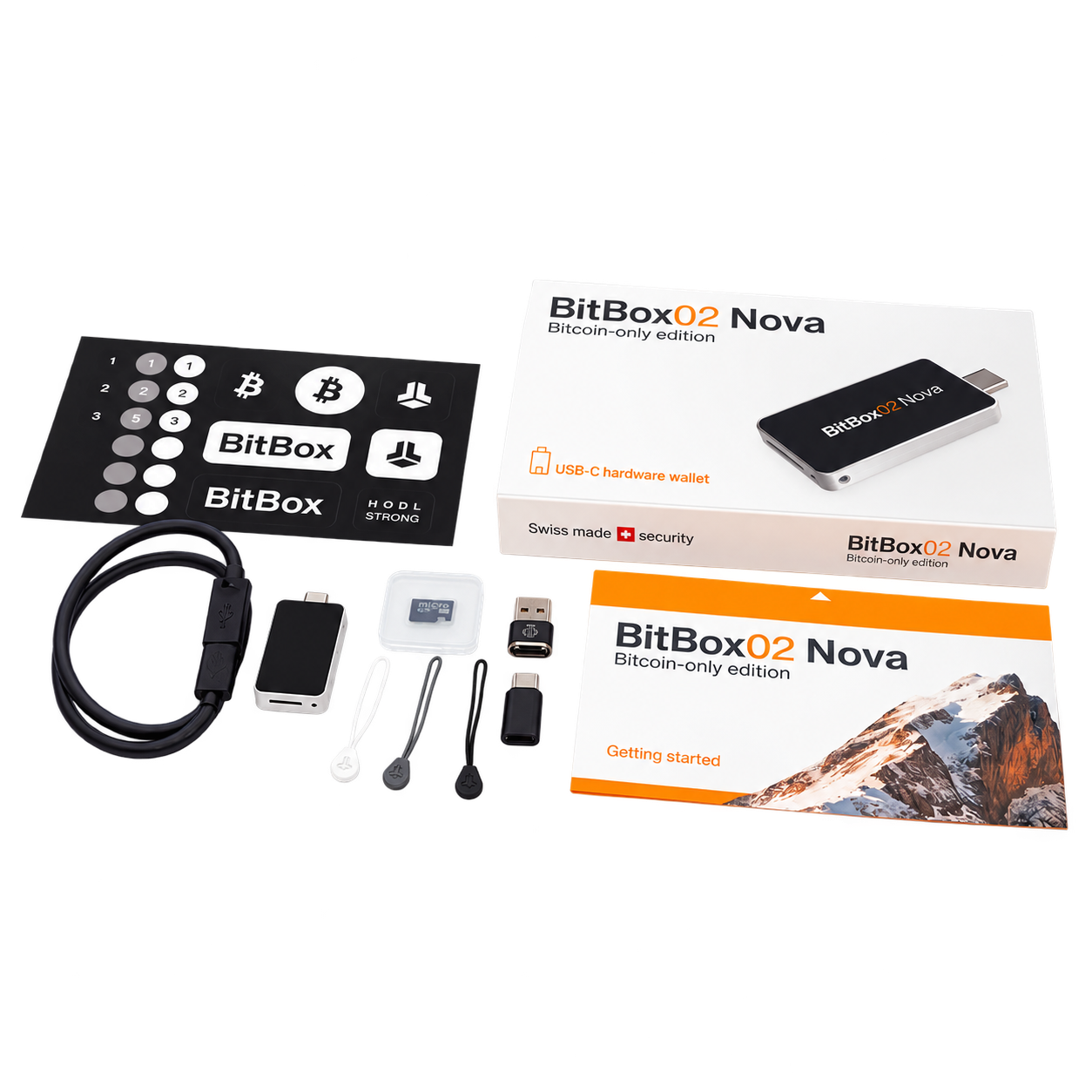
BitBox02 Nova Bitcoin-Only Edition: A Different Security Choice
The Bitcoin-only edition uses the same physical hardware as Multi but runs firmware devoted exclusively to Bitcoin. Removing Ethereum, Cardano, Litecoin and other coin-handling components narrows the codebase and reduces the number of transaction parsers and protocol behaviors that need security maintenance. The simpler operating scope is a defensible reason to choose Bitcoin-only even if the purchaser never intended to install altcoins on the Multi device.
The decision is permanent for that hardware unit. BitBox’s bootloader blocks switching from Bitcoin-only firmware to Multi, or converting Multi to Bitcoin-only. Owners who change investment strategies must use a different device rather than unlocking additional assets through a routine firmware update. The Bitcoin-only edition also forgoes the Multi edition’s FIDO U2F authentication capability, so it should not be selected by someone expecting to use the hardware wallet as a general website security key.
For Bitcoin management, the focused firmware retains modern address formats, including SegWit and Taproot, alongside transaction verification, optional passphrases and compatibility with established Bitcoin wallet software. Advanced users can combine the device with Sparrow or Electrum and register multisig configurations so the signer can check receiving addresses against the intended policy. A multisig wallet spreads authority across independent keys, making the distribution of the other signers and their backups at least as consequential as the choice of Nova itself.
Multi Edition: Ethereum, Cardano, Litecoin and ERC-20 Tokens
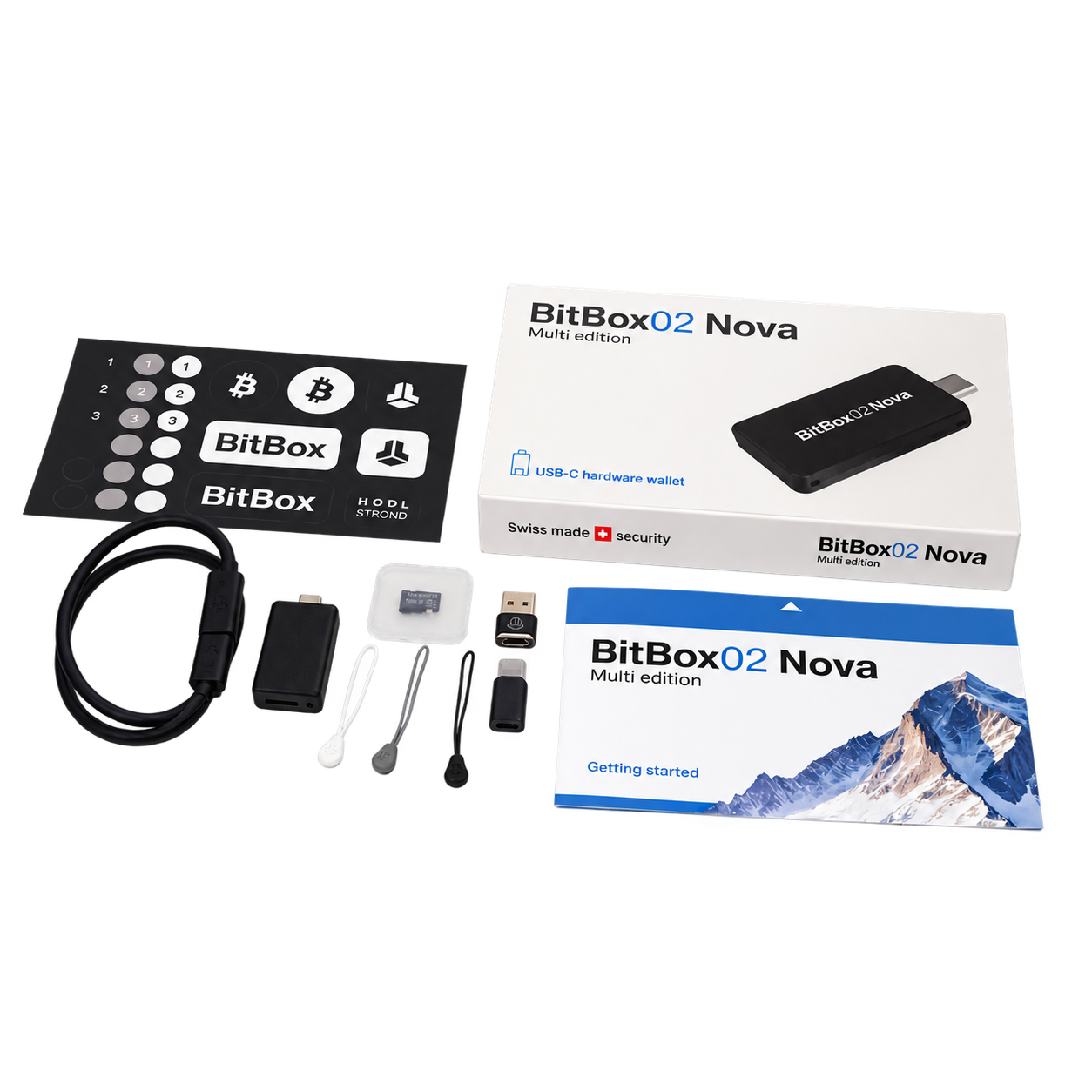
Nova Multi supports Bitcoin, Litecoin, Ethereum, Cardano and more than 1,500 ERC-20 tokens across its supported integration paths. That figure must not be mistaken for 1,500 independent chains or 1,500 assets automatically visible in the companion application. Bitcoin, Litecoin, Ethereum mainnet and selected ERC-20 tokens are handled directly in the BitBoxApp; Cardano, additional ERC-20 tokens and EVM networks such as Polygon, Arbitrum or Optimism generally require compatible external wallet software.
Private-key signing still happens on Nova when an external wallet is used, but the host interface becomes responsible for constructing and explaining the transaction. Third-party compatibility should therefore be checked for the exact chain and action. A wallet that can show an ERC-20 balance may not support all staking, NFT or smart-contract functions with clear on-device confirmation. Solana and XRP are not currently supported, so Multi is not a universal storage solution for someone whose portfolio spans those native networks.
The Multi edition also supports FIDO U2F login authentication. Buyers whose portfolios primarily use Solana or XRP will need another hardware wallet.
Bitcoin Privacy, Fees and Advanced Wallet Software
The BitBoxApp includes coin control for choosing which unspent outputs are used in a payment, reducing accidental linkage between holdings intended to remain separate. Custom fee settings give users more control over transaction priority, particularly when network congestion changes dramatically. Those controls make Nova useful beyond the basic send-and-receive workflow.
Advanced users can connect the application to their own Bitcoin node infrastructure rather than relying entirely on default network services, while external integrations support more specialized wallet policies. Features such as multisig descriptor registration and on-device address verification can reduce the risk of a compromised computer changing a receiving address, provided the owner checks the displayed information instead of approving prompts automatically.
Nova vs. Safe 7 and Passport
BitBox02 Nova vs. Trezor Safe 7 and Passport Prime
The Trezor Safe 7 is the strongest comparison for buyers who want a modern multi-asset signer with a larger interface. Its 2.5-inch color touchscreen is better suited to lengthy approvals, and its three-chip architecture combines an auditable TROPIC01 secure element, OPTIGA Trust M and a hardened microcontroller. Trezor also offers broader native asset coverage, Bluetooth and wireless charging. Nova counters with a smaller device, no battery maintenance, a focused application and especially straightforward microSD recovery, though that backup demands strict physical protection.
Passport Prime approaches hardware security from another direction. Its KeyOS-based platform extends beyond Bitcoin keys to offline 2FA codes, security-key functions, encrypted file storage and sandboxed applications, supported by the QuantumLink connection design. The current product’s core Bitcoin focus and wider personal-security ambitions make it an alternative for users who want one dedicated device handling several categories of digital authority. Nova is a more conventional hardware-wallet choice, particularly for those who prize restrained software and a clearly bounded signing workflow over an expanding app platform.
Safe 7 better serves portfolios requiring many chains and a readable touchscreen; Passport Prime suits users who want an integrated identity-and-Bitcoin-security device; Nova is strongest for compact cold storage with optional iPhone connectivity and a particularly clear Bitcoin-only route. An investor also considering crypto estate planning should compare recovery procedures and long-term software continuity rather than choosing solely by secure-chip specifications.
Pricing and Value for Money
Nova sits above entry-level hardware wallets but below the largest premium touchscreens in typical retail pricing. The original BitBox02 generally costs less, so owners who do not need iPhone support or Nova’s newer hardware should consider whether an upgrade changes their actual security posture enough to justify buying again.
Included cables, adapters and the microSD card keep the standard setup from requiring immediate accessory purchases, although a separate durable backup and secure storage location may be sensible expenses. There is no subscription requirement to hold assets in a BitBox wallet. Network transaction fees and optional third-party exchange or service fees remain independent of the hardware purchase.
Pros & Cons
- Auditable firmware, EAL6+ secure chip and deliberate dual-chip protection.
- MicroSD backup, recovery-word option and established Bitcoin privacy controls.
- Compact design with durable glass screen and cross-platform iPhone compatibility.
- Genuine Bitcoin-only edition with permanently restricted firmware.
- No native support for SOL or XRP; other networks may require external wallets.
- Small screen and touch sliders are less comfortable for complex approvals.
- Default microSD backup is unencrypted and must be secured as a master secret.
- Multi and Bitcoin-only firmware cannot be switched on the same device.
Bottome Line
Is BitBox02 Nova Worth it in 2027?
BitBox02 Nova is a serious compact hardware wallet with a credible, understandable security architecture and a particularly thoughtful recovery workflow. Its 2025 hardware improvements make daily use easier, while the permanently focused Bitcoin-only edition gives BTC holders a reason to select it over broader products. The 2026 disclosures prevent any simplistic claim of immunity to hardware or firmware attacks, but the documented fixes and continued development strengthen the case for a product built around inspectable security rather than secrecy.
The main reservations are equally practical: the small screen is not ideal for every complex transaction, asset coverage is selective, a microSD backup must be guarded like a seed phrase, and an iPhone workflow requires Bluetooth. For a buyer whose needs stay within those boundaries, Nova offers a compelling balance of usability and disciplined cold storage without requiring a large screen or a complicated device ecosystem.
FAQs
Is BitBox02 Nova safe after the 2026 vulnerabilities?
The January and August 2026 disclosures resulted in firmware fixes, including version 9.26.5 for the August issues. Use the newest official firmware and remember that no hardware wallet is guaranteed immune to physical tampering, malicious signing requests or recovery-phrase theft.
What is the difference between BitBox02 Nova Multi and Bitcoin-only?
Both use the same hardware. Multi supports Bitcoin plus selected altcoins and token integrations, while Bitcoin-only uses narrower firmware devoted exclusively to BTC. The edition cannot be changed later on the same device.
Does BitBox02 Nova work with iPhone?
Yes. Nova supports the BitBoxApp on iPhone and iPad using Whisper's encrypted Bluetooth communication; wired USB remains available on computers and compatible Android devices.
Is the BitBox02 Nova microSD backup encrypted?
The default microSD wallet backup is not encrypted with the device password. Anyone with access to the backup can potentially restore the wallet, so it should be removed after setup and stored offline in a secure location.
Does BitBox02 Nova support Ethereum, Solana and XRP?
The Multi edition supports Ethereum and selected ERC-20 tokens, with additional EVM activity handled through compatible external wallets. Solana and XRP are not currently supported. The Bitcoin-only edition does not support any altcoins.
Is BitBox02 Nova better than Trezor Safe 7 or Passport Prime?
Nova is appealing for its smaller size, Bitcoin-only choice, microSD recovery and focused BitBoxApp. Trezor Safe 7 offers a larger touchscreen and broader coin support; Passport Prime adds identity-security and encrypted-storage functions beyond conventional Bitcoin custody.